Share on media



If visitors do not find the content they want very fast on your site, they might just leave and look for another website, which could make them someone else’s customers. WordPress has a search function by default, but often it is not the most effective tool in locating and retrieving the most relevant and helpful content, including posts, pages, products, etc. This is where the top WordPress search engine plugins step in to be your biggest helper. Besides upgrading the accuracy and speed of the search, they also lead to the creation of a better user experience. As a consequence, visitors get more engaged with the content, spend longer time on the site, and are more prone to conversion.
To assist you in determining which one is ideal for your site, we’ve compiled a listing of the most effective WordPress search engine plugins.
List of 10: Best WordPress Search Engine Plugins
To select the WordPress search engine plugin that best suits your website’s needs, let’s take a quick look at some of the top plugins. We’ve included some key features, pricing and primary use cases for them to see at a glance. It will assist you in picking a plugin that satisfies your website search requirements and objectives.
| S.No. | Plugin | Best For | Pricing |
| 1. | ElasticPress | Businesses & enterprise search | Starts at $79/month |
| 2. | Ivory Search | Multilingual search forms | Free; Premium starts at $19.99/year |
| 3. | SearchWP | Advanced site search | Starts at $99/year |
| 4. | WPFilters | Amazon-style search & filters | Free; Premium available |
| 5. | Advanced Woo Search | WooCommerce search | Free; Pro starts at $69/year |
| 6. | FiboSearch | AJAX product search | Free; Pro starts at $49/year |
| 7. | Better Search | Relevance-Based Search | Free |
| 8. | Relevanssi | Accurate Search Results | Free; Premium starts at $109/year |
| 9. | WP Extended Search | Lightweight Search Enhancement | Free |
| 10. | SearchWP Ajax Live | Live Search Suggestions | Included with SearchWP |
Apart from optimizing your site experience, it is also crucial to take a look at your WordPress Booking Plugin setup to make certain your customers can discover and complete bookings without any friction.
Top WordPress Search Engine Plugins In-Depth Reviews
1. ElasticPress

ElasticPress is a WordPress search engine plugin that is not only powerful but also ready for enterprise-level use to deal with a huge amount of content and search volume. It points to other cloud servers outside the site, which provide quick results without affecting site performance. This WordPress plugin is capable of indexing any type of content that you can think of, including content types other than WordPress, such as custom fields, metadata, PDFs, Office files, and more. Furthermore, the AJAX live search and relevance weighting can be customized, so businesses can highlight what they believe are their most important products and content in the search results.
| Pros | Cons |
| Lightning-fast search results | Expensive compared to most alternatives |
| Reduces server load by offloading search processing | May be overkill for small websites |
| Indexes PDFs, documents, and custom fields | Requires more setup than beginner-focused plugins |
| Supports synonyms and related content recommendations | Best features available on paid plans |
Ideal For: Companies and company sites.
Pricing: Starts at $79/month
2. Ivory Search

This WordPress search engine plugin supports multilingual sites, and it can be used with major translation services. It stores all the variations of posts, meta fields, image descriptions, attachments, and even shortcodes for their accuracy in a search. Not to mention, it has live searching capabilities via AJAX for an improved user experience. Also, you can make several search forms that can have different characteristics; this is great if you have very different content on your site that demands very different search experiences.
| Pros | Cons |
| Beginner-friendly setup | Some advanced features require Premium |
| Supports multiple custom search forms | Limited analytics capabilities |
| WooCommerce and AJAX search support | Search customization is less advanced than SearchWP |
| Free version available | Premium support only on paid plans |
Ideal For: Multilingual and Content-driven Websites
Pricing: Free; Premium available online starting at $19.99 per year
3. SearchWP

A strong WordPress search feature that lets you have complete control over what content you want to be indexed and the order of search results. You can even find custom post types, WooCommerce products, PDFs, documents, comments, custom fields, and taxonomies that WordPress does not search for in regular searches. One of the key differentiators from others is the ability to customize relevance weighting, which enables you to target specific types of content to achieve more relevant results. It is seamlessly compatible with WooCommerce and provides a number of customization options, which is why it is a good choice for big content sites, membership sites, and eCommerce stores.
| Pros | Cons |
| Highly customizable search engine | No free version |
| Indexes PDFs, documents, and custom fields | Higher starting price than many competitors |
| Excellent WooCommerce integration | Advanced settings may overwhelm beginners |
| Strong relevance control options | Some features require add-ons |
Ideal For: Advanced site search customization
Pricing: Starts at $99/year
4. WPFilters
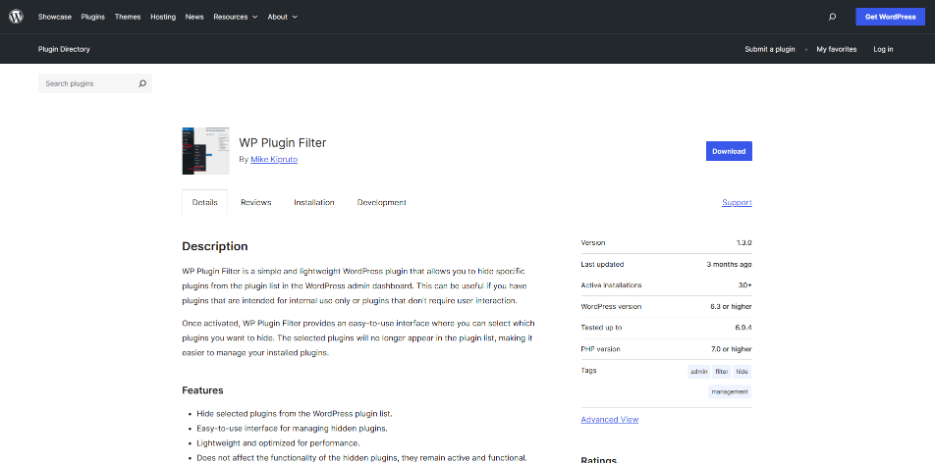
By adding super filters to the search results, a visitor can use more advanced filters, such as those provided by bigger eCommerce websites, with the help of WPFilters. The content categories, tags, prices, ratings, dates, and custom fields make it easy to narrow down content so that it is easier to use. It will allow you to create checkboxes, dropdowns, sliders and other types of filters without coding using WordPress blocks. It’s handy for any content-rich or WooCommerce stores.
| Pros | Cons |
| Powerful faceted filtering | Advanced features require Premium |
| Improves product and content discovery | Can require additional setup |
| AJAX-powered filtering | Not a complete search solution on its own |
| Works well with large catalogs | Limited free-version functionality |
Ideal For: Amazon-style search and filters
Pricing: Free; Premium available
5. Advanced Woo Search

Advanced Woo Search is an affordable and easy-to-use WooCommerce WordPress search engine plugin that improves product searching and locating by customizing search for product titles, SKUs, product description, product classification, and product tags. Easy to set up, even for beginners, and can be done in just a few minutes. It also displays product images and prices in real-time search results, enabling customers to search for a product faster. The benefit of product indexing is that it makes sure that the search results stay up to date without having to manually update them, which is useful in expanding online stores.
| Pros | Cons |
| Fast WooCommerce product search | Focused only on WooCommerce |
| Supports SKU search | Fewer customization options |
| Live search suggestions | Advanced features require Pro |
| Easy to configure | Not suitable for non-eCommerce sites |
Ideal For: WooCommerce stores
Pricing: Free; Pro starts at $69/year
6. FiboSearch

FiboSearch is a WooCommerce plugin that can significantly simplify product searching for customers. The main benefit of this product is that it can display product information, price, and even provide an Add to Cart button directly from the live search results, minimizing the steps to checkout. The plugin also allows you to tailor AJAX search layouts and even dive into the depths of product descriptions, SKUs, and custom fields to help customers locate their needs more easily.
| Pros | Cons |
| Excellent AJAX search experience | Premium needed for advanced search features |
| Displays product images and prices | Designed primarily for WooCommerce |
| Supports SKU and attribute search | Limited usefulness for content sites |
| Includes search analytics | Free version has feature restrictions |
Ideal For: AJAX-powered product search
Pricing: Free; Pro starts at $49/year
7. Better Search

Better Search is a free WordPress search engine plugin that makes search more relevant and includes an impressive search heatmap feature. The most popular search terms that are used on your site will be shown on this feature, making it easier for visitors to find what they are looking for. This plugin can do a search through post titles, content, excerpts, author, tags, comments, meta fields, and even custom post types. This is a great feature to have for websites with a great amount of content, as it provides a wider index that makes it possible to provide more accurate search results than the default WordPress search.
| Pros | Cons |
| Completely free | Interface feels dated |
| Improves search relevance | Limited advanced search controls |
| Easy to install and use | No built-in AJAX search |
| Lightweight and resource-efficient | Fewer integrations than premium tools |
Ideal For: Content-heavy blogs and websites
Pricing: Free
8. Relevanssi

Relevanssi is a WordPress search engine plugin used on websites that contain a lot of content and demand better search results. It ranks content relevant to the search query before the most recently published content, unlike the default WordPress search, and helps visitors find the most valuable evergreen content on your site. It also adds support for PDF indexing, custom fields, user profiles, categories, tags, shortcode outputs, and WooCommerce products, and is a popular choice for blogs, membership sites, and large libraries of content.
| Pros | Cons |
| Highly accurate search results | Premium version can be expensive |
| Supports fuzzy matching | Can consume more database resources |
| Free version is feature-rich | Setup requires some fine-tuning |
| Works with custom post types | Advanced features are locked behind Premium |
Ideal For: Accurate search results
Pricing: Free; Premium starts at $109/year
9. WP Extended Search
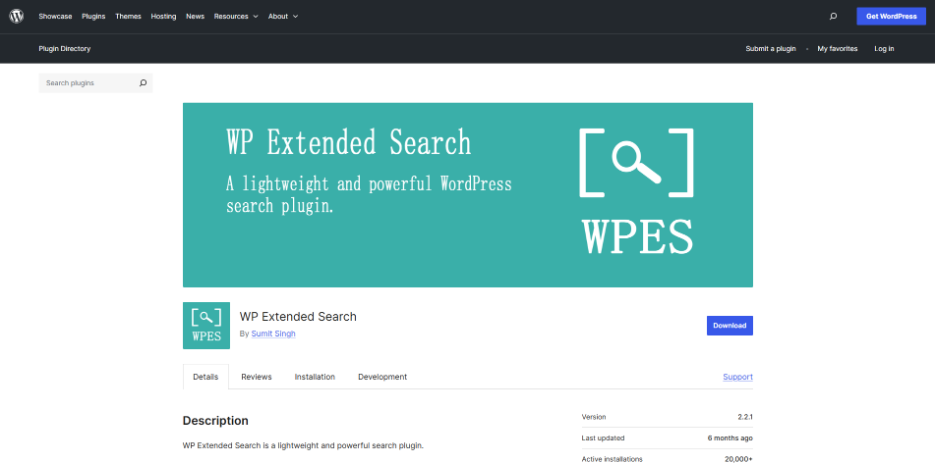
WP Extended Search is a lightweight WordPress search engine plugin that improves the default WordPress search without complicated settings. It enables you to add categories, tags, author, metadata, custom post types, and taxonomies to search results with ease through a simple settings screen. The plugin will automatically replace the WordPress built-in search and works out of the box. If you want to be extra flexible, you can also add custom search forms to any part of your site via widgets, shortcodes, or code snippets.
| Pros | Cons |
| Lightweight and fast | Limited advanced features |
| Completely free | No AJAX live search |
| Supports custom fields and taxonomies | Fewer integrations than competitors |
| Easy configuration | Not ideal for large websites |
Ideal For: Lightweight search enhancement
Pricing: Free
10. SearchWP Ajax Live
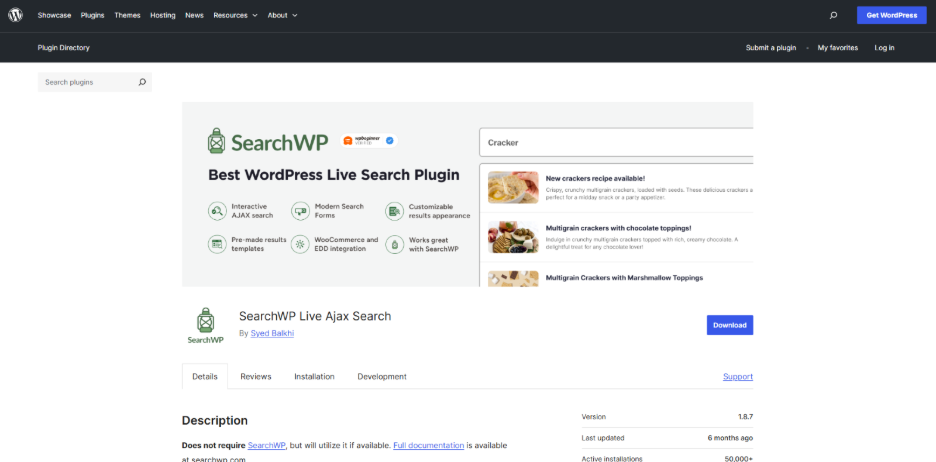
SearchWP Ajax Live provides live search suggestions in WordPress, making the search experience as seamless as that of the big search engines. Fits in with any WordPress search forms and can be easily installed without any additional configuration. As visitor types, the plugin will immediately show them content that is relevant. Also, live search bars can be added anywhere on your site via blocks, which is perfect for membership sites, online courses, and digital product stores looking to enhance conversions and engagement.
| Pros | Cons |
| Real-time search suggestions | Requires SearchWP license |
| Improves user experience | Not available as a standalone plugin |
| Mobile-friendly design | Depends on SearchWP ecosystem |
| Easy integration with SearchWP | Limited value without SearchWP |
Ideal For: Live search suggestions
Pricing: Included with SearchWP license
When you’re also using a Drop Down Info Plugin for WordPress for FAQs or expandable content, you’ll be giving your visitors many more intuitive ways of navigating your site with Ajax Search Lite.
How to Choose the Right WordPress Search Engine Plugin
There are numerous WordPress search engine plugins to choose from, and they all have their advantages and disadvantages, so it’s important to decide which one is the best for your website based on your content, traffic, and search needs. Here are some quick tips that can help you narrow down your choices.
- WooCommerce stores: FiboSearch and SearchWP provide strong product search features, such as support for SKUs, live suggestions, and advanced search customization.
- Content-heavy blogs and publishers: Relevanssi does well to provide highly relevant and accuracy-oriented search results on a large content base.
- For high traffic or enterprise sites: ElasticPress offers enterprise-grade performance and scalability with Elasticsearch.
- Beginners and budget-conscious users: Ivory Search is easy to install and includes some good customization features, and has a generous free version.
- Advanced customization needs: SearchWP provides you with the maximum control over indexing, search relevance, and custom content types.
If the site is multilingual, be sure to get a plugin that supports WordPress Translation Plugins, particularly if the site is a multilingual store or blog. There are multilingual add-ons available for both Relevanssi and SearchWP to consider.
Final Verdict: Which WordPress Search Engine Plugin Should You Pick?
If you’re looking for the best overall WordPress search engine plugin, SearchWP offers a range of advanced features combined with customization and WooCommerce integration. FiboSearch features the sky-high speed product search that uses AJAX and live suggestions, making it a great option for online stores. For content-intensive blogs or publications, Relevanssi provides highly relevant search results and one of the best free plans. Each plugin excels in a different field and therefore, it is the best option for most WordPress websites.
Also Read
Plugin Not Working in WordPress: Easy Way to Fix It