Share on media



The guide explores what plugin cookies are, how they work, why websites and plugins use them, and what they mean for the privacy of the user.
In the modern digital ecosystem, cookies have become an essential part of the web. Whenever any user visits a website, logs into an account, adds something to a shopping cart, or receives any personalized recommendations, cookies are the ones working behind the scenes, making the user experience smoother.
Cookies are one of the most common ways websites store information in a user’s browser. Alongside traditional browser cookies, older browser plugins also provided separate mechanisms for storing information locally on a user’s device. These mechanisms are often referred to as plugin cookies.
The plugin cookies are stored and managed differently compared to the traditional browser cookies. Understanding how plugin cookies work can help users make better decisions about their online privacy, security, and data tracking.
What are Plugin Cookies?
Plugin cookies are a type of small piece of information that can be stored on the device of the user by a browser plugin or plugin-based application. Plugin cookies are generally used to remember basic information between visits, including user preferences, settings, or application-related data. These cookies may be handled by the plugin itself, compared to the traditional browser cookies that are managed directly by the browser.
In simple terms, plugin cookies are a way for plugin-based software that is used to remember information on the user’s device, sometimes separately from the normal cookie system of the browser.
Plugin cookies are a type of small piece of information that can be stored on the device of the user by a browser plugin or plugin-based application. To better understand the role of plugins in a website, you can first learn more about WordPress plugins and how they work.
Plugin Cookies vs Traditional Browser Cookies
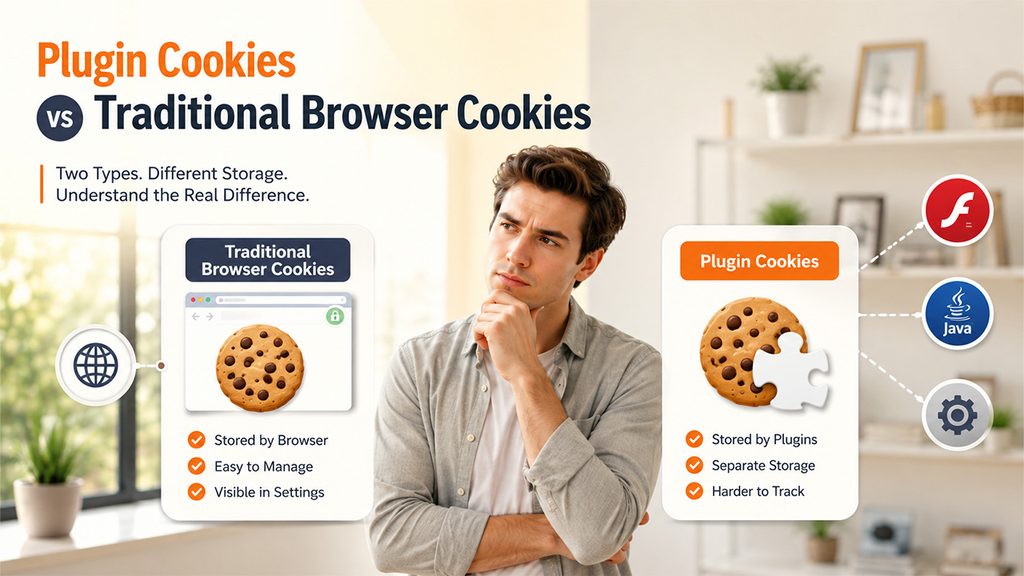
There are two major types of cookies, i.e., traditional browser cookies and plugin cookies. Both types of cookies are used to store information on the user’s device, but differ in where the data is stored, how it is managed, and how it interacts with the browser.
Traditional Browser Cookies
A traditional browser cookie is a small piece of data that the website asks the browser to store. These are commonly used to remember data, such as login sessions, shopping-cart content, language preferences, and other settings.
Traditional cookies are generally controlled through the cookie and privacy settings of the browser, making them relatively easy for users to view, delete, or restrict.
Plugin Cookies
Plugin cookies generally refer to the data stored through browser plugins or plugin-based technologies. Unlike traditional cookies, plugin-specific storage mechanisms can store information.
Quick Comparison Between Plugin Cookies and Traditional Browser Cookies
| Features | Traditional Browser Cookies | Plugin Cookies |
| Managed by | Web browser | Plugin or plugin-based application |
| Storage mechanism | Cookie storage of browser. | Plugin-specific storage. |
| Primary Purpose | Sessions, preferences, authentication, and tracking. | Application data, preferences, multimedia features, and tracking. |
| Access | Associated with website/domain. | Controlled by the relevant plugin controls. |
| Primary Concern | Tracking and third-party cookies. | Persistent storage and tracking. |
How Do Plugin Cookies Work?
Plugin cookies historically worked by allowing a browser plugin or plugin-based application to store information locally on a user’s device.
- Step 1: User Visits a website
The user visits a website that contains content required or supports a browser plugin.
- Step 2: Plugin Loads
The browser loads the plugin or plugin-based application to offer additional functionality.
- Step 3: Application Requests Storage
The plugin may remember certain information, such as user preferences, application settings, or other data.
- Step 4: Information is Stored Locally
The plugin saves information on the user’s device using its own storage mechanism.
- Step 5: User Leaves the Websites
The stored information remains on the device rather than disappearing when the browser session ends.
- Step 6: User Returns Later
When the plugin or application is used again, it can access the previously stored information.
- Step 7: Stored Information is Used
The application can use the data that restores settings, remembers preferences, maintains application state, or supports tracking.
Applications of Plugin Cookies
Plugin cookies are primarily used by browser plugins and plugin-based applications to store information and remember data between visits. There are various key applications of plugin cookies, which include:
- Remembering User Preferences
Plugin cookies are generally used to store settings, helping users configure the website every time they return. A plugin cookie can remember language preferences, volume settings, display preferences, interface configurations, and previously selected options.
- Saving Application Data
A plugin-based application can use local storage to preserve information between sessions. When the user returns to the website, the application can retrieve the stored information, helping create a more continuous user experience.
- Online Games
Plugin technologies are also used for various browser-based games. Plugin-based storage allows games to remember key information, such as user preferences, game configurations, or progress.
- Website Personalization
Plugin storage can also support personalized website experiences. A website can also use stored information to remember the previous choices of the user and adjust the experience accordingly.
How to Manage Plugin Cookies
The process of managing plugin cookies can be different from managing traditional browser cookies, as the plugin-based technologies use their own storage mechanisms. This is especially essential with older plugins, such as Flash, which can store data separately from the browser’s regular cookie system.
Understanding the process of how to manage plugin cookies helps manage browser privacy and locally stored data.
- Check Browser Cookie and Site-Data Settings
To efficiently manage plugin cookies, users should start by reviewing the browser’s privacy settings. Modern browsers generally offer options for viewing and deleting cookies and other stored website data. Depending on the browser, users are able to delete cookies and cached site data, block third-party cookies, clear data from specific websites, and control which websites can store information.
- Remove Outdated or Unnecessary Plugins
If the user is using an older browser or application that supports plugins, they need to check which plugins are installed. Users can remove plugins that they no longer need, especially those that are no longer supported or receiving any security updates.
Remove plugins that you no longer need, especially those that are no longer supported or receiving any security updates. Following broader WordPress security best practices can also help reduce security and privacy risks.
- Utilize the Settings of Plugins
Some older plugins offer their own privacy or storage-management settings. Through this, users can manage this information from the settings and storage controls of the plugins.
- Use Privacy-Focused Settings
For users, if privacy is their priority, they can consider enabling the privacy protections available in their browser. Modern browsers generally include improved protection against malicious websites, outdated technologies, unwanted tracking, and insecure content.
Are Plugin Cookies Still Used?
Traditional plugin cookies are largely considered a legacy technology. The decline of browser plugins has significantly reduced the application of plugin-based cookies.
Modern browsers can offer many features that were previously required by plugins. The introduction of key technologies, such as HTML5, JavaScript, Web Storage, and IndexedDB, allows websites to deliver interactive experiences and store various types of information without relying on traditional browser plugins.
Conclusion
Plugin cookies have played a major role in the evolution of web storage, which allows plugin-based applications to store key information, such as user preferences, settings, and application data. As traditional plugin cookies are less common, it makes it essential for the user to understand how they work, why websites and plugins use them, and what they mean for the user’s privacy, security, and online tracking. By regularly reviewing browser settings, removing outdated plugins, and using privacy-focused practices, users can ensure better control of their data stored on their devices.
Frequently Asked Questions
Why are plugin cookies used?
Plugin cookies are generally used to remember users’ preferences, save application data, maintain settings, support interactive content, and offer personalized experiences.
Are plugin cookies the same as third-party cookies?
No, plugin cookies are not the same as third-party cookies. Plugin cookies relate to the technology used to store information, while third-party cookies generally refer to cookies set by a domain other than the website the user is visiting.
Can plugin cookies track users?
Historically, plugin-based storage could be used to store persistent identifiers and support user tracking.
Can delete browser cookies remove plugin cookies?
No, generally deleting browser cookies does not remove plugin cookies. However, some plugin-based storage mechanisms were separate from the browser’s standard cookie storage.