Share on media
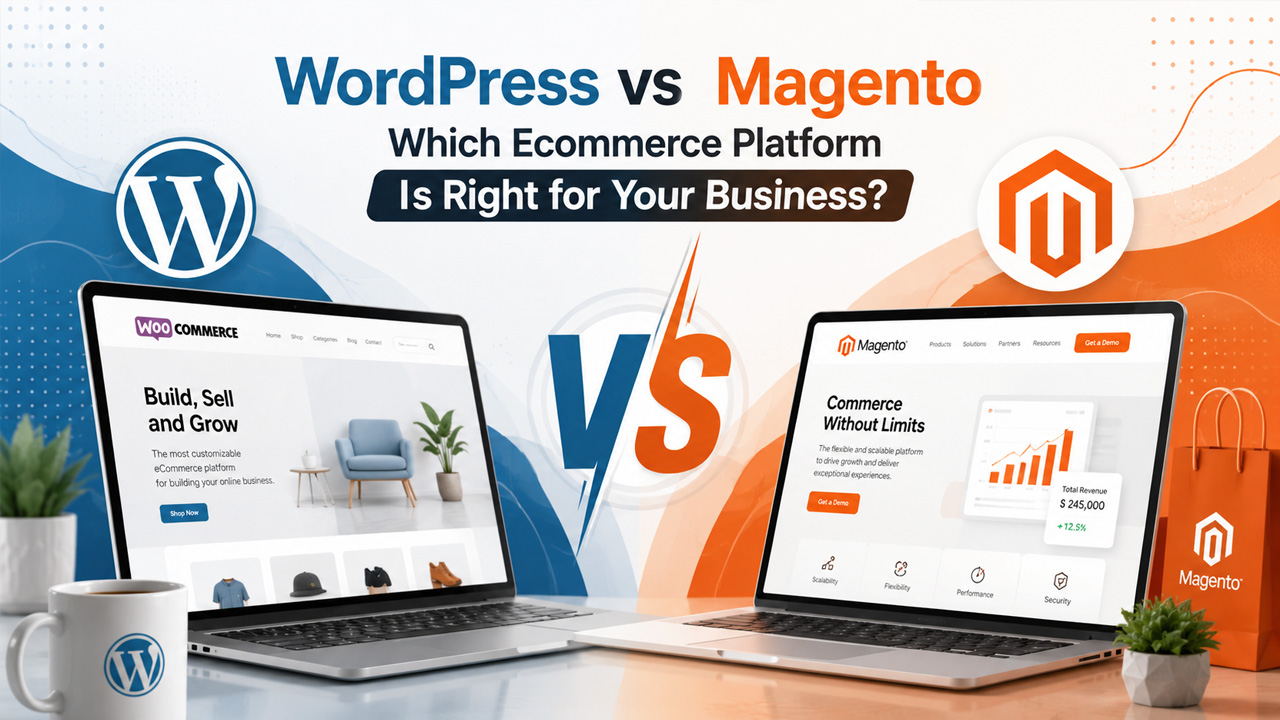
WordPress vs. Magento – Choosing between WordPress and Magento looks like a simple decision until you’re three months into building a store on the wrong platform. Both platforms power serious ecommerce businesses. Both have real limitations. The difference comes down to your business size, budget, and the technical capabilities you have behind you. This blog sheds light on every aspect of both platforms, so by the end of the post, we have clarity regarding which one to choose.
Understanding What Each Platform Is Built For
WordPress started as a blogging tool. WooCommerce came in later as a plugin, layering store functionality on top of a CMS never designed for retail. The combination works well enough, and today holds roughly 39 percent of the global e-commerce platforms.
Adobe Commerce is a different story. Magento was engineered specifically for online retail before Adobe acquired it. No blogging roots, no plugin dependencies. E-commerce was the main purpose from day one.
That’s the real difference between these two. You’re not choosing between two e-commerce platforms. You’re choosing between one adapted for e-commerce and one purpose-built for it.
Feature Comparison Across Five Key Areas
Ease of Use
When compared to Magento, WooCommerce is simple to use, especially if you have experience with WordPress before. Setting up your business using WooCommerce would feel very similar to setting up your site using WordPress. You don’t require any programming knowledge for options like Product listings, managing stock, handling orders, and setting up.
Magento operates differently. It has a deep learning curve and cannot be used by users who don’t have any technical knowledge. Installation, configuration, and ongoing management typically require a developer. Adobe does offer training resources, but those learning paths can run into thousands of dollars per person per year. This difference matters for solo founders, small teams, and budget-conscious professionals.
Pricing and Total Cost of Ownership
Both platforms offer a free open-source version. However, the actual cost may vary once you include everything needed for designing an e-commerce site.
For instance, A WooCommerce store requires hosting, a domain, and any premium plugins or themes you want to add. If you are a small business owner, the total annual cost of a professionally managed WooCommerce store falls between $500 and $2,000. Your choice between WordPress Hosting vs Shared Hosting alone can shift that annual cost significantly.
Magento Open Source carries no license fee, but other costs are revealed later. For example, hosting for Magento can range from $4 to $500 per month, depending on server requirements, and additional costs for customization, extensions, and ongoing maintenance add up quickly.
If you operate a big business that needs enterprise-level capabilities, Adobe Commerce pricing can be quite expensive. Starting off at about $22,000 per year for stores earning less than one million dollars per year in revenue, Adobe Commerce Cloud begins at roughly $40,000 per year with hosting included.
| Platform | License Fee | Estimated Annual Cost |
| WooCommerce | Free | $500 – $2,000 |
| Magento Open Source | Free | $5,000 – $20,000+ |
| Adobe Commerce | From $22,000/year | $50,000 – $450,000+ |
So, we can say that if you are a small business or new to business, WordPress + WooCommerce is the more cost-effective option. Magento’s true cost, even on the open-source version, is considerably higher once all dependencies are included. Still, due to its additional capabilities, it is recommended for big businesses looking to create a full-fledged e-commerce platform.
Scalability and Performance
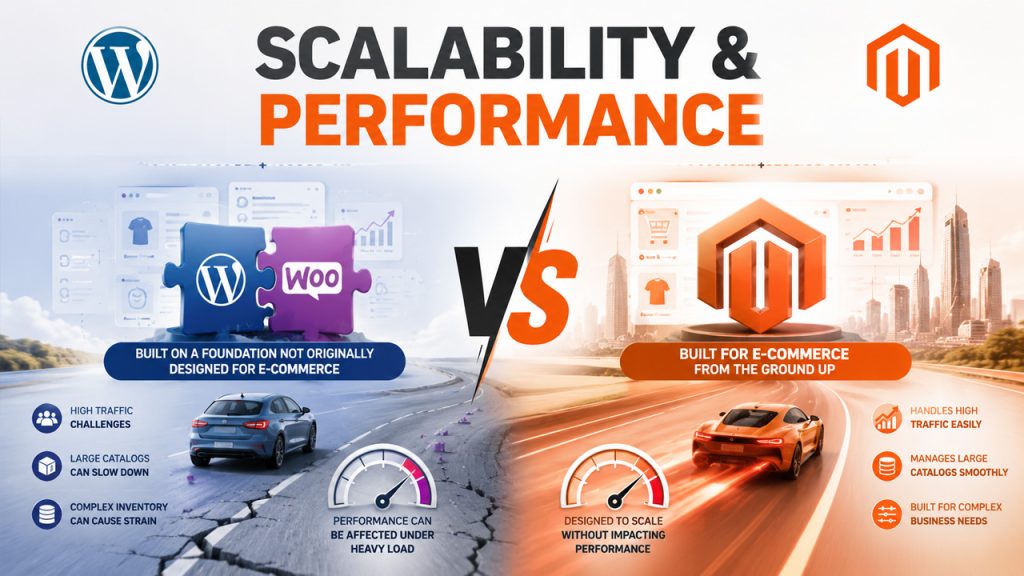
WooCommerce didn’t start as an e-commerce giant. It started as a plugin, a simple add-on for a blogging platform, and somehow ended up powering roughly 39 percent of the global e-commerce software market share. That number is hard to ignore, but it also raises a fair question. How much of that success comes from WordPress itself, and how much is WooCommerce carrying the weight?
The honest answer is that neither one works as well alone. WordPress handles the content layer. WooCommerce handles the store. Together they function well. But push the store hard enough, and difficulties occur. High-traffic sales events, large product catalogs, and complex inventory management can strain your e-commerce setup, because WordPress was never originally designed for e-commerce.
Adobe Commerce, formerly Magento, came from a completely different starting point. No blogging roots, no retrofitted plugins. It was built from the ground up only for one job: selling online at scale. This is why it allows you to scale your e-commerce store without affecting the platform’s performance. Businesses evaluating other enterprise-grade platforms alongside it often weigh WordPress vs Sitecore for the same scalability reasons.
SEO and Marketing Capabilities
WordPress is hard to beat on SEO accessibility. Plugins like Yoast SEO and RankMath put solid control in the hands of store owners, no developer needed. Meta titles, sitemaps, structured data, and content optimization are all manageable from its dashboard.
Magento isn’t weak on SEO either. Clean URLs, canonical tags, meta controls, and auto-generated sitemaps are all built in. The difference is that getting full value out of those features usually needs someone with a technical mind behind it.
WooCommerce has a real edge when it comes to blogging, and organic search drives a good portion of traffic. It lives inside WordPress, one of the strongest content platforms available. This combination is genuinely useful, not just on paper.
Customization and Extensions
WordPress has over 59,000 plugins in its repository. Magento’s Open Source marketplace sits at around 4,400 extensions. Even the gap seems bigger, but that’s not really the point.
Magento’s extensions are built specifically for e-commerce. Things like B2B pricing, multi-warehouse inventory, and customer segmentation come as dedicated, well-structured tools.
WordPress plugins cover a much wider range, which is both a strength and a weakness. Some are excellent. Others haven’t been updated in years and can cause compatibility issues if you’re not careful about what you install.
Honestly speaking, WordPress gives you more options. Magento gives you more e-commerce-specific depth. Which one to pick depends on what your store actually needs.
Use-Case Verdict, Based on Where Your Business Actually Stands
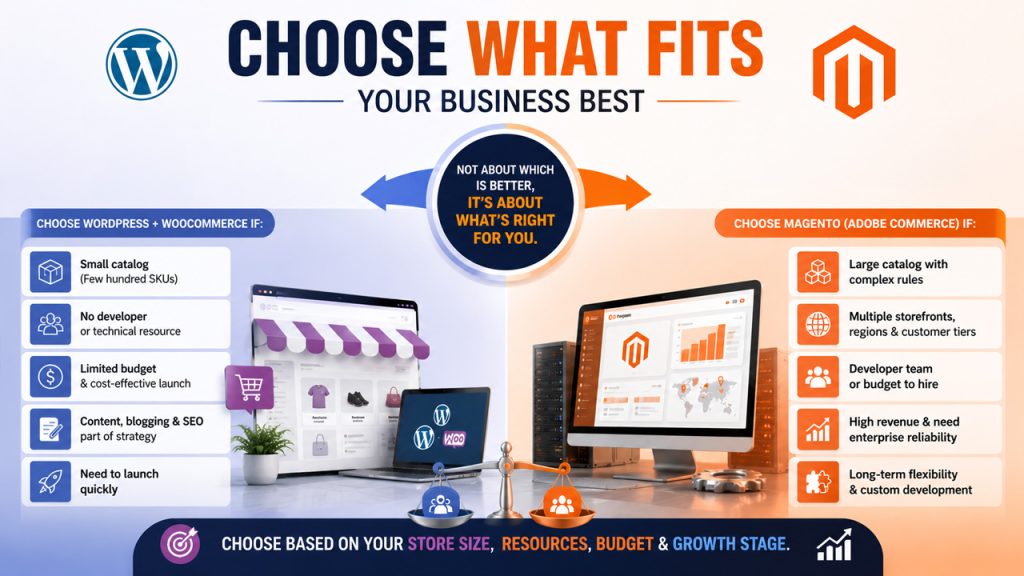
Choose WordPress + WooCommerce If:
- Your store carries fewer than a few hundred SKUs
- Your team does not include a developer or technical resource
- You are launching with a limited budget and need to keep costs manageable
- Organic content, blogging, or SEO forms part of your customer acquisition strategy
- You need a functional store to live quickly without extended build timelines
Choose Magento (Adobe Commerce) If:
- You manage a large product catalog with complex attributes or pricing rules
- Your business serves multiple storefronts, regions, or customer tiers
- You have a development team or the budget to retain one. Large teams already deep in the Adobe ecosystem may also find WordPress vs AEM a relevant decision to revisit alongside this one.
- Your store generates substantial revenue and requires enterprise-grade reliability
- Long-term technical flexibility and custom development are part of your roadmap
One important point: this is not a question of which platform is superior. It is a question of fit. A business choosing Magento because it sounds more powerful, without the technical resources to support it, will spend more time managing the platform than growing the store. You will require a dedicated professional on your side to manage it.
The same is true in reverse: a high-volume enterprise operation trying to force WooCommerce to do what Magento handles originally will run into avoidable limitations. Therefore, choose the platform based on your e-commerce store size and current stage.
The Bottom Line Before You Commit
The WordPress vs. Magento decision comes down to one honest question: what does your business actually need right now?
First of all, decide on your catalog size, technical resources, budget, and growth timeline. Those four factors will point you to the right platform with more clarity.
If you need help selecting, configuring, or migrating to the right e-commerce platform, reach out to a team that has worked on both platforms.
Frequently Asked Questions: WordPress vs. Magento
Q1: Is WordPress good for e-commerce?
A1: Yes, but only when it comes with WooCommerce. It suits smaller to medium-sized stores, and in general, the operation does not require any involvement from developers. When content marketing is one of the elements of your marketing strategy, then WordPress will be a perfect choice.
Q2: Is Magento better than WordPress for large stores?
A2: Simply, if you manage large amounts of products, have several stores, and offer some special prices, you will find plenty of functions within Magento that you cannot perform within WooCommerce. It demands money, though.
Q3: Which platform costs less?
A3: WooCommerce is more economical to start and run. Most stores spend $500 to $2,000 a year in total. Magento Open Source looks free at first, but hosting and development costs add up later. Adobe Commerce starts at $22,000 a year just for the license.
Q4: Can I move from WordPress to Magento later?
A4: You can, but it’s a highly complex task. Data, design, and extensions all need rebuilding. It’s doable with the right technical support, but starting on the right platform saves that effort entirely.
Q5: Which is better for SEO?
A5: WordPress offers greater control to people without technical expertise, thanks to plugins such as Yoast and RankMath. Magento does have good SEO features that are inherent in the platform; however, using these features efficiently requires programmers.
%201.png)

%201.png)

%201.png)