Share on media
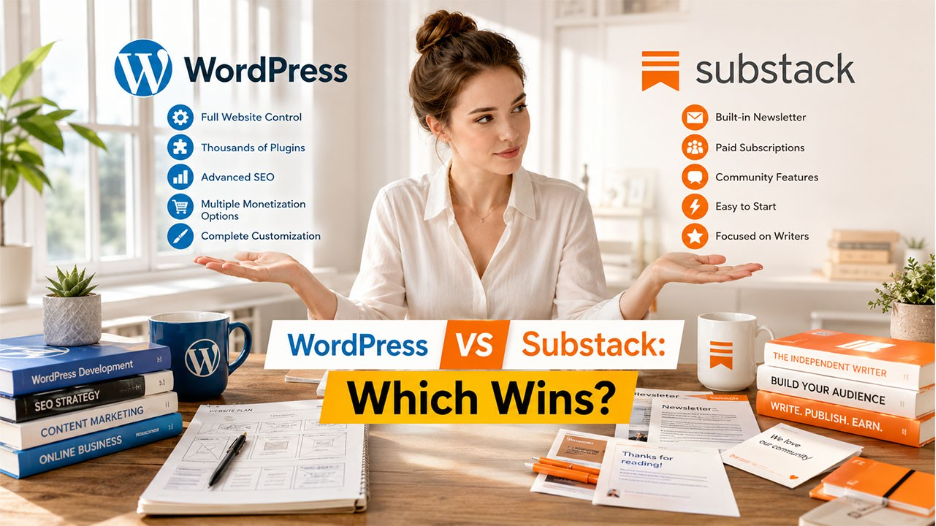
Choosing between WordPress vs Substack is one of the most common dilemmas of content creators, bloggers, and newsletter writers these days. While both platforms have found their niche in the content ecosystem, they are quite different in terms of their purpose and selecting the wrong platform could happen at considerable cost to growth. Whether the goal is monetizing content, building a newsletter audience, or creating a scalable business website, understanding the difference between WordPress and Substack is essential before committing to either platform. This guide explores the features, SEO features, pricing, monetization and customization options in detail.
What Is WordPress?

A free, open-source content management system (CMS) which powers more than 43% of all the websites on the Internet. It is originally launched in 2003, WordPress has come a long way since its beginnings and is now a fully-fledged website builder with thousands of themes, plugins and customisations available. Self-hosted, which means that you need to buy a domain name and a web host to have a live website. Besides that, it has been noticed by many that one-click WordPress setup really facilitate setting up WordPress sites even for beginners. It is widely used by businesses, bloggers, online stores and agencies that require complete control of the design, content, SEO and monetization of the website.
How to Secure a WordPress Site?
| Pros | Cons |
| Full SEO control | Steeper learning curve |
| Access to 54,000+ plugins | Requires hosting and domain setup |
| Unlimited customization options | No built-in newsletter system |
| No revenue sharing | Security and updates must be managed manually |
| Supports multiple monetization methods |
What Is Substack?

Substack, established in 2017, is a newsletter platform that helps writers to publish their work. The newsletters are written by journalists and independent creators; they build a paid subscriber base with little technical setup. Substack provides hosting, email delivery, payment processing, and community building all in one place, making the process very easy to get started. Unlike WordPress, Substack is not the traditional website building platform. Instead, it serves as a blend of newsletter and publishing site, each publication is sent out via e-mail to subscribers and posted on a publicly-accessible web page.
| Pros | Cons |
| Free to start | Takes 10% revenue share |
| Extremely easy setup | Limited SEO capabilities |
| Built-in newsletter and community tools | Minimal design customization |
| Ideal for writers and creators | Very limited integrations |
Also Read
WordPress vs Weebly: Which Website Builder Is Better
WordPress vs Blogger: Which Blogging Platform Should You Choose
WordPress vs Substack: Key Feature Comparison
| Feature | WordPress | Substack |
| Ideal Use Case | Businesses, bloggers, and full website ownership | Independent writers and community-led newsletters |
| Ease of Setup | Moderate setup with hosting and plugins | Extremely easy setup in minutes |
| Website Builder | Full CMS with unlimited flexibility | Basic website with fixed layout |
| Customization | Unlimited themes, plugins, and design control | Minimal customization options |
| SEO Capability | Best-in-class with SEO plugins like Yoast and RankMath | Limited SEO control and metadata options |
| Newsletter Built-in | Requires third-party plugins | Native built-in newsletter system |
| Monetization Options | Ads, memberships, ecommerce, affiliates, courses, and more | Primarily paid subscriptions |
| Revenue Share | 0% platform fee | 10% cut on paid subscriptions |
| Growth Tools | SEO plugins, CRM tools, marketing automation | Notes, recommendations, and community discovery |
| Community Features | Requires plugins or external tools | Built-in chats, threads, and Notes |
| Analytics | Advanced via plugins and integrations | Basic native analytics |
| Integrations | 54,000+ plugins and extensive third-party support | Limited native integrations |
| Pricing | Free software with hosting costs (~$60–$120+/year) | Free to start with revenue-sharing model |
1.SEO Capabilities
In the battle of WordPress vs Substack for SEO, WordPress is the victor. For the most powerful WordPress SEO, there are various plugins available to be used, including Yoast SEO and Rank Math, which allow you to have complete control over meta title, meta description, URL slugs, schema markup, XML sitemaps, and redirects. Substack has very limited SEO capabilities. Meta tags are limited, URL structures are limited and advanced SEO tools are unavailable. WordPress offers a lot more SEO advantages for businesses and creators counting on natural search traffic.
2. Ease of Setup
It can take just minutes to set up Substack. Most of the time, it takes as little as creating an account to start publishing right away. WordPress needs to be installed, configured and hosted before you can create a website. If you’re just getting started and have low technical expertise, you can simplify a lot of the set-up with the Substack. The more control WordPress provides in the long run and for scalability is far more beneficial for users who are looking for more flexibility over time.
3. Customization and Design
With WordPress, there’s a lot of customization to be had, and it’s customization that’s extensive and varied with themes, plugins, page builders, and developer tools. Even building a highly customized website is possible with platforms such as Elementor or Divi without coding. Each Substack maintains an orderly layout. Apart from offering simple branding tools like colors, logos, and typography, advanced page customization and custom layouts are quite limited. WordPress is the better choice for firms that are brand-centric and want a wide range of design options.
4. Monetization Options
One of the major differences between WordPress and Substack is the degree of freedom in monetization. WordPress does not take any cut from the platform, and it has a number of ways to generate income including display ads, affiliate marketing, ecommerce with WooCommerce, memberships, and sponsorships. Substack’s main focus is on subscription revenue, which it takes a 10% commission, plus the payment processing fees. WordPress can be very budget-friendly, with no royalties, as the audience grows and the revenue increases.
5. Community and Audience Engagement
Substack has built-in engagement features, like Notes, live Chats, and Discussion Threads. These aspects assist writers build more powerful reader communities straight on the platform. The basic commenting feature is included in WordPress. To get the same features as the community, more plugins and configuration is necessary. However, if you’re a newsletter publisher who values engagement, you’ll find Substack easier to use.
6. Pricing: WordPress vs Substack
The long-term costs associated with WordPress vs Substack need to be understood before deciding on which one to use. While WordPress is free, users will usually have to pay for web hosting, which costs from $60 to $120+ per year, and a domain name ($10 to $20 per year). It’s easy to get started on Substack, and there are no upfront fees to host or set up your website. The platform, however, charges 10% of paid subscription revenue, and there are Stripe processing fees as well.
WordPress vs Substack: Which One Should You Choose?
If SEO control, extensive customization, and brand ownership in the long term are your requirements, then you better go with WordPress. Businesses that may want to diversify their revenue streams, add extra functionalities to their site, integrate ecommerce, and have a lot of freedom in design and integration, would be the best fit for WordPress. On the other hand, if speed and simplicity are your top priorities, choose Substack. It is a platform for writers that want to focus on producing newsletters, examining the community, and paid subscriptions without any hassle of worrying about technicalities, hosting, or plugin management.
Final Thoughts: WordPress vs Substack
The deciding factor on whether to choose WordPress vs Substack depends largely on one’s future goals. WordPress is a better fit for sites where SEO, customization, advanced monetization, and scalability are major concerns. Substack is perfect for authors and other creative individuals who want to create newsletters, and paid subscriptions quickly and easily. WordPress gives you much more flexibility and control when it comes to long term planning of your brand and search visibility. For the sake of simplicity and newsletter publishing, Substack provides a faster and easier way to launch.
Frequently Asked Questions (FAQs) : WordPress vs Substack
Is WordPress better than Substack for SEO?
Yes. WordPress offers advanced SEO plugins, customizable URLs, schema markup, and better control over search optimization compared to Substack.
Does Substack take a percentage of earnings?
Yes. Substack charges 10% of paid subscription payments, as well as payment processing fees.
Can newsletters run on WordPress?
Yes. The MailPoet and Mailchimp plugins for WordPress can integrate email newsletter features into your site.
Is Substack free to use?
Yes. Substack is free to publish, but has an revenue cut if paid subscribers are turned on.
Which platform is easier for beginners?
Generally, Substack is easier to use for beginners because there’s no need to host, install plugins, or configure a website.
Related Posts
WordPress vs Joomla: Choosing the Right CMS for Business
WordPress vs Bluehost: Which Web Hosting Platform Is Right for You
%201.png)

%201.png)

%201.png)