Share on media
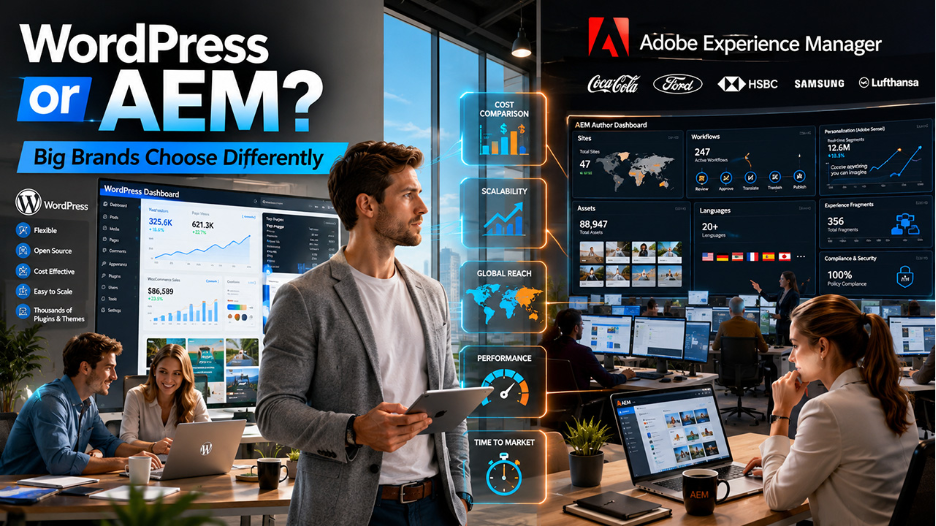
At some stage, every business needs a right content management system for them that aligns with their needs and workflow. Today, the modern landscape provides plenty of CMS tools that pave the way. WordPress and AEM (Adobe Experience Manager) are among the powerful and widely trusted platforms that are built completely for different situations, serve different teams, and come with significantly different price tags.
While both platforms are impressive, choosing between them is not just a basic task. As a wrong choice can not only slow down your project, but also costs thousands of dollars in rework, switching expenses, and lost productivity. That’s why, before deciding on either platform, it’s important to understand what each one offers, what their limitations lie, and which one truly fits your goals at hand.
This piece of paper breaks down WordPress vs. AEM, so you can choose the perfect CMS that truly aligns with your business goals, team size, and budget.
What Is WordPress?
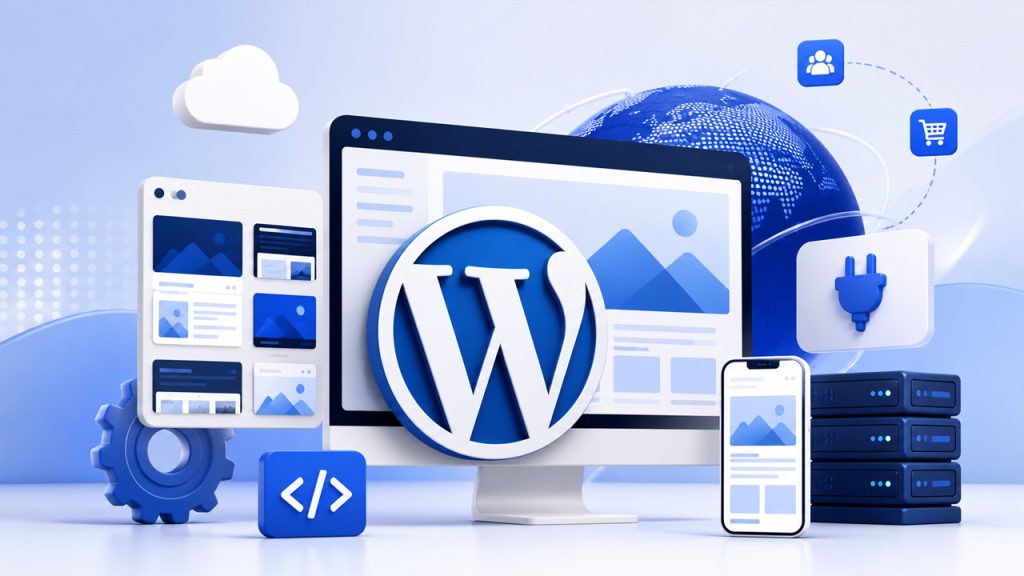
WordPress started out as a simple blogging tool back in 2003. Now, it’s everywhere. It powers more than 43% of all websites and owns over 60% of the global CMS market. Everyone from small businesses to huge brands uses it, and that kind of growth doesn’t just happen by accident.
It’s no longer just for blogs, either. WordPress supports everything, such as big news sites, online stores, membership platforms, enterprise-level projects, and the websites of many local shops. Even big names like TechCrunch, The New Yorker, BBC America, and some Disney marketing sites run on WordPress. That really shows how flexible and powerful it has become.
How to Secure a WordPress Site in 2026 (Step-by-Step Guide)
Here’s what makes WordPress stand out:
- Offers thousands of themes for design personalization
- An open-source codebase without any vendor restrictions
- PHP and MySQL foundation with a significant global developer community
- A collection of more than 59,000 free plugins for almost every purpose imaginable
- WPGraphQL and REST API compatibility support for contemporary frontend frameworks for headless CMSs
- Gutenberg, a block-based editor enables non-technical users to create professional pages without needing any coding knowledge.
When properly developed and hosted, WordPress is truly enterprise-capable, accessible, and adaptable.
What Is AEM (Adobe Experience Manager)?
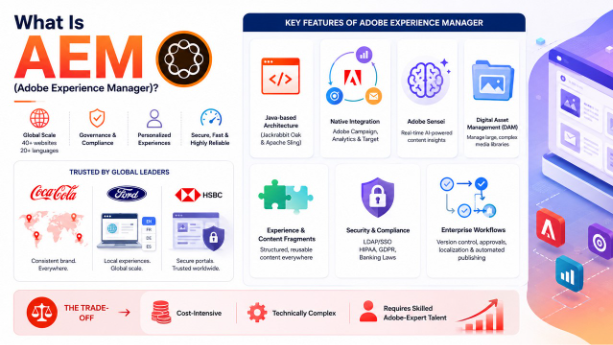
Adobe Experience Manager isn’t just another platform—it’s a game-changer, really. Launched in 2010 as part of the Adobe Marketing Cloud, AEM was built for large companies tackling complex digital operations. Think global giants juggling 40+ regional websites across 20 languages, strict content rules, compliance headaches, and massive personalization needs. That’s where AEM shines.
Coca-Cola uses it to keep their brand looking sharp everywhere, no matter where you are in the world. Ford counts on it to run all those language and country-specific sites smoothly. And HSBC leans on AEM for secure, fast banking portals. When you look at these brands, you get the picture—AEM isn’t for basic tool, it’s built to power global ambition.
Key features of Adobe Experience Manager:
- Java-based architecture based on Jackrabbit Oak and Apache Sling.
- Extensive native integration with Adobe Campaign, Adobe Analytics, and Adobe Target.
- Adobe Sensei delivers real-time AI-powered content insights.
- Supports an integrated Digital Asset Management (DAM) system that handles massive, complex media libraries.
- Experience Fragments and Content Fragments for structured, reusable content pieces across multiple platforms.
- LDAP/SSO authentication and compliance support for HIPAA, GDPR, and banking laws.
- Offers enterprise workflow technologies, such as version control, multi-step approvals, localization, and automated publishing.
The trade-off is substantial: AEM is cost-intensive, technically complex, and needs skilled staff with Adobe-specific knowledge to function properly.
WordPress vs. AEM: Which CMS Aligns with Your Goals
1. Cost and Total Cost of Ownership
Cost is often the most decisive factor in the WordPress vs. AEM comparison— and the gap between the two is substantial.
WordPress is free to download and use. Associated costs include:
- Hosting: $5–$50/month for small sites, $500+ for enterprise managed hosting
- Premium plugins and themes where needed
- Developer time for customization, which is widely available and competitively priced
AEM carries a licensing fee that requires a significant amount annually — before a single line of custom code is written. Additionally:
- Implementation requires Adobe-certified developers, who are both specialized and expensive
- Ongoing maintenance, upgrades, and integrations add significantly to the annual cost
- AEM as a Cloud Service reduces infrastructure complexity but remains a major financial commitment
For most organizations, a well-configured WordPress setup delivers comparable outcomes at a fraction of AEM’s total cost of ownership.
2. Ease of Use
WordPress is built with accessibility in mind. The dashboard is clean and intuitive. Content editors can get productive quickly, often within a day. The Gutenberg block editor allows non-technical users to build layouts, add media, and manage content without developer support.
AEM is built for organizations with dedicated digital teams. Its Author/Publish environment structure supports robust editorial governance, but it comes with a steep learning curve. Non-technical users often struggle to navigate it without training. Even experienced developers need Adobe-specific knowledge to work effectively in the platform.
For teams without a large technical operation behind them, WordPress is the significantly more practical daily experience.
3. Scalability
In the debate of WordPress vs. AEM, both platforms scale but in different ways and at very different costs.
WordPress scales effectively with the right infrastructure in place:
- Managed hosting, CDNs, and caching solutions handle high traffic loads reliably
- Scaling is modular — organizations pay for what they need as they grow
- No vendor lock-in means infrastructure choices remain flexible over time
AEM is architecturally engineered for enterprise-scale operations:
- Automatic cloud-based scaling based on demand
- Natively handles high traffic, large content libraries, and global multilingual distribution
- Designed for organizations managing hundreds of regional sites under a unified brand
Here’s the thing—lots of big companies have switched from AEM to WordPress because AEM just got too expensive to scale. WordPress, especially with reliable managed hosting and a strong setup, really manages heavy traffic and big content jobs well. And the price? It’s way lower than what you’d keep paying for AEM.
4. Customization and Developer Experience
WordPress development is accessible and broadly supported:
- PHP and MySQL are widely known, making developer talent easy to find globally
- Custom plugins, themes, and headless builds are achievable without highly specialized training
- Faster iteration cycles suit teams that need to move quickly
- React and Next.js integrations are well-supported for modern headless implementations
AEM development requires a more specialized skill set:
- Java-based architecture using Apache Sling, HTL, Maven builds, OSGi bundles, and CRX repositories
- Adobe-specific developer knowledge is required — not transferable from general web development
- Talent is harder to find and more expensive to retain
- Deep integration with Adobe Creative Cloud (Photoshop, Illustrator) is a genuine advantage for design-centric enterprises
5. Content Management and Editorial Workflows
WordPress serves most editorial teams well:
- The block editor supports both pre-built and custom content blocks
- Custom post types and taxonomies keep content organized and structured
- Plugins like EditFlow and PublishPress add scheduling, approvals, and workflow management
- Multilingual support is available through plugins like WPML and Polylang
- Headless CMS capability supports omnichannel content delivery
AEM is built for editorial governance at scale:
- Component-based page authoring with editable templates for large content teams
- Built-in DAM ensures consistent, governed asset management across all channels
- Structured workflows with version control, multi-step approvals, localization pipelines, and scheduled publishing
- Content Fragments and Experience Fragments enable efficient cross-channel content reuse without duplication
For smaller teams and simple content workflows, WordPress just makes more sense. But if you’re a big organization juggling lots of teams and regions and complicated content pipelines, AEM was built for that kind of challenge.
6. Personalization and Marketing Automation
AEM holds a real advantage here for enterprise-level personalization needs:
- Integration with Adobe Target enables dynamic content delivery to specific audience segments
- A/B testing and multivariate testing run natively within the platform
- Behavior-based targeting connects customer data directly to on-page content decisions
- Personalization is managed consistently across websites, mobile apps, and digital signage
WordPress supports personalization through third-party integrations:
- Plugins like If-So and Logic Hop provide rule-based targeting
- Integration with HubSpot, Mailchimp, and ActiveCampaign supports marketing automation workflows
- Adobe Target itself can be connected to WordPress for advanced targeting when needed
WordPress handles personalization well enough for most businesses. But if you’re running a large enterprise and want serious, data-driven personalization across multiple channels, AEM paired with Adobe’s marketing tools delivers more power.
7. Security
AEM provides enterprise-grade security natively:
- Role-based access control (RBAC) and LDAP/SSO authentication
- Audit logs, encryption, and granular permissions
- Full compliance support for HIPAA, GDPR, and financial industry regulations
- Security patches managed directly by Adobe
WordPress security requires active, ongoing management:
- Regular updates to core, plugins, and themes are essential
- Security plugins like Wordfence and Sucuri add strong protection layers
- Managed hosting providers automate updates, backups, and monitoring
- The open-source community identifies and patches vulnerabilities rapidly
Both WordPress and AEM can be very secure—what matters is how you manage them. AEM comes with built-in compliance features that work great for industries with strict regulations. WordPress, supported by quality managed hosting, delivers enterprise-level security reliability for the vast majority of business environments.
8. Integrations and Ecosystem
WordPress connects extensively for almost every technology out there, including:
- Analytics: Google Analytics, Adobe Analytics
- CRM platforms: Salesforce, HubSpot, Zoho
- Email marketing: Mailchimp, ActiveCampaign, Klaviyo
- eCommerce: WooCommerce and beyond
- Nearly every major SaaS platform offers a native WordPress integration or plugin
AEM, on the other hand, integrates comprehensively within Adobe’s ecosystem:
- Smooth connections to Adobe Campaign, Adobe Commerce (Magento), Adobe Analytics, and Adobe Target.
- Consistent data flow and unified workflows across the full Adobe suite
- Integration with non-Adobe tools is possible but typically requires significant custom development work
Lastly, WordPress is the powerful option if your business needs large, vendor-natural integration. But if you’re already Adobe’s marketing user, AEM provides you with integration that other platforms cannot match.
Real-World Use Cases: WordPress vs. AEM
Choose WordPress if:
You want an impressive website without paying enterprise-level prices. It’s ideal for small teams who need a CMS that’s easy to use and quick to pick up. You get plenty of options for third-party integrations, and you’re not tied to a single vendor. If eCommerce is part of the plan, WooCommerce slips right in and makes things simple. Plus, WordPress keeps costs predictable and helps you launch quickly. You get enterprise features without all the usual complexity.
Choose AEM if:
Your company operates across different countries and languages. It makes sense for teams already part of the Adobe ecosystem. If you need detailed workflows, strict content rules, and compliance, AEM handles that. The platform shines when your business demands high-level personalization with customer data in real time. Just make sure your technical team, budget, and commitment are solid — AEM isn’t a casual investment.
Conclusion
The WordPress vs. AEM debate isn’t really about deciding which one is “better” in some absolute sense. It’s about figuring out which platform actually fits what your business needs, what you’re trying to achieve, and the resources you have.
If your company relies heavily on Adobe tools, operates across different countries, and has complex requirements for personalization and governance, AEM makes sense. But don’t think WordPress is “just for small businesses.” Honestly, WordPress runs nearly half the web, powering huge marketing campaigns and some of the biggest publications out there.
The key isn’t to pick the flashiest option or the most popular one. You have to be honest about what you really need. Look at how complex your operation is, what your budget looks like, what skills your team brings, and whether tying everything together with Adobe actually matters to you. Once you focus on those factors, the right choice usually becomes clear.
Related Post
WordPress vs Bluehost: Which Web Hosting Platform Is Right for You
%201.png)

%201.png)

%201.png)