Share on media
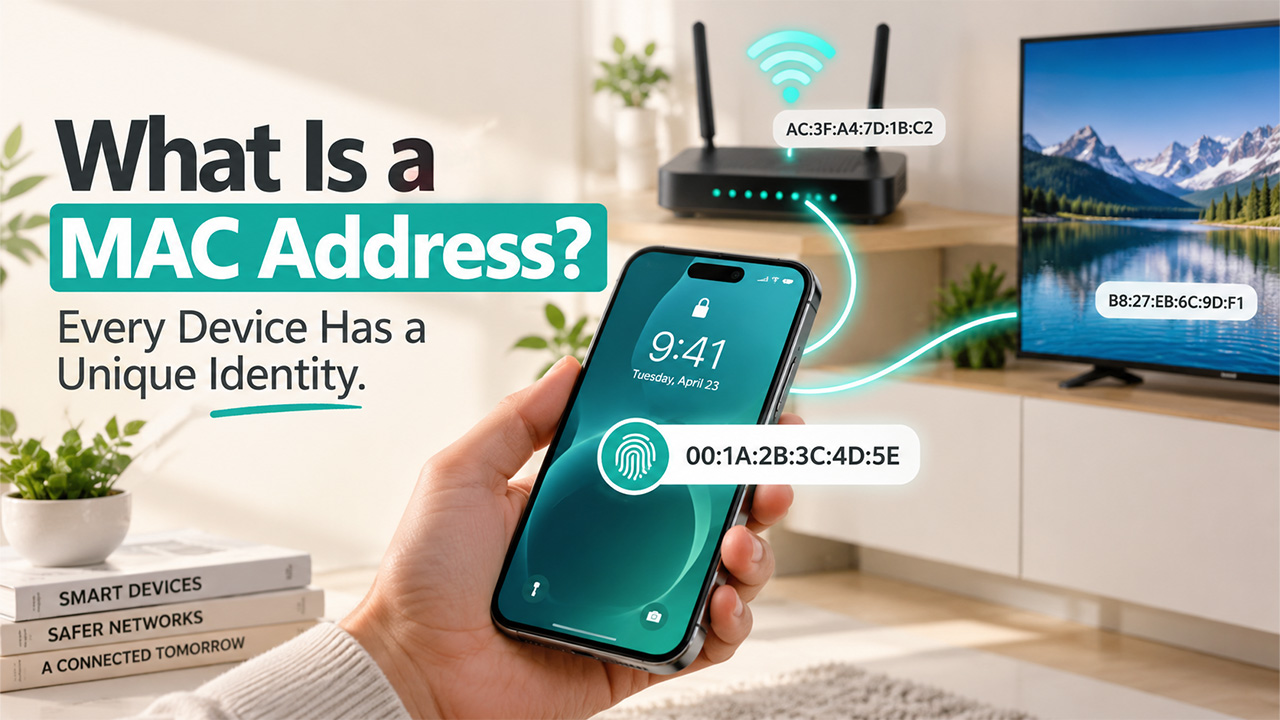


Every device you own, your phone, laptop, smart TV, router, has a quiet little identifier baked into it that never changes, no matter which network it connects to. That’s a MAC address, and if you’ve ever dug into your device settings and spotted a string like “3C:5A:B4:2E:91:F0”, you’ve already seen one without necessarily knowing what it was for.
Stands for a Media Access Control address, which is the identifier that is unique to the network hardware in your device when it was manufactured. It does not change like the IP address does, since it changes according to the network that your device is connected to.
In this blog, we’ll break down what a MAC address actually is, how it works, how it’s different from an IP address, and why it matters more than most people realize, especially when it comes to network security.
What Is a MAC Address?
A MAC address is a 12-character identifier, usually written as six pairs of letters and numbers separated by colons or dashes, like 00:1A:2B:3C:4D:5E. It’s assigned to the network interface card, whether that’s built into your laptop, phone, or router, by the manufacturer itself, before the device ever reaches a store shelf.
Since it is dependent on the hardware and not the software or networking configuration, it does not get altered even if you change your Wi-Fi connection, reset the router, or relocate. It is not like a physical address, which changes whenever you shift your base location. Rather, it resembles fingerprints; they are unique, permanent, and associated only with a particular device.
All devices that have network capability must possess one, and many may have more than one, such as one for the Wi-Fi connection, one for the Ethernet connection, and perhaps one for the Bluetooth connection as well.
How Does a MAC Address Work?
MAC addresses function at a layer known as the data link layer, where data moves from one computer to another within the same local network, without having to consider the larger internet just yet.
Here’s the basic idea: when you send data from your laptop to your router, your computer directs that data to the MAC address of the router, and vice versa. Every device on a local network: printers, phones, smart speakers, is identified this way, so data actually reaches the right destination instead of getting lost among everything else connected.
This matters most on networks with multiple devices, which is essentially every home or office network today. Your router keeps a running table matching MAC addresses to the devices currently connected, letting it route traffic correctly without confusion, even with a dozen devices active at once.
It’s worth noting that this identification system isn’t unique to traditional networks either. Even in something like a P2P network, where devices connect directly to each other rather than through a central server, MAC addresses still play a role in identifying each device at the local hardware level.
MAC Address vs IP Address: What’s the Difference
These two get mixed up constantly, and it makes sense; they’re both identifiers, but they’re doing genuinely different jobs.
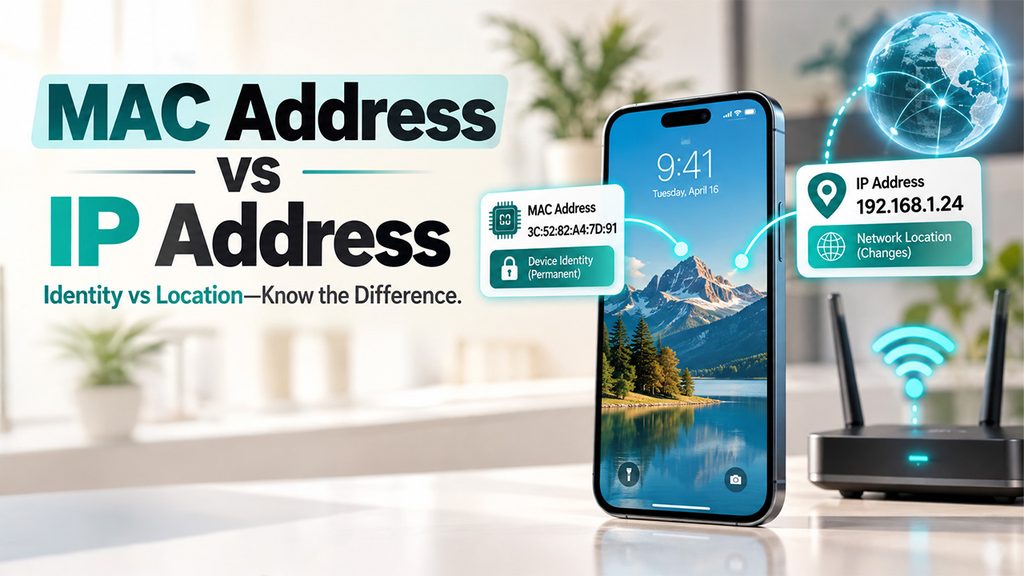
A MAC address is permanent and tied to your device’s hardware. It never changes, no matter which network you connect to, and it only matters for communication within your local network; it doesn’t travel across the internet.
An IP address, on the other hand, is assigned by whatever network you’re connected to, and it can change. Once you connect to the Wi-Fi connection of the café, you will have a different IP address compared to the one assigned by the network at home. IP addresses are responsible for ensuring that the information reaches its destination through the internet, all the way to a server from a location in the world.
To put it in simpler terms, the MAC address represents the identity of your device forever, while the IP address represents its location in the current network. Both MAC and IP addresses collaborate to ensure that the MAC address is used for local communication while the IP address handles the rest.
Types of MAC Addresses
Not every MAC address works the same way. A few different types exist, each serving a slightly different purpose:
Universally Administered Address (UAA): It is the default or factory-burned address assigned to the device by the producer.
Locally Administered Address (LAA): The MAC address that has been altered or modified either manually or via some software. It is done mainly for privacy purposes or special network requirements.
Unicast address: It is the address that sends data to a particular computer on the network, which is the most common type of communication.
Multicast address: This type of MAC address sends the data to a specific group of computers on the network.
Broadcast address: It is the MAC address that sends the data to all computers on the local network, identified by the address FF:FF:FF:FF:FF:FF.
For most people who do not know anything about computer networks, it does not matter which kind of MAC address they use, but it is quite important for network administrators.
How to Find Your MAC Address
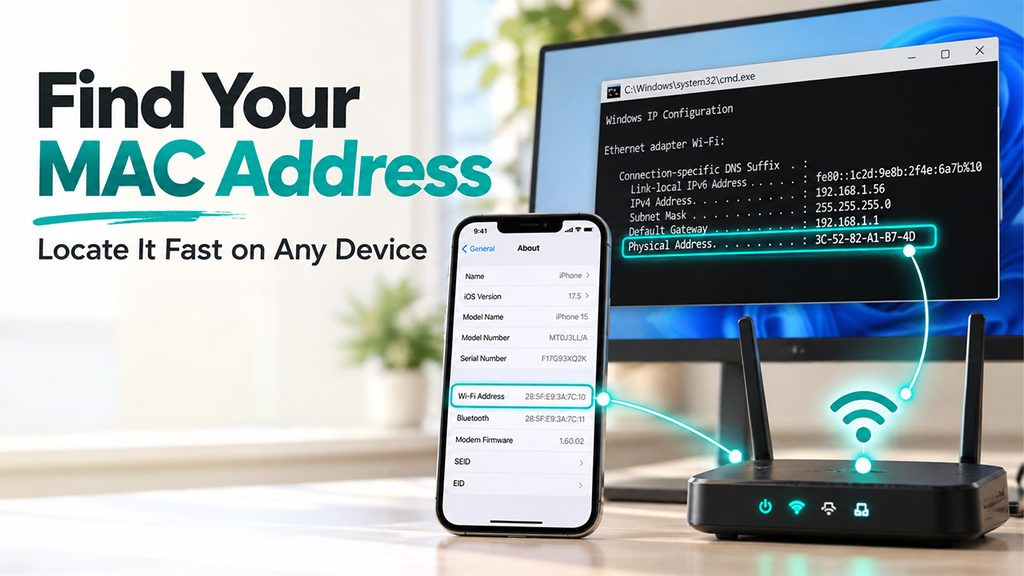
Getting your MAC address is quite simple and can be achieved within minutes. The process differs according to the device you are using;
Windows: Launch Command Prompt and type ipconfig/all. Then look for “Physical Address” in your current network adapter.
Mac: Launch System Settings, click on Network, select your connection, and click on Advanced. Then your MAC address will appear on the Hardware tab.
iPhone: Launch the Settings app, then click on General, then About, and finally look for “Wi-Fi Address”.
Android: Go to Settings, tap About Phone, then Status or Hardware Information, and find your Wi-Fi MAC Address.
Router: Log in to your router management system and check the MAC address from the list of connected devices, which are usually found under “Device List” or “Connected Devices”.
It is quite useful in many situations, more than most people think, such as when setting up MAC filtering, troubleshooting connection problems, or even registering your device on a network that requires MAC registration, such as Wi-Fi in some universities and offices.
Why MAC Addresses Matter for Security
MAC addresses serve an important function in terms of network security because of functions such as MAC address filtering.
The concept of MAC filtering implies that only certain MAC addresses are allowed to access a particular network; basically, it means that there is an allowlist of MAC Addresses. Anything outside that list gets blocked automatically, even if someone has the correct Wi-Fi password. It’s a simple, effective extra layer for home and small office networks.
It is not 100% safe, as one could spoof a MAC Address and make a system think that he or she is using an allowed device. Nevertheless, in the case of small offices and homes, MAC filtering works fine, serving as one more layer of protection, alongside strong passwords, encryption, and broader website security practices for anyone managing servers or web-connected systems rather than just home networks.
Besides filtering, MAC Addresses are used for tracking devices that use public Wi-Fi networks, and that is one of the reasons why some devices support MAC address randomization, i.e., the use of a virtual MAC address.
Conclusion
Ultimately, the MAC Address is one of those silent yet critical components that keep our networks operating without any fuss. It gives a unique ID to your computer at a local level; it doesn’t take away from your IP address; it simply complements it. The best thing about the MAC address is its ability to contribute to the security of the networks.
It is quite interesting to learn about this unique code as well. If you are trying to configure MAC address filtering or any other aspect, learning about the purpose of that string of numbers will help you understand the matter much better.
You will rarely be able to discuss this topic in daily conversation, but you can surely benefit from learning about it.
Frequently Asked Questions
Can a MAC address be changed?
Yes, through a process called MAC address spoofing or randomization. While the factory-assigned address is permanent, software can override it temporarily, often used for privacy reasons or specific network configuration needs on certain devices.
Do all devices have a MAC address?
Yes, any device that has a network connection will have a MAC address, whether it is a phone, computer, printer, smart TV, or router. Also, any device may have more than one MAC address depending on Wi-Fi, Ethernet, and Bluetooth connectivity.
Can two devices have the same MAC address?
In theory, no; manufacturers assign unique addresses to prevent conflicts. In practice, spoofing or manufacturing errors can occasionally cause duplicates, which typically leads to connectivity issues until the conflict gets resolved.
Is MAC address filtering enough to secure a network?
No, not really. MAC filtering is good, but you should note that MAC addresses are also susceptible to spoofing. The best would be to use it alongside other security measures, like passwords and encryption.
Why does my MAC address show as random sometimes?
Many modern devices use MAC address randomization for privacy when connecting to unfamiliar networks. This assigns a temporary, fake address instead of your device’s real one, making tracking across networks harder.