Share on media
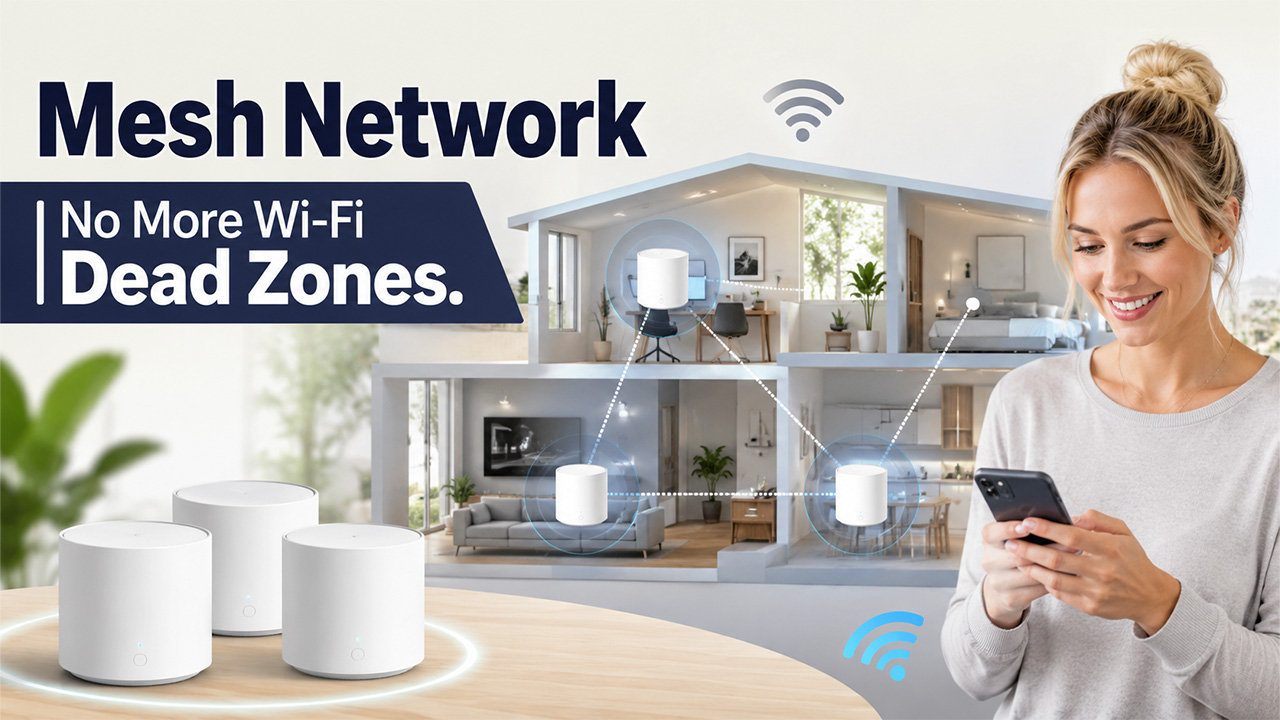


If you’ve ever walked to the far end of your house and watched your Wi-Fi bars disappear entirely, a mesh network is probably the fix you’ve been looking for without realizing it had a name. Instead of relying on one router straining to cover every corner of a space, mesh systems spread coverage across multiple connected points that work together.
However, the principle is not new because it is based on the concept of how decentralized networks work, where data doesn’t pass through one bottleneck but all nodes share the load. What’s changed is how accessible this technology has become for regular homes and offices, not just large enterprise setups.
In this blog, we’ll walk through what a mesh network is, how it works, the different types you’ll encounter, and how it stacks up against a traditional router or extender setup.
What Is a Mesh Network?
A mesh network is a system in which multiple devices, called nodes, collaborate to form a single network, rather than a single router being responsible for connecting everything. The nodes talk to each other, which means that when you move from one room to another, there will be a seamless transfer of the signal from one point to another without dropping.
This is quite contrary to the workings of a typical single-router configuration. In a single-router configuration, the farther you are away from the router, the less the power becomes, and there will be inevitable dead zones for larger spaces. This problem is addressed through the use of several access points in various locations of the room.
As we know, this networking approach is based on the same philosophy as other networking configurations, in which no point bears all the load, nor does it cause failure of the entire system.
How Mesh Networks Work
Once you understand the mechanics, it’s a pretty elegant system:
Multiple interconnected nodes: The node receives the signal as well as transmits it, forwarding it to the next node until the destination is reached.
Self-healing connections: When one node goes offline or is powered off, the connections are rerouted to other nodes, which ensures that the connection will not be completely dropped.
Dynamic routing: Signals don’t use predefined paths but always find the quickest way.
Seamless device handoff: As you move through the premises, your device gets connected to the node offering the best signal without the need for manual intervention.
The structure of such a network is very similar to that of P2P networks, where the load is distributed between devices rather than concentrated in one place. This structural feature is one of the reasons why mesh networks work so efficiently in large areas in comparison with routers.
Types of Mesh Networks

Full Mesh Networks
In a full mesh setup, every single node connects directly to every other node in the network. This creates the most reliable, redundant system possible, since there’s no single path data has to rely on. It’s also the most expensive and complex to set up, which is why you’ll mostly see it in critical infrastructure or large enterprise environments rather than a typical home setup.
Partial Mesh Networks
This is the one used by most people since it is a little bit more realistic. This network does not have all the nodes connected, but just those that are sensible based on distance and need for traffic. The advantage it has is that it gets the benefit of being redundant without the costs.
Wireless Mesh Networks
That’s the basis of all consumer mesh Wi-Fi networks. Instead of being connected via physical cables, nodes use wireless communication channels, which greatly simplifies the deployment of these networks. The drawback is that wireless communication channels may suffer from interference, while wired backbones aren’t affected by it.
Wired Mesh Networks
In this system, nodes are connected using physical cables rather than only depending on wireless communication. This method requires additional effort, but the result will be much faster and more stable connections that won’t experience interference, which becomes extremely important when dealing with large commercial buildings.
Benefits of a Mesh Network
Once it’s set up, a mesh network solves a handful of problems that a traditional router setup usually can’t
- Eliminate dead zones: Having many nodes ensures that every point gets even coverage, including those far corners in your house or office that do not get any signal at all.
- Self-healing reliability: In case one node fails, the other nodes ensure that there are no interruptions in service.
- Scales easily: Need to cover more space? Add another node. No need to replace your entire router setup.
- Seamless roaming: Your device will change between nodes depending on where you are, ensuring that the internet remains uninterrupted throughout the process.
- Better performance under heavy use: With multiple access points sharing the load, more devices can connect without everything slowing to a crawl.
For anyone dealing with a larger home, a multi-floor office, or just a stubborn dead zone that a single router never fixed, these benefits are usually what make the switch worth it.
Mesh Network vs Traditional Router/Extender
It’s worth understanding exactly how a mesh network is different from other systems that we are already accustomed to before deciding whether or not to shift to a mesh network.
A traditional router performs well in small places, but its performance decreases when you go further away from the device, and there is nothing much one can do to improve the performance of the router. Wi-Fi extenders can extend the range of your router, but they form another network name, and the performance decreases gradually as you go away from the router.
Mesh systems solve both problems at once. Coverage stays consistent because multiple nodes work together rather than one device straining to cover everything, and there’s just one network name throughout the whole space, so your device connects to whichever node is strongest without you doing anything.
The tradeoff is cost. Mesh systems are generally more expensive upfront than a single router or extender, but for larger homes or offices where dead zones are a real daily annoyance, the reliability usually justifies the price difference.
Common Issues and Troubleshooting

Even a well-set-up mesh network runs into occasional hiccups, most of which are simple to fix once you know what’s causing them.
Slow speeds despite good coverage: Usually caused by too many devices connected to one node, or interference from nearby electronics. Repositioning nodes or checking for overlapping wireless channels often clears this up.
A node showing as offline: Power cycling the individual node or checking its physical connection if it’s part of a wired mesh setup usually resolves this quickly.
Devices not roaming properly between nodes: Sometimes caused by outdated firmware. Keeping your system updated prevents most handoff issues before they start.
Connection drops entirely: If you’re seeing something like a connection reset error while browsing, it’s worth checking whether the issue is actually your mesh network or something happening further upstream with your internet provider or the site itself.
Most mesh systems include an app that shows node status in real time, which makes catching and fixing these issues far easier than troubleshooting a traditional router blind.
Conclusion
Ultimately, a mesh network solves a problem most people have just learned to live with, spotty coverage and dead zones that a single router was never really built to fix. Providing connectivity through several different nodes rather than trying to do it all in a single node, it brings something that conventional networking cannot: consistent and dependable coverage of an entire space.
Mesh networks might not be the most cost-effective solution initially; however, in the case of large houses, multi-level office buildings, or other places where a single router has proven to be inadequate time after time, they are generally a worthwhile investment.
Be it a long-delayed solution to a coverage problem in one particular area, or a new setup altogether, knowing how the mesh works will definitely help to make a wise choice.
Frequently Asked Questions
Q. Is a mesh network better than a Wi-Fi extender?
Generally yes. Extenders create a separate network and often slow down the farther you get from the router. Mesh systems keep one seamless network name throughout your space, with more consistent speeds and coverage across every node.
Q. How many nodes do I need for my home?
It depends on square footage and layout. Most standard homes do well with 2 to 3 nodes, while larger or multi-floor spaces may need additional units to eliminate dead zones completely and maintain strong coverage everywhere.
Q. Does a mesh network slow down my internet speed?
Not typically, when set up correctly. Each additional node maintains its own connection back to the main router, so speed stays consistent throughout the home rather than degrading the further you get from the source.
Q. Can I mix mesh nodes from different brands?
Usually not recommended. Most mesh systems are designed to work specifically with nodes from the same manufacturer, since they rely on proprietary communication protocols that don’t always play well with other brands’ hardware.
Q. Do mesh networks work well for gaming?
Yes, especially wired mesh setups. Wireless mesh can introduce slight latency during node handoffs, so for competitive gaming, connecting your device directly to the nearest node via Ethernet usually gives the most stable, reliable connection.