Share on media
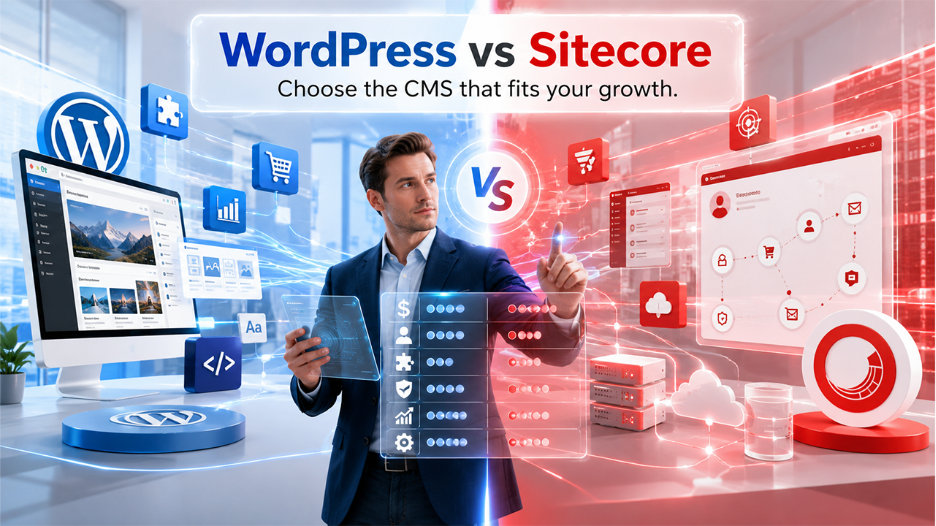
Choosing the correct CMS (content management system) is a strategic decision for every business, as it directly influences content delivery efficiency, development cost, and long-term scalability of your website. Once a business moves up to the mid-market or enterprise level, almost everyone starts comparing WordPress vs. Sitecore.
While both platforms can easily manage large, complicated websites, the difference between them is cost, flexibility, and ease of use—wider than most people expect. For example: WordPress operates plenty of websites globally because of its user-friendliness, large plugin libraries, and affordable plans. Sitecore, meanwhile, is built for big enterprises that want sophisticated personalization, powerful digital experience tool, and strict integration with other systems.
Which CMS suits you best depends on a few factors such as business size, technical resources, content goals, security requirements, and long-term scalability of your site. This comprehensive comparison of WordPress vs Sitecore walks you through their key differences, strengths, weaknesses, and the use cases where they shine. This guide will help you make informed decisions about choosing the correct CMS platform for your business.
What Is WordPress?
Let’s understand what is WordPress is an open-source CMS that runs more than 40% of all websites on the internet right now. Back in 2003, it was developed as a blogging tool, and right now it has grown into a platform that powers everything from a startup to evolving enterprise websites with thousands of pages.
As it is an open-source platform, anyone can use it, change it, and build on it without needing any hidden license fee. This has pulled in an enormous community of developers, designers, and agencies across the world whowork with it everyday.
Here is what makes WordPress stand out:
- No license Fees: The core WordPress software is completely free to access.
- Broad Plugin Ecosystem: With over 59,000 plugins available, you can scale everything from SEO and analytics to eCommerce and personalization.
- Flexible Hosting Options: WordPress can run on shared servers, VPS setups, or managed enterprise platforms like WordPress VIP
- Headless Characteristics: WordPress supports REST API and GraphQL, which makes it compatible for advanced headless and decoupled architectures.
- Developer Availability: Skilled PHP developers who know WordPress are easy to find, whether you need a full-time hire or a freelancer
How to Secure a WordPress Site
Plugin Not Working in WordPress
What Is Sitecore?
Sitecore is a specialized digital experience platform (DXP) designed on the Microsoft .NET framework. It has been around since 2001 as one of the first CMS products made for large organizations. If you are looking for a powerful platform for sophisticated content management, personalization, and marketing automation, Sitecore stands out as a go-to option.
But things have changed. Sitecore now offers a composable, cloud-native model called Sitecore XM Cloud. This means you can use different parts of the platform—like content management, commerce, or personalization—either separately or combined depending on what you need.
Here is what Sitecore offers:
- Proprietary and Licensed: You’ll need to purchase an annual licence to use Sitecore.
- Built on .NET: Implementation and ongoing development need professional developers familiar with Microsoft stack.
- Robust Enterprise Features: Native tools for workflow management, marketing automation, and advanced personalization.
- Composable Architecture: Sitecore XM Cloud uses a modular setup where services can be added or removed based on your requirements
- Vendor-controlled Roadmap: Updates and changes to the platform are managed by Sitecore, and you have limited ability to influence the direction
Sitecore still has a strong presence in the enterprise space, but its overall market share is far more limited — WordPress powers around 35% of the top 10,000 websites by traffic, while Sitecore accounts for less thanr 2%.
WordPress vs Sitecore: A Detailed Comparison
1. Pricing and Total Cost of Ownership
This is where the WordPress vs Sitecore difference is most obvious.
WordPress costs:
- No licence fees for the core software
- You pay for hosting, premium plugins, and development work
- PHP developers are widely available and generally cost less than .NET specialists
- Enterprise hosting through platforms like WordPress VIP adds cost, but it is still significantly cheaper than a Sitecore licence
Sitecore costs:
- Annual licence fees typically run into the tens of thousands of dollars or pounds
- Implementation must go through certified Sitecore partners, which limits your choice of agency and often increases project costs
- .NET developers command higher day rates than PHP developers, which widens the gap further
- Ongoing support, maintenance, and licence renewals add to the total spend year after year
The honest reality is that almost everything Sitecore can do is also achievable with WordPress — at a fraction of the price. For most businesses, the Sitecore licence cost alone is hard to justify.
2. Ease of Use
Let’s be honest, usability makes or breaks a CMS. Your content team works inside the platform every day. If the interface is intriguing to figure out, productivity slows down.
WordPress is hard to beat when it comes to editing. The Gutenberg block editor is simple, and even people who’ve never used a CMS before can start publishing within hours. There is no such requirement for extensive technical knowledge, and training costs are also low.
Sitecore’s user experience is more demanding. The interface is complicated, and most new users need formal training before they can work confidently. That takes extra time and money, especially if you’re dealing with a large team or frequent staff turnover. Once people are trained, the complexity is manageable, but you have to invest up front.
3. Features and Functionality
Honestly, both platforms have plenty of features. The distinction lies in how each platform lets you access and scale its features.
WordPress offers:
- An extensive library of plugins for SEO (Yoast, Rank Math), analytics (MonsterInsights), eCommerce (WooCommerce), personalisation, and more
- Full support for headless CMS through REST API and GraphQL
- An evolving suite of AI-driven tools for content and workflow
- Highly adaptable theming and front-end customization
Sitecore delivers:
- Built-in marketing automation and workflow features built directly into the platform
- Sophisticated personalisation and A/B testing capabilities at the enterprise level
- Composable architecture through Sitecore XM Cloud, letting modular integration with third-party services
- Headless content delivery tailored for large-scale, multi-channel publishing
In practice, a well-optimized WordPress setup — especially one leveraging headless architecture — can replicate much of what Sitecore provides. The primary area where Sitecore truly shines is deep, native marketing automation built for every large enterprise. For most organisations, however, the WordPress plugin ecosystem fills those gaps at a much lower cost.
4. Security
Security isn’t something you can compromise on, and both platforms excel in it.
WordPress rolls out frequent core updates, security patches, and troubleshooting backed by a huge developer community. Its popularity and large user base make it a tempting target for automated attacks, but if you keep your site well-maintained and choose a solid hosting provider, WordPress holds its own against enterprise-level threats. Managed hosting solutions like WordPress VIP include strict security features as part of the package.
Sitecore handles things a bit differently. The company takes charge of more security responsibilities, which definitely lightens the load for your team. But you’re tied to their release schedules when it comes to urgent fixes. No matter which platform you pick, you still need a strong partner to stay on top of security.
5. Scalability
Can both platforms actually handle heavy traffic and high volume of content? Absolutely, as long as you set things up right.
WordPress has already proven itself at the enterprise level — global brands run high-traffic, content-packed sites on it with no trouble. If you use managed hosting, build a smart architecture (including CDN, caching, load balancing), it scales smoothly.
Sitecore XM Cloud is made for large-scale enterprise deployments. It’s built from the ground up for multi-region, multi-brand, and massive publishing volumes. If you’re managing hundreds of websites over dozens of markets, Sitecore’s architecture does bring unique advantages.
For most mid-market businesses, WordPress with solid hosting comfortably meets every scalability requirement without Sitecore’s overhead.
WordPress vs Sitecore: Quick Comparison
| Factor | WordPress | Sitecore |
| Licence Cost | Free (open source) | Paid (annual licence) |
| Ease of Use | High — intuitive for all users | Low to Moderate — training needed |
| Developer Availability | Wide — PHP developer is accessible | Narrow — .NET specialists required |
| Plugin / Extension Ecosystem | Very large (59,000+ plugins) | Limited — vendor and partner-led |
| Headless Support | Yes (REST API, GraphQL) | Yes (XM Cloud, headless delivery) |
| Scalability | High — proven at enterprise level | Very High — built for global scale |
| Security | Strong with proper maintenance | Strong — vendor-managed |
| Total Cost of Ownership | Lower | Significantly Higher |
| Flexibility | Very High | Moderate |
WordPress vs Sitecore: Which One Should You Choose?
So, which one do you go with? Honestly, it just depends on what you need. Here is the simple way to think about it:
Choose WordPress if
- You want a lower total cost of ownership without skimping quality.
- Your team needs to get content out fast without complicated training.
- You want access to a huge pool of developers for future projects.
- You need flexibility to customize and extend the platform instead of depending on a single vendor.
- Your scalability requirement is somewhere between mid-sized and standard enterprise level.
Go with Sitecore if
- You’re a massive global company and have a big tech budget.
- You’re already working with Micrsoft’s .NET environment.
- You need built-in marketing automation and multi-channel personalization, not as add-ons, but as part of the platform itself.
- You’re managing tons of websites across different regions and need composable architecture to keep everything running smoothly.
Final Verdict
WordPress vs Sitecore isn’t just about picking the “best” platform. It’s really about what fits your business, your team, and your budget.
Sitecore works well for very large companies with complex, global needs. But honestly, for most businesses—even enterprise level—those robust features don’t justify helicene cost, the steep learning curve, or getting locked into one vendor that comes with a common proprietary platform.
Meanwhile, WordPress is cheaper, more flexible, and a lot easier for people to use day-to-day. Almost everything you can do with Sitecore, you can pull off in WordPress without spending nearly as much. When you’re exploring the right CMS, ask yourself: Do your needs actually demand what Sitecore promises? Because for most businesses, they really don’t.
Related Post
WordPress vs. AEM: A Quick Comparison for Smarter CMS Decisions
%201.png)

%201.png)

%201.png)