Share on media


Choosing between WordPress vs Weebly is a common dilemma for anyone planning to build a website in 2026. Both platforms have earned loyal followings, yet they take fundamentally different approaches to website creation. WordPress (WordPress.org) is an open-source content management system that powers over 40% of all websites globally, offering near-unlimited customization through themes and plugins. Weebly, on the other hand, is a hosted drag-and-drop website builder owned by Square, designed to get a simple site online with minimal effort.
This article presents a detailed WordPress vs Weebly comparison across ease of use, pricing, design flexibility, SEO capabilities, eCommerce features, and customer support so that you can make an informed decision.
What Is WordPress?
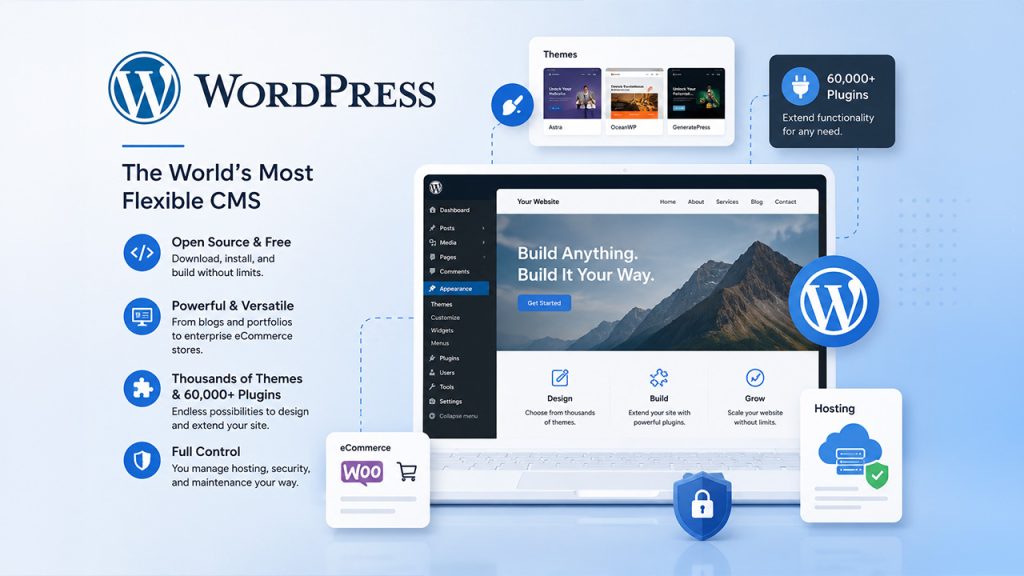
WordPress is an open-source, free CMS you download and install in your own web host. It’s been created for blogging, but has since grown into a full-fledged platform that may be used to run anything from a personal portfolio to enterprise-level eCommerce store. With thousands of themes and more than 60,000 plugins, WordPress allows you to have complete control over your site. This option is more flexible, but has a higher learning curve since you will be responsible for hosting, security and plugin maintenance.
How to Secure a WordPress Site in 2026 (Step-by-Step Guide)
What Is Weebly?
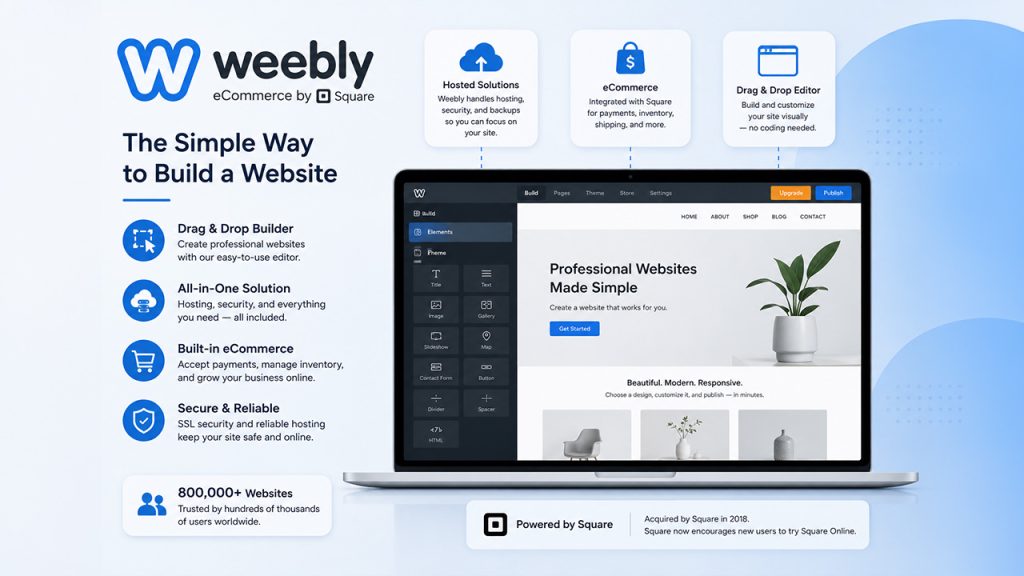
Weebly is a hosted website builder that combines website hosting, website security and a visual drag and drop editor. Weebly has also integrated eCommerce features like payments and inventory after Square purchased the company in 2018. But the development of the platform has been greatly slowed and Square now pushes new players towards Square Online. However, it’s still used for more than 800,000 websites and continues to be a good solution for those who prioritise simplicity over all else.
WordPress vs Weebly: Quick Comparison Table
To start, let’s take a side-by-side parallel comparison of WordPress vs Weebly for the key areas.
WordPress vs Weebly: Key highlights
| Feature | WordPress | Weebly |
| Pricing | Free CMS; hosting from $3/month | Free plan; paid from $10/month |
| Ease of Use | Moderate learning curve | Very easy drag-and-drop |
| Design Flexibility | Thousands of themes and plugins | Limited templates; fewer updates |
| SEO | Advanced via plugins like Yoast | Basic built-in SEO settings |
| eCommerce | WooCommerce with full control | Built-in Square integration |
| Security | Community-driven; plugin-based | Managed SSL and hosting security |
| Customer Support | Community forums; host-dependent | Email and live chat on paid plans |
| Scalability | Highly scalable for any size | Suited for small to medium sites |
WordPress vs Weebly: Detailed Comparison
1. Ease of Use
When it comes to ease of use, it’s obvious that WordPress is not as easy to use as Weebly. This easy-to-use drag-and-drop editor lets anyone build and publish a website without needing to learn any coding, within a matter of minutes. No setup, software installation, software updates or tech maintenance to worry about. With Weebly’s template selection, users can easily select a template, drag and drop elements, then add more features through Weebly App Center.
WordPress, on the other hand, has a much steeper learning curve. Many hosting companies have a one click WordPress installation, but there is also the task of handling hosting, theme and plugin installation and updates. The Gutenberg block editor has made editing much easier, but WordPress does need some technical expertise, particularly in making customizations, installing plugins or changing the design in any major way. FTP, CSS, and HTML are likely to be referenced when setting up or troubleshooting. But if you’re willing to get a bit creative and learn how to utilize the site, WordPress has much more flexibility, scalability, and customization options.
2. Design and Customization
In terms of design flexibility WP has a lot more flexibility than Weebly. It provides thousands of free and paid themes from the official theme directory and marketplaces such as ThemeForest. There are basically no limits to design options, whether you’re looking for a blog, portfolio, business website, or ecommerce site. Premium themes can be bought for $30 to $60, and can be further modified. But for highly customized designs, one may need to know some of the basic elements of HTML or CSS, and it is crucial to download themes only from trusted sources to prevent security issues.
Weebly is a simpler approach. It’s a library of over 55 free templates that are modern, mobile-friendly and conveniently grouped by website type including web stores, blogs and portfolios. The templates are not only ready to use; they are also easy to use for beginning users to set up a decent looking site in a flash. One of the advantages is that there is no disruption of existing content when switching templates. Weebly’s customization options are not as robust as WordPress, but this could be advantageous for those who are looking for a more unique and branded site design.
3. Pricing and Value for Money
When comparing WordPress vs Weebly pricing, Weebly has a free plan and premium plans that are priced at $10/month, $12/month and $26/month, respectively, on an annual basis. It includes all the hosting, security and maintenance and it is easy to budget for beginners.
While WordPress is free, you will have to cover the cost of hosting, domain name registration, premium theme and plugins.
Although WordPress is free, you’ll need to pay for hosting (about $6.50/month), domain name (about $12/year), premium theme ($35-$65) and plugins. WordPress is affordable to begin with, but can be more expensive based on the customization and the requirements of your website.
4. SEO Capabilities
When it comes to WordPress vs Weebly SEO, WordPress has the most flexibility in optimizing. Yoast SEO and Rank Math plugins offer the ability to customize page titles, meta descriptions, XML sitemaps, schema markup, redirects, and advanced technical SEO options. WordPress also lets you have full control over the headings, URLs, and site performance, which is great for those who want to build for the longer-term search rankings.
Weebly does a good job with the basics of SEO, such as page titles, meta descriptions, custom URLs, alt text, SSL encryption and the creation of a sitemap. However, it offers less SEO customization than others, particularly in terms of heading tag control and other advanced optimization tools. Weebly offers basic SEO, but WordPress takes it to the next level with the right plugins.
5. eCommerce Features
When comparing WordPress vs Weebly ecommerce, WordPress provides practically endless selling options, thanks to its plugin system such as WooCommerce. Users can sell physical products, digital downloads, and services and provide advanced payment options, shipping options, and marketing tools. Many of the advanced ecommerce features, however, come with an additional cost in the form of paid extensions, and you won’t find that WooCommerce stores have a steep learning curve for the technical aspects.
Weebly is a surprisingly powerful platform for small to medium online stores with built-in ecommerce capabilities via its integration with Square. It can handle physical and digital product sales, inventory, discount codes, and even live shipping calculators! Weebly too is one of the few platforms that provides ecommerce capabilities on a free account, albeit these are more basic and they charge transaction fees on lower-tier plans.
6. Security and Customer Support
Weebly takes security measures for you. All plans come with SSL encryption, and the managed hosting service ensures security at the server level, which is handled by Weebly. Customer support is offered through email and chat for paid plans, with phone support available only at higher levels.
As it is open-source, WordPress does not have support built into itself. Generally, there is a specific level of support provided at the server level, and there are some plugins that take care of security at the site level, like Wordfence or Sucuri. The WordPress community forums offer lots of assistance, however the quality of the response varies.
WordPress vs Weebly: Which One Should You Choose?
The decision between WordPress vs Weebly hinges on your objectives, your technical savvy, and your future plans. If you’re looking for a simple website which requires little technical effort, then Weebly is for you. It’s perfect for personal websites, portfolios, small business landing pages, and micro eCommerce businesses. It’s the fastest route from concept to live website with the all-in-one pricing and drag and drop editor.
Opt for WordPress if you prefer flexibility, in-depth SEO options, eCommerce capabilities, and further customization. The challenge involved in setting up the system is greater, but the opportunities for customization, performance and future development are significant. The WordPress platform is the better option for most users who are looking to do more than a simple website.
Also Read
Shopify vs WordPress: Ultimate Platform Comparison Guide
WordPress vs Bluehost: Which Web Hosting Platform Is Right for You
WordPress vs WooCommerce Explained: Key Differences, Features & Use Cases