

 Share on media


A WordPress website can look excellent and still lose visitors when pages become slow, errors appear, or resources are stretched. That is why WordPress performance monitoring should be a part of website management, not a one-time speed test.
For beginners, monitoring means watching important signals regularly, understanding what changed, and acting before a small problem becomes serious. It complements WordPress performance optimization by showing whether improvements continue to work.
What Is WordPress Performance Monitoring?
WordPress performance monitoring is the practice of continuously observing website availability, loading behavior, response times, resource usage, and errors. Instead of checking your website only after someone reports a problem, WordPress performance monitoring gives you visibility into how the site behaves over time.
For search-focused websites, Core Web Vitals also deserve attention because they evaluate loading, interactivity, and visual stability.
Why WordPress Performance Monitoring Matters
Performance affects how visitors experience a website. Slow pages can create frustration, interrupt browsing, and reduce confidence in a business. WordPress performance monitoring helps website owners move from reactive troubleshooting to proactive maintenance.
WordPress speed monitoring can reveal when response times rise, availability changes, or technical problems repeatedly affect visitors. These signals can guide decisions about caching, images, plugins, hosting, databases, and code.
WordPress performance monitoring also supports SEO. Search engines consider page experience alongside many other factors, so maintaining a fast, stable website supports a stronger technical foundation. Performance is not a shortcut to rankings; useful content, accessibility, relevance, internal linking, and search intent remain essential.
The Connection Between Monitoring and AI Website Creation
WP-1Click combines AI-powered website generation with one-click WordPress setup, ready-made templates, mobile-responsive design, built-in SEO features, and automated speed and performance settings. Its platform can generate layouts, pages, and content sections.
AI web design can reduce repetitive setup work, but automation does not eliminate the need for WordPress performance monitoring. A newly launched website still changes as content, traffic, plugins, integrations, and business requirements evolve.
How AI Web Design Supports Better Performance
Good AI web design is not only about appearance. It should create a clear structure that works across devices and supports efficient navigation.
A performance-conscious design can reduce unnecessary visual complexity, avoid excessive assets, and keep important information easy to access. WP-1Click states that its generated websites are designed for mobile and desktop use and that its platform automatically optimizes speed, caching, and performance settings.
A Step-by-Step Monitoring Process
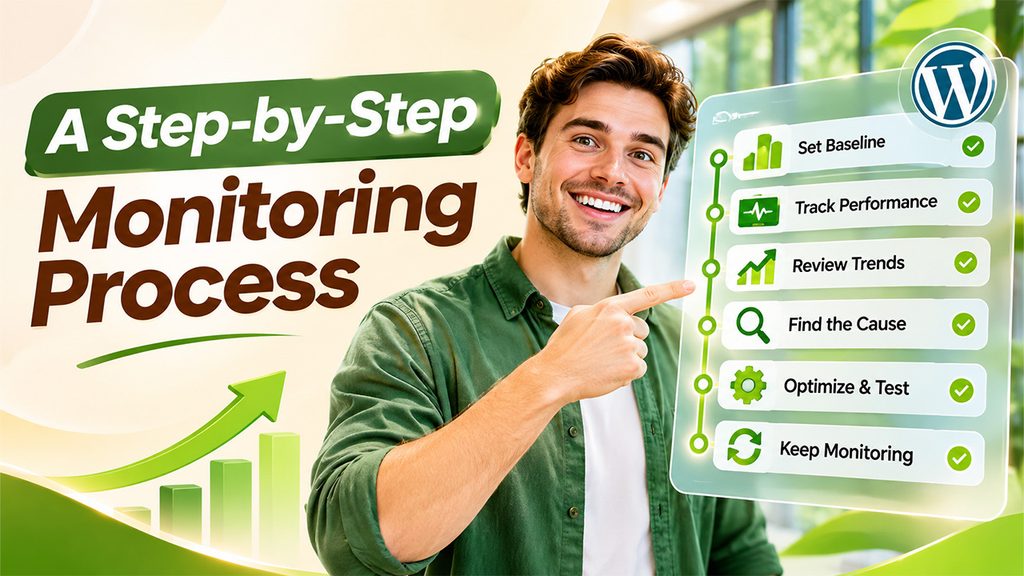
1. Establish a Baseline
Record your current performance. Test important pages, note response times, review availability, and check Core Web Vitals using appropriate measurement tools.
2. Track Availability and Response Time
A reliable WordPress performance monitoring system should watch whether your website is accessible and how quickly it responds. WP-1Click’s monitoring service tracks uptime, loading performance, response times, resource usage, website activity, and errors.
3. Review Trends, Not Individual Results
If response times increase after updates, investigate the changes. Look for patterns rather than treating every slow result as a major problem.
4. Investigate the Likely Cause
Common causes include oversized images, unnecessary plugins, heavy themes, database bloat, external scripts, missing caching, or inadequate hosting. WP-1Click’s guide on fixing a slow WordPress website explains practical ways to identify and address these bottlenecks.
5. Optimize and Test Again
Apply one meaningful improvement at a time where practical. Compress media, remove unused plugins, improve caching, optimize code, or review hosting configuration. Then measure again. This creates a connection between the change and its result.
6. Keep Monitoring After Improvements
New content, plugin updates, campaigns, integrations, and traffic can change performance. Continuous WordPress performance monitoring helps confirm that gains are sustained.
SEO Tips for Better Performance
Start with useful, original content that answers search intent. Use descriptive page titles, logical headings, clean URLs, meaningful internal links, and optimized images.
Review Core Web Vitals regularly, especially for important mobile pages. Avoid adding plugins or scripts solely because they promise an SEO advantage.
For growing businesses and website owners, deeper measurement starts with WP-1Click’s WordPress Analytics guide, which explains how analytics can help you understand traffic, engagement, and behavior.
How WP-1Click Helps
WP-1Click is built around automated WordPress website creation and management. Its platform combines one-click setup, AI-generated layouts and content sections, ready-made templates, mobile-responsive design, SEO-oriented features, and speed and performance optimization.
For ongoing visibility, its WordPress Monitoring Services provide continuous monitoring of website availability, uptime, performance, response times, resource usage, errors, and unusual activity. The service is designed to help WordPress performance monitoring identify issues early and support reliable website operation.
Common Mistakes to Avoid
The biggest mistake is checking speed only when a website feels slow. Another is focusing on a single score instead of overall experience.
Avoid making many changes simultaneously without recording what changed. Also avoid installing numerous performance plugins without understanding overlap, configuration conflicts, or maintenance requirements.
Finally, do not assume that AI-generated websites are permanently optimized. Regular WordPress performance monitoring and sensible maintenance are still necessary.
Conclusion
A fast WordPress website should not depend on occasional testing or guesswork. WordPress performance monitoring provides ongoing visibility into uptime, response times, errors, resources, and user experience, allowing website owners to identify changes before they become larger problems.
When combined with thoughtful WordPress performance optimization, useful SEO practices, and AI-assisted website creation, monitoring creates a practical foundation for long-term website health. WP-1Click brings these ideas together through automated website creation, performance-focused configuration, and continuous monitoring services.
If you want a simpler way to launch and maintain a performance-conscious WordPress website, explore WP-1Click’s monitoring services and build your site with a workflow designed for speed, visibility, and growth.
Frequently Asked Questions
Continuous monitoring is ideal for uptime and important technical signals. For detailed performance reviews, weekly or monthly checks can help identify trends and validate optimization work.
Start with uptime, response time, loading performance, errors, resource usage, and Core Web Vitals. Prioritize metrics connected to visitor experience and business-critical pages.
Monitoring itself does not optimize a website. It identifies changes and potential problems so you can take appropriate action. The combination of measurement and WordPress performance optimization produces better results.
No. AI can automate setup and support efficient design, but websites continue to change after launch. WordPress performance monitoring helps confirm that performance remains healthy as content, traffic, and integrations grow.
WP-1Click is designed to reduce technical complexity through automated WordPress setup, AI-powered website generation, built-in optimization, and monitoring options. This can give beginners a streamlined starting point.