Share on media
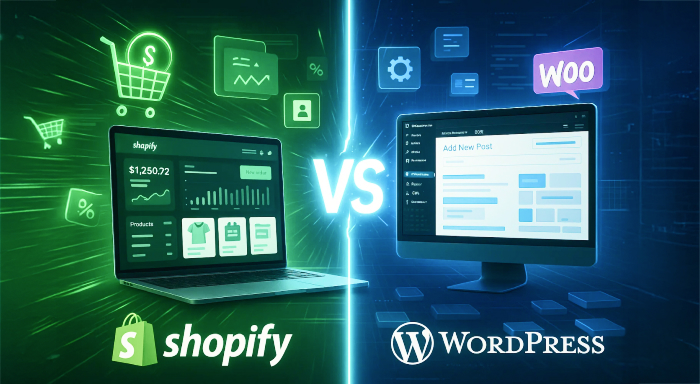


If you’re creating a site for your company, and you want to choose a better option in Shopify vs WordPress. They both serve up millions of websites, ranging from tiny family-owned shops, nonprofits, and trendy startups to huge corporations with many thousands of employees. Both platforms host millions of users globally, but each presents a decidedly different way to create and operate online shops.
Shopify is ecommerce platform-centric, offering integrated sales features and simplified management functionality and WordPress.org offers open-source versatility using plugins such as WooCommerce, allowing for full customization options.
Shopify is commerce platform-focused with integrated sales features and streamlined functionality in management, and WordPress.org is an open-source flexible using plugins like WooCommerce, giving all avenues to customize. In this blog, we will compare both of the platforms across different aspects like pricing, sales features etc. So that you can choose the best according to your needs.
Quick Overview of both Platforms
Shopify Strengths
- Specialized ecommerce platform built for online selling
- Full-featured all-in-one solution with hosting and payment processing
- Easy-to-use interface
- Extensive built-in sales tools and features
WordPress Strengths
- Open-source platform which enables customization
- Large plugin library with around 60,000 choices
- Total control of website function and design
- Affordable for users who have technical experience
Pricing Analysis: Value for Money Comparison
| Cost Component | WordPress | Shopify |
| Platform Cost | Free to download and use | $5 – $2,300 monthly (based on plan) |
| Hosting | $5 – $100 monthly (separate provider required) | Included in all plans |
| Domain | Free with Bluehost ($6.99/month first year) | Included in paid plans |
| SSL Certificate | Free with recommended hosting | Included in all plans |
| Email Service | Free with recommended hosting | Available as add-on |
| Storage | 40GB with Bluehost basic plan | Unlimited with paid plans |
| Premium Themes | Free to $5,000+ one-time cost | $70 – $380 one-time payment |
| Apps/Plugins | $50 – $500 one-time or $5 – $150 monthly | $13 – $75 monthly average |
| Training Courses | Free to $50+ monthly | Free tutorials included |
| Processing Fees | Varies by payment processor | 2.9% + 30¢ per transaction |
| Transaction Fees | Depends on payment gateway | Additional 2% without Shopify Payments |
| Monthly Starting Cost | ~$6.99 (first year) / $15.99 (renewal) | $5 (Starter) / $29 (Basic) |
| Total Cost of Operation | Higher long-term costs | 36% cheaper than WordPress according to TCO Calculator |
| Value Proposition | Lower initial cost, higher complexity | Higher upfront cost, integrated convenience |
Sales Features Comparison
Shopify Ecommerce Capabilities
Shopify shines as an ecommerce platform built specifically for sales with extensive sales features:
Key Sales Features:
- Sends emails automatically to recover abandoned emails
- Easy discount code generation and management
- Connect with different social media and online marketplaces
- Integrated stock management system
- Get detailed reports and insights of store
- Mobile optimization and performance analysis
The site focuses on managing products, guiding users to add inventory before customizing the design.
WordPress Ecommerce Functionality
WordPress needs ecommerce plugins in order to handle sales functionality, and the most common plugin of choice is WooCommerce:
WooCommerce Features:
- Unlimited product listings for physical and digital products
- Built-in blogging capabilities
- Customer review and rating systems
- Product filtering and sorting
- Simple stock management
While WooCommerce provides basic ecommerce functions, it is only one plugin among many and is not a complete solution like specialized platform offer.
Among the many ignored differences between WordPress and Shopify is how each platform manages payments and what costs it will take per sale.
Shopify manages its own in-built payment gateway, Shopify Payments, which completely removes transaction fees on eligible plans. If you select a third-party payment gateway such as Stripe or PayPal, Shopify incurs an additional amount of 0.5%-2% per each transaction as per your plan. The standard plan sits at 2.9% +30¢ per every transaction, which is sort of an industry standard.
WordPress with WooCommerce provides you with overall freedom to select your payment processor. You can incorporate PayPal, Stripe, Square, or virtually any gateway without any transaction fees imposed by the platform. You only need to pay the standard rates of the processor, generally between 2.9%+30¢ — with no markup from WordPress itself.
For stores with high-volume, this distinction is significantly important. A store that processes around $50,000 on a monthly basis can save hundreds of dollars by avoiding additional transaction fees of Shopify through WooCommerce. However, the smooth payment setup of Shopify saves you time and minimizes technical overhead; a fair tradeoff for stores still exists in the early stages of growth.
Whichever platform you select, you need to carefully review the terms of gateway carefully, as support countries and rates can vary.
App Framework and Extensions
Shopify App Store
Shopify boasts over 8,000 reviewed apps designed specifically for ecommerce optimization. Each app is thoroughly tested before it can be accepted in order to ensure quality and security levels.
Shopify App Categories include:
- Marketing and customer acquisition tools
- Inventory and order management solutions
- Payment processing and financial integrations
- Social media and marketplace connectors
- Analytics and reporting enhancements
WordPress Plugin Library
WordPress provides a rich plugin library with almost 60,000 different options available, ranging from ecommerce-targeted tools to general website functionality.
Plugin Advantages:
- Mass range covering all conceivable functionality
- High amount of freely available alternatives to pick from
- Direct integration with outside services
- Potential for custom development
Considerations:
- Quality varies widely between free plugins
- Security vulnerabilities more probable in untested plugins
- Multiple plugin incompatibility a risk
Marketing and SEO Capabilities
Shopify Marketing Tools
- Shopify includes built-in marketing features within its dashboard:
- Shopify Email for campaign management
- Lead capture forms and contact management
- Social media integration for Instagram, Facebook, and TikTok
- Multi-channel advertising capabilities
SEO Features:
- Meta title and description editing
- URL slug customization
- Image alt text optimization
- SEO best practice guidance and prompts
- WordPress Marketing Flexibility
WordPress needs plugins for all marketing functionality but provides rich options:
Well-known Marketing Plugins:
In our WordPress vs Shopify comparison for marketing capabilities, WordPress needs plugins for all marketing functionality but provides rich options:
- HubSpot for full CRM management
- Mailchimp for email marketing campaigns
- Google Ads & Listings for ad management
- Pretty Links for affiliate marketing campaigns
SEO Advantages:
- Full control over technical SEO aspects
- All in one SEO plugin for full optimization
- Custom site speed and security setting
- Add tags for better search visibility
User Experience and Setup Process
Shopify Setup Experience
Shopify focuses on product-first setup, asking about your product before letting your design store. This method makes stores design around products instead of looks.
Significant Features:
- Shopify Magic AI for system-generated product descriptions
- Drag-and-drop editor for layout adjustments
- Comprehensive tutorial library
- Dedicated customer support
Possible Challenges:
- Limited editor navigation for non-ecommerce pages
- Limited customization without coding expertise
- Relying on Shopify’s proprietary infrastructure
WordPress Setup Complexity
WordPress setup demands more technical involvement but offers greater flexibility:
Setup Requirements:
- Basic coding knowledge recommended
- Separate hosting arrangement necessary
- Plugin selection and configuration
- Theme installation and customization
Advantages:
- Multiple drag-and-drop editor options through plugins
- Complete customization freedom
- Plugin ecosystem for any desired functionality
- No platform restrictions or limitations
Template and Design Options
| Feature | Shopify | WordPress |
| Total Themes Available | 100+ professionally designed themes | 11,000+ themes (1,000 for ecommerce) |
| Free Options | 12 free themes | Thousands of free themes |
| Premium Pricing | Starting at $140 | Free to $5,000+ |
| Mobile Responsiveness | Guaranteed across all themes | Not guaranteed for all themes |
| Design Quality | Professional quality assurance | Quality varies significantly |
| Customization Level | Limited without coding | Complete customization possibilities |
| Updates & Support | Regular updates and support included | Depends on theme developer |
| Ecommerce Optimization | All themes ecommerce-optimized | 1,000 specifically for ecommerce |
| Third-party Options | Limited to Shopify theme store | Extensive third-party developer options |
| Design Consistency | Consistent professional standards | Pattern blocks for design elements |
| Compatibility Issues | Minimal platform conflicts | Potential compatibility issues with updates |
Final Verdict: WordPress vs Shopify Comparison
Go with Shopify if you:
- Prioritize ease of use and rapid setup
- Need integrated ecommerce capabilities and payment processing
- Prefer expert support and maintenance
- Are focused on selling more than technical maintenance
- Require solid, scalable ecommerce infrastructure
Select WordPress if you:
- Need high levels of customization features
- Possess technical expertise or development resources
- Desire full control over site functionality
- Prefer lower recurring costs with increased initial investment
- Need advanced content management in conjunction with ecommerce
For the majority of entrepreneurs who are looking for easy online shop building and management, Shopify delivers better value with its expert focus, built-in tools, and ease of use. WordPress is better for companies that need extensive customizations, sophisticated functionality, or those that have in-house technical resources. The Shopify vs WordPress decision ultimately depends on your specific business needs, technical expertise, and long-term goals for your online store.