Share on media
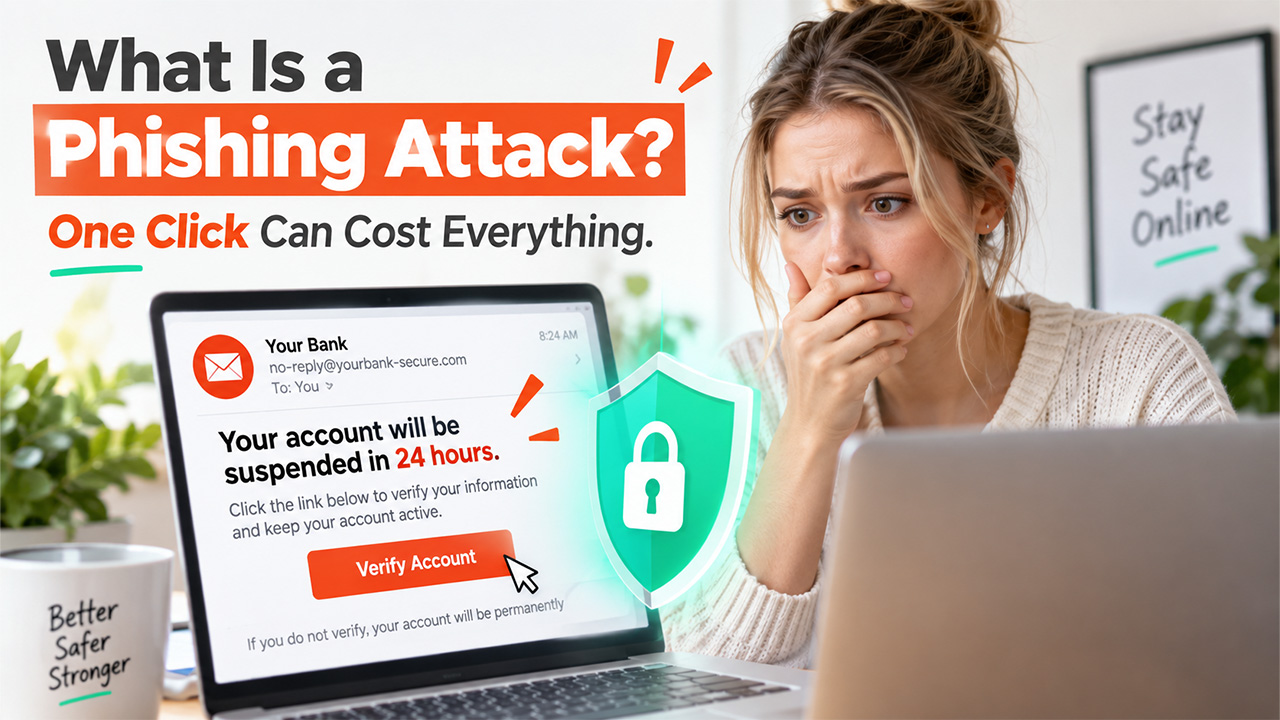


It’s 8:47 on a Tuesday morning. You’re still half-awake and scrolling through your emails before your brain has fully clocked in. One subject line pops out: “Your account will be suspended in 24 hours.” The message looks like it came from your bank. The logo is there to confirm it; the tone is urgent but polite, exactly how a bank would sound. Your thumb is already hovering over the link before you’ve even finished reading the sentence. That split-second, right there, before logic kicks in, is the clearest answer to what a phishing attack is. It’s not really about tricking your computer. It’s about tricking you
What Is a Phishing Attack?
So, what is a phishing attack, in plain terms? It is when someone impersonates a person, company, or brand you trust. They usually carry this out through email, text, or a fake website, to convince you that it’s real and get you to hand over something valuable. They try to get credentials that they can abuse, such as your password, credit card number, or just a click that quietly installs malware on your device. The word itself comes from “fishing,” because that’s basically what attackers are doing. They cast a wide net, dangle something tempting or scary, and wait for someone to bite. There is no need for advanced hacking skills to pull this off. It just takes a convincing disguise and a little bit of urgency or pressure.
Common Types of Phishing Attacks
Phishing isn’t one single trick. It comes with a family package of manipulative tactics that share the same DNA but show up in different disguises.
Email Phishing: This is the most common version, and you’ve probably seen it at least once. In this, attackers blast a well-drafted generic message to thousands of people at once. They don’t target anyone specifically; rather, they just hope a small percentage of recipients take the bait and click without thinking twice.
Weak website security is often what lets these generic messages slip through unnoticed.
Spear Phishing: This one is personal and exactly why the dangerous one. Attackers do background research to collect details about you, often from your LinkedIn, company websites, or other social media platforms. They then use this information to personalize the message that feels like it’s tailor-made just for you.
Whaling: This is a form of spear phishing; however, it targets people who hold higher positions, such as executives, CEOs, and other decision-makers. The message is usually drafted to request approval of a large payment or wire transfer that looks like a part of the daily routine within an organization.
Smishing: This type of phishing lands in your text messages, instead of your inbox. It’s often disguised as a delivery notification, asking for an OTP, a bank alert or a “you’ve won a prize” message designed to get a tap right away without thinking.
Vishing: This phishing attack comes from your phone, not an inbox. Scammers call you pretending to be your bank, government officer, or even tech support. They use a calm, official tone to get you to trust them and reveal your information.
Pharming: This phishing doesn’t ask you to click a link. Rather, it quietly takes you to a fake site even when you type the correct web address yourself. It is a lot sneakier and harder to identify because you feel like you did everything right.
Techniques Phishing Attackers Use
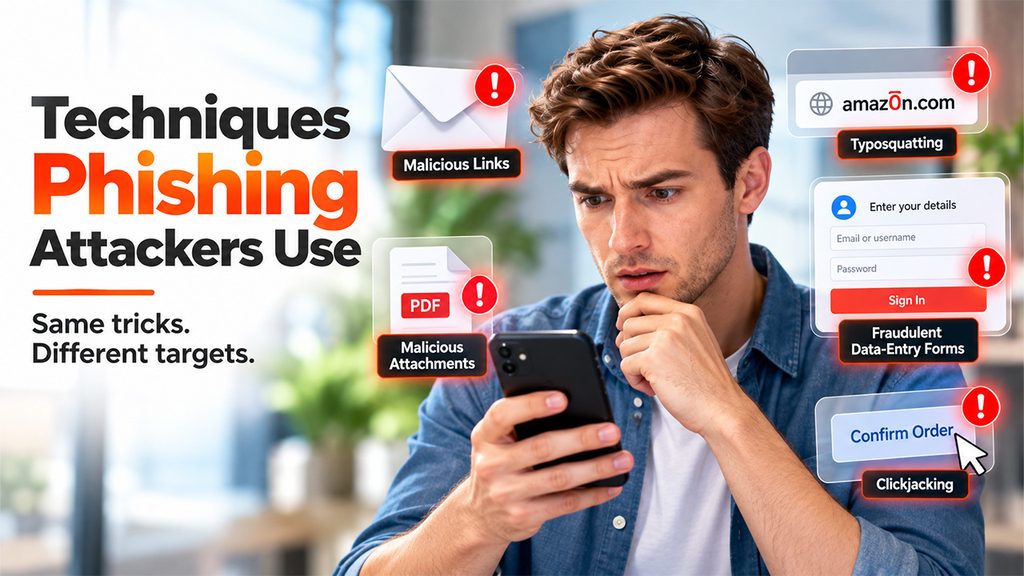
If phishing types talk about who the attacker pretends to be, techniques tell you how they actually make the scam work behind the scenes.
Malicious Links: These links are created to lead you to fake websites that look almost identical to the real thing. The logo, layout, and colors are copied so closely that at first glance, people don’t notice that something is off. It’s only after they’ve already typed in their details that they realize.
Malicious Attachments: These are files disguised as harmless documents, like invoices, receipts, or resumes. The moment you click to open one, it quietly installs malware into your system to spy on you without any obvious warning signs.
Fraudulent Data-Entry Forms: These are fake forms that ask you to fill in your login details, card number, or other personal information. O Once you submit these forms, your data goes straight to the attacker instead of wherever you thought it was going.
Typosquatting: This technique spoofs web addresses that you trust by altering just one letter that looks different from the real thing, like “amaz0n.com” instead of “amazon.com.” It’s built to trap people who are typing fast or glancing at a link too quickly.
Clickjacking: This technique works by layering invisible buttons over real ones on a webpage. What looks like clicking “Confirm Order” might actually trigger a malware download without you ever realizing what happened.
How Can You Identify a Phishing Attack
Once you pay attention to things and know what to look for, phishing starts to look a lot less convincing.
A False Sense of Urgency:
It is very rare for a real company to threaten to suspend your account within hours or ask you to act immediately. That pressure isn’t a coincidence. It is designed intentionally to stop you from thinking clearly and to make you take action almost instantly. It’s the entire point of the scam.
Generic Greetings:
When you’re associated with a brand, they know your name or your basic details. So, when you receive an email that starts with, “Dear Customer,” it is usually a sign that the message was mass-produced and wasn’t written particularly for you.
Suspicious or Mismatched Links:
Before you click anything, hover over the link for a while and look at where it actually goes. If the web address doesn’t match the company it claims to represent, that’s a clear sign of something wrong.
Unexpected Requests for Sensitive Information:
Legitimate organizations never ask you to give away your password, PIN, or full card number over email. If any message asks for these details directly, treat it as a red flag right away and proceed with caution.
Odd Sender Address:
The display name might read “Amazon Support” in bold letters, but the actual email address behind it often tells a completely different story. Always check the full address, not just the name shown.
How Can You Prevent Phishing Attacks
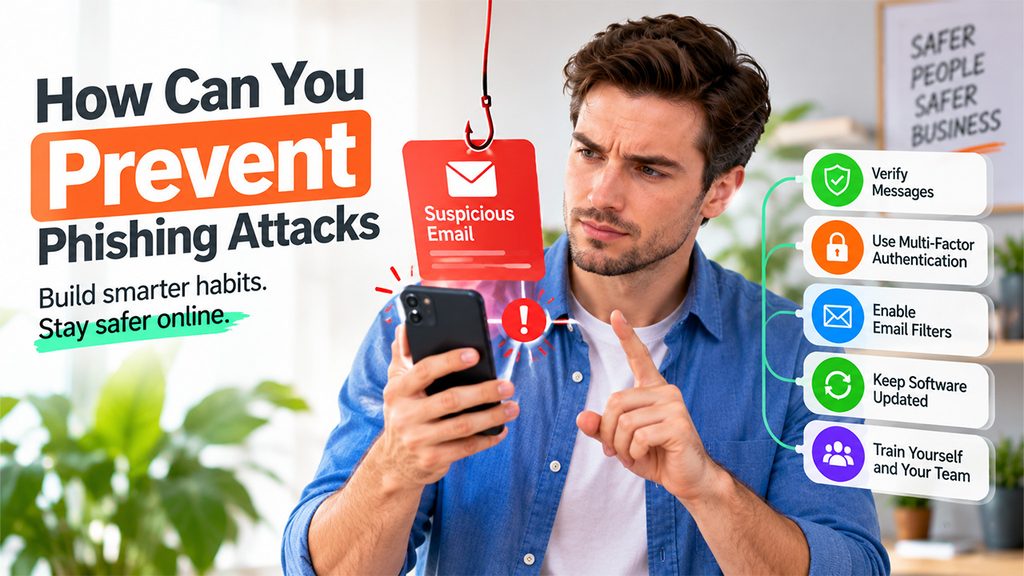
Spotting phishing is one thing. Building habits that stop it before it even reaches you is the real goal.
Verify Suspicious Messages Independently:
If a message says that it’s from your bank, pause for a moment before clicking the link inside it. Next, open a new browser tab and log in directly, or call your bank using a number you already know is real, not the one provided in the message itself. Talk to your bank to verify the claim.
Enable Multi-factor Authentication:
Your passwords are very likely to get stolen, but MFA adds a second lock that makes it difficult for attackers to get past. Even when they have your password figured out, they’d still need that second step to break in.
Use Email Filtering and Security Tools:
Good spam and phishing filters do a lot of quiet and unglamorous work. These tools catch and filter out a large share of these messages before they ever land in your inbox in the first place.
Keep Software and Devices Updated:
Do not dismiss the update notifications as they often patch the exact security gaps that cybercriminals abuse to install malware. Keeping your software updated regularly closes doors before attackers can walk through them.
Train Yourself and Your Team:
Conduct thorough, low-pressure training to spread awareness about phishing techniques and how to avoid them. When people feel safe admitting they almost clicked something, they’re more likely to report it early instead of hiding it. Strong cybersecurity practices start with people, not tools.
Conclusion
At its core, the answer to “what is a phishing attack” comes down to trust, not technology. It’s a trust problem, disguised to look official and urgent enough to stop people from questioning it and acting on it immediately. The good news is that once you know the pattern, like urgency, a familiar logo, or a link that looks almost right, it gets easier to catch them. You don’t need to be a cybersecurity expert to protect yourself. You just need to slow down for a second before you click. That pause, more than any filter or firewall, is often what stands between you and a very bad afternoon.
Frequently Asked Questions :
Can phishing happen over text or phone calls?
Yes. Smishing (text) and vishing (voice calls) work the same way as email phishing but through different channels, often impersonating banks, delivery services, or tech support.
What should I do if I clicked a phishing link?
Change your passwords immediately, enable multi-factor authentication, scan your device for malware, and report the incident to your IT team or the impersonated company right away.
How can I tell if an email is really phishing?
Look for urgency, generic greetings, mismatched sender addresses, and links that don’t match the real company’s website. When in doubt, verify directly through official channels.
Why do phishing attacks still work so well?
They exploit human psychology, not just technology. Fear, urgency, and trust in familiar brands make people act quickly, often before they’ve had a chance to spot the warning signs.