Share on media


Suppose you download a software file. Everything seems fine at first. The installation goes smoothly without any errors. But in the background, a few tiny bits got switched around between the server and your system, silently with no warning. That’s exactly where a checksum steps in.
Think of a checksum as the digital stamp on your data. Before a file is sent, these tools run a calculation based on its contents, creating a unique value. When you get the file, the same calculation runs again. If your value matches theirs, the data is real and unchanged. If it doesn’t, something went wrong, and you need to catch that before running or opening the file.
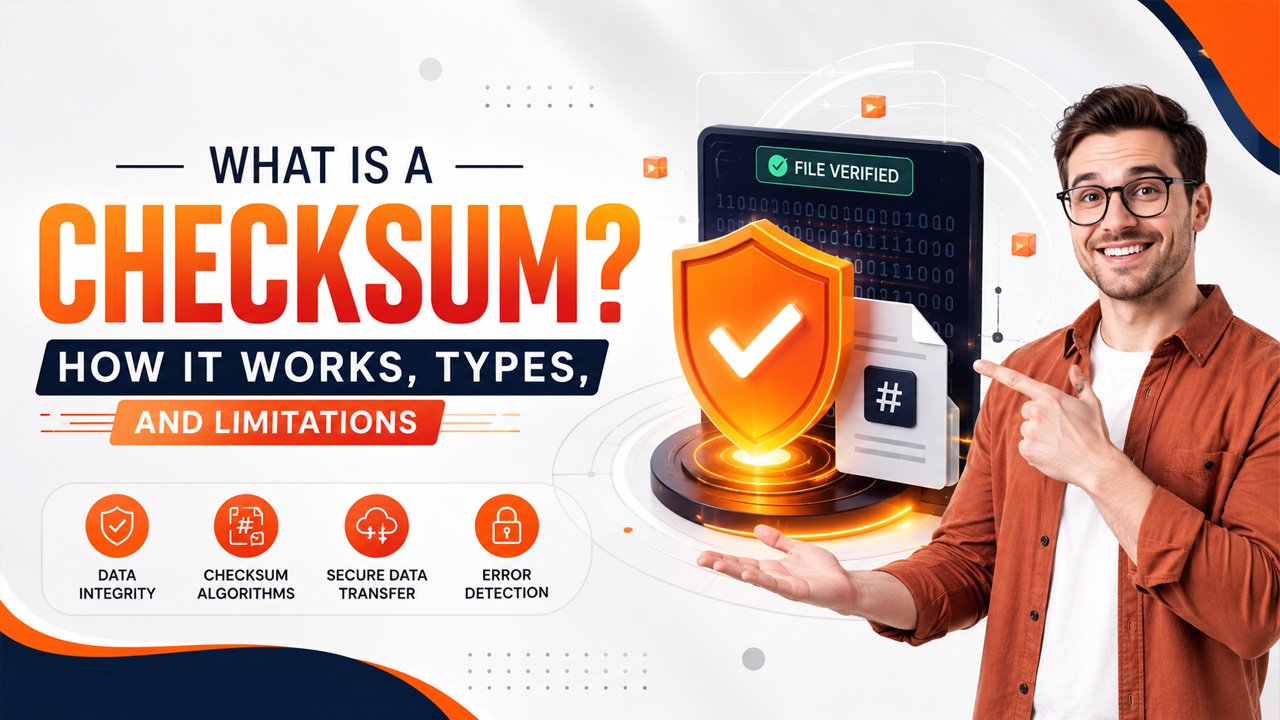
What Is a Checksum, and how does it help protect data during transfers? A checksum provides a simple way to verify whether a file or piece of data has changed by comparing its calculated value with an expected value.
This guide dives into checksums: what they are, how they work, the different types out there, why they matter, and what their limitations are.
What Is a Checksum?
A checksum is a short, fixed-length string, created from a block of data using a mathematic algorithm. It’s like a snapshot of the data’s exact state at one point in time. Even tweaking a single byte in the original data throws off the checksum completely, you get a completely different value.
It’s like a fingerprint of a file ,unique to each one. No two files should have the same fingerprint, and even the smallest edit changes it right away.
In practice, checksum, hash value, and hash sum are often used interchangeably. Technically, checksums are simple error –detection methods, while “hash” usually means something cryptographic, but in real life, people mix these up a lot.
A few basic things you should know:
- A checksum is always a fixed-length string of letters and numbers
- A checksum algorithm or cryptographic hash function is used to build it.
- It verifies data integrity; not data authenticity
- Checksums spot errors; but they can’t fix broken data.
How Does a Checksum Work?
At its core, a checksum is all about making sure data hasn’t been messed with during transmission. Both the sender and receiver follow the same straightforward steps.
Different checksum algorithms are designed for different purposes. Some focus on detecting accidental data corruption, while others provide stronger verification for software downloads and secure communications.
Some of the most commonly used checksum algorithms include:
- MD5 – A fast algorithm widely used for file integrity checks, although it is no longer recommended for security-sensitive applications.
- SHA-1 – Offers better protection than MD5 but has known security weaknesses and is gradually being phased out.
- SHA-256 – One of the most trusted algorithms for verifying file integrity and detecting unauthorized modifications.
- CRC32 (Cyclic Redundancy Check) – Frequently used in storage devices, ZIP files, and network communications to detect transmission errors.
Choosing the right algorithm depends on your specific use case. For basic file verification, CRC32 or MD5 may be sufficient, while SHA-256 is generally preferred for software distribution and security-related applications.
Common Mistakes to Avoid When Verifying Checksums
Verifying a checksum is a straightforward process, but even small mistakes can lead to inaccurate results or security risks. Understanding What Is a Checksum and how checksum verification works can help you avoid these issues. Whether you’re downloading software, transferring files, or restoring backups, following the correct verification process is essential.
One common mistake is comparing a checksum generated using a different algorithm than the one provided by the file publisher. For example, if the website shares a SHA-256 checksum, generating an MD5 checksum for comparison will not produce a matching result. Another frequent error is downloading files from unofficial sources, where the published checksum may not be trustworthy.
Users should also avoid skipping checksum verification for important software installations or operating system images. Even a minor interruption during a download can corrupt a file without any obvious signs until it is installed or executed.
For developers working on collaborative projects, maintaining file integrity is just one part of a secure workflow. Using a Version Control System helps teams track file changes, manage different versions of source code, and reduce the risk of accidental modifications throughout the development lifecycle.
Types of Checksum Algorithms
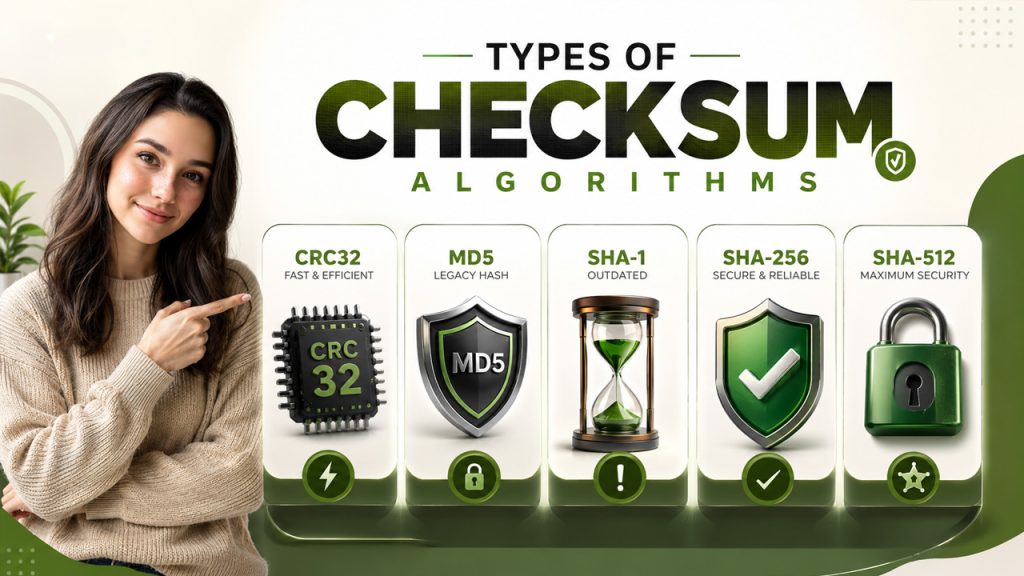
Checksum algorithms aren’t all the same; some are fast and basic. Which one you use depends on your needs, whether simple error detection or cryptographic level security.
CRC32 (Cyclic Redundancy Check)
CRC32 is an old school but still an incredibly fast checksum algorithm. It shows up everywhere—from network protocols to ZIP file compression and storage systems. It quickly catches random data errors, but it’s not built for security. CRC32 does not offer security against deliberately altering data, so don’t use it if you’re worried about tampering.
- Output: 32-bit value (8 hex characters)
- Best for: Identifying accidental errors in networking, file compression, storage.
MD5 (Message Digest 5)
MD5 was widely used to be trusted for verifying data. It generates a 128-bit hash value (32 hex characters), but it’s cryptographically fallen out of favor since 2004. Researchers figured out how to trick MD5—two completely different files can generate the exact same checksum (phenomenon called “collision attack”). These days, MD5 sticks around in old systems for non-critical data verification but steer clear if security actually matters.
- Output: 128-bit value (32 hex characters)
- Best for: Simple data verification where security is not required
- Avoid for: Any security or integrity assurance
SHA-1 (Secure Hash Algorithm 1)
SHA-1 creates a 160-bit hash (40 hex characters). For a long time, it was go-to for checksum verification. Then, in 2017, researchers at Google’s s SHAttered project showed it could be broken with a real-world collision: two different PDFs, same SHA-1 values. SHA-1 is officially outdated and shouldn’t be used for any new execution.
- Output: 160-bit value (40 hex characters)
- Status: Deprecated; do not use it for new projects
SHA-256
SHA-256 is part of the SHA-2 family and sets the current industry standard for checksum verification. It generates a 256-bit output (64 hex characters), making accidental or purposeful collisions basically impossible. You’ll see it everywhere: SSL/TLS protocols, software downloads, digital signatures, and even blockchain systems. Most major Linux distribution publish SHA-256 checksums for their install files.
- Output: 256-bit value (64 hex characters)
- Best for: Secure applications, software distribution, file verification
- Status: Recommended standard
SHA-512
SHA-512 is a stronger variant of the SHA-2 family, producing a 512-bit hash (128 hex characters). It offers higher collision resistance and is preferred for long-term archival and high-security applications.
- Output: 512-bit value (128 hex characters)
- Best for: High-security environments and long-term data storage
How to Check a Checksum
Checking a checksum is a simple way to verify whether a downloaded or transferred file matches the original version. The process usually involves generating a checksum from your copy of the file and comparing it with the value published by the software developer or trusted source.
Find the Published Checksum
Start by locating the checksum provided by the official software publisher or another trusted source. Pay attention to the algorithm being used, such as SHA-256, SHA-512, MD5, or CRC32. The algorithm must match the one you use when calculating your own value.
Generate the Checksum
Use an appropriate checksum or hashing utility to calculate the value of the downloaded file. Most operating systems provide command-line tools for common algorithms, while dedicated checksum utilities can also perform the calculation.
Compare Both Values
Compare the checksum generated from your file with the value published by the trusted source. Check the complete string carefully because even a small difference means the two values do not match.
Understand a Checksum Mismatch
If the values are different, the file may have been corrupted, incompletely downloaded, modified, or obtained from an untrusted source. Avoid opening or installing an important file until you understand why the values differ.
Use the Correct Algorithm
A checksum comparison only works when both values were generated using the same algorithm. For example, a SHA-256 value cannot be directly compared with an MD5 value. For modern software and file verification, follow the algorithm specified by the publisher.
Checksum verification is particularly useful when downloading software, operating system images, archives, backups, or other files where data integrity matters. It provides a quick way to determine whether your copy produces the expected verification value.
Limitations of Checksums
Checksums are incredibly useful, but they don’t cover everything. It’s important to know where they fall short.
- They spot errors but cannot resolve anything. If you see a checksum mismatch, all you know is that something is wrong. There’s no indication about what went wrong or how to repair it. You usually have to re-download the file, restore from a backup, or request the data to be sent again. These core gaps are exactly what cybersecurity bootcamp courses train professionals to work around using layered security approaches.
- Poor algorithms can be risky. MD5 hasn’t been trustworthy for years, and people have shown real-world ways to trick SHA-1 too. Relying on these legacy methods just gives you a false sense of security.
- They do not prove who created or published the data. A checksum can confirm data integrity, not identity. If you care about verifying the source, you’ll need digital signatures.
- Simple checksums have arithmetic blind spots. If two bytes mess each other out mathematically, basic additive checksums can totally miss it because the errors cancel each other out. Cryptographic algorithms like SHA-256 actually pay attention to data positions and inter-bit relationships, making them substantially more dependable.
Checksums vs Digital Signatures
Checksums and digital signatures can both be used when working with file integrity, but they solve different problems. A checksum can help determine whether data has changed, while a digital signature can provide additional information about the source and authenticity of the data.
What Does a Checksum Verify?
A checksum is primarily used to detect changes or errors in data. When you calculate a checksum for a file and compare it with a trusted reference value, a matching result indicates that both inputs produced the same checksum.
However, a checksum by itself does not prove who created the file or whether the published checksum came from a trustworthy source.
What Does a Digital Signature Verify?
A digital signature uses cryptographic techniques to help verify the authenticity and integrity of digitally signed information. It can help establish that the data was signed by the holder of a particular private key and that the signed content has not been changed after signing.
Checksum vs Digital Signature
The main difference is what each method is designed to establish. Checksums are commonly used for detecting accidental changes and verifying file integrity, while digital signatures add authentication to the verification process.
For example, a software publisher may provide a SHA-256 checksum so users can check whether a downloaded file matches the expected file. A digital signature can provide an additional way to verify that the software or its associated information came from the expected signing entity.
When Should You Use Each?
Use a checksum when your main requirement is detecting changes or verifying that a file matches a known reference. Use a digital signature when you also need stronger assurance about the identity or authenticity of the source.
For important software and security-sensitive data, these technologies can be used together rather than treated as alternatives. A checksum can help verify file integrity, while a digital signature can provide additional authenticity information.
Final Thoughts
Checksums are among the most practical and widely adopted mechanisms for ensuring data integrity. Whether you’re downloading a file or sending packets across a network, they help verify that your data arrived safely. Understanding related concepts such as Data Integration Tools Explained can also help you see how data is transferred, processed, and maintained across different systems. Checksums don’t replace digital signatures or encryption, but they provide an important way to detect corruption and unexpected changes.
If you have to pick one algorithm today, go with SHA-256. It’s computationally secure, well-supported, and widely used for modern file verification. MD5 and SHA-1 should not be relied on for security-sensitive applications. When you’re handling critical software, combining checksum verification with a GPG signature can provide both file-integrity and source-authenticity checks.
Getting in the habit of verifying checksums only takes a minute, but it can save you from big headaches later on.
Frequently Asked Questions
A checksum is mainly used to detect whether data has changed or become corrupted. It can be useful when downloading software, transferring files, restoring backups, or verifying that a file matches a trusted reference value.
Find the checksum published by the software provider, identify the algorithm used, and generate a checksum for your downloaded file using the same algorithm. Compare both values carefully. If they match, the files produce the same checksum; if they differ, investigate the mismatch before opening or installing the file.
SHA-256 provides stronger cryptographic protection than MD5 and is generally more appropriate when stronger integrity protection is required. MD5 can still appear in older systems or basic non-security-sensitive verification, but it should not be relied on for security-sensitive applications.
No. A checksum can help verify data integrity, but it does not by itself prove who created or published the file. When authenticity is important, digital signatures can provide additional verification of the source.
A mismatch means the file you checked produces a different value from the expected checksum. The file may have been corrupted, incompletely downloaded, modified, or obtained from a different source. For important files, avoid opening or installing them until the reason for the mismatch has been investigated.