

 Continue with Google

 Share on media
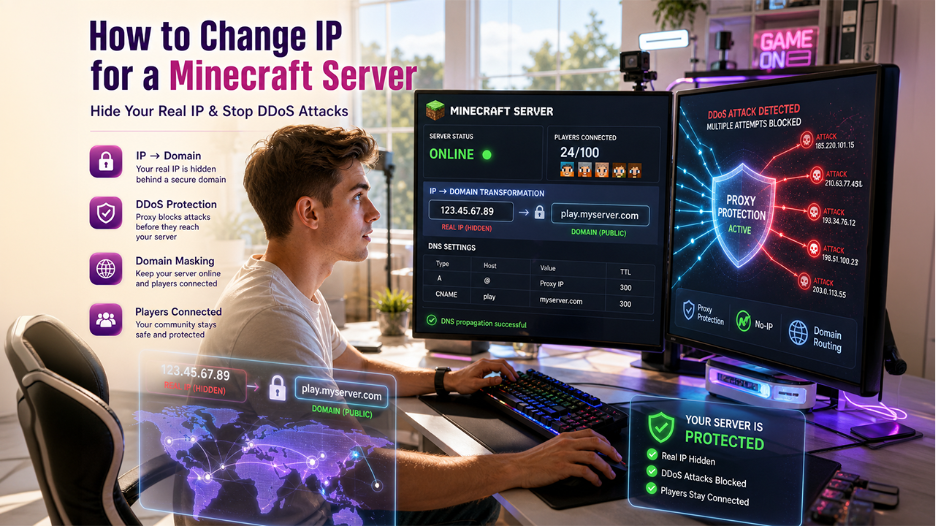


The Minecraft server is a shared and online multiplayer world that allows multiple players to connect, build, and play various types of gameplays together. The Minecraft server offers various key benefits to the players, as it offers a constantly running gameplay, which other players can play, even if the host player is disconnected. It also offers enhanced control over the gameplay, along with the ability to install custom modpacks and plugins.
Changing the IP for the Minecraft server offers players the ability to simplify the connection to the game, along with enhancing the security and DDoS mitigation of the home server. There are three main methods of changing the IP for the Minecraft server, which include using a domain name, No-IP, and Cloudflare or TCPShiled proxy.
What is Minecraft?
Minecraft is among the most popular 3D sandbox video games, which is often described as “virtual Lego“. In Minecraft, users explore an infinite, block-based world in which they can build, mine resources, and survive. The game does not feature set goals, which offer immense freedom to gamers to create, ranging from simple structures to fully functional machines.
The game offers two core game modes, i.e., Survival Mode and Creative Mode. In survival mode, the players need to gather resources, manage hunger, and craft tools to defend against hostile monsters like creepers and zombies. In the creative mode, the users have unlimited resources, along with the ability to fly and no health or hunger constraints.
What is a Minecraft Server?
A Minecraft Server is a shared and online multiplayer world, which allows multiple players to connect, build, and play together. The players can play either on a server hosted on a personal computer or using a dedicated hosting service. The Minecraft server acts as a central hub, where players can join minigames, interact, and play different modes together.
Key Features of Minecraft Server
The Minecraft server offers various key benefits to players, like superior performance, tailored gameplay, and full control over player access.
Some of the major benefits of Minecraft Servers include:
- Persistent World: The major benefit of the Minecraft server is that it constantly keeps running, even if the host player is disconnected.
- Superior Performance: It features dedicated resources, like RAM and CPU, which ensure smoother gameplay, faster chunk loading, and reduced lag.
- Enhanced Control and Customization: In a Minecraft server, the user can install custom modpacks and plugins. The user can also manage server files to create a unique experience.
- Security & Safety: In a private Minecraft Server, the user can control who enters the gameplay, making it much safer and more secure.
How to Change IP for Minecraft Server?

The process of changing the IP of the Minecraft Server includes masking your home IP for security or simply changing the address provided by a host. There are four main methods of changing or masking the IP of the Minecraft server, which include using a domain name, using No-IP (DDNS), and Cloudflare or TCPShield proxy.
- Using a Domain Name
The user can change the Minecraft server’s IP by purchasing a domain and creating an A-Record or CNAME in the DNS settings, which points to the current IP address or the home server.
- Use No-IP (DDNS)
If the home IP address changes frequently, the user can use services like No-IP. These provide a hostname, which constantly updates to the current and dynamic IP.
- Cloudflare or TCPShield Proxy
The proxy services mask the user’s real IP. It points the domain/proxy to the server, where the players connect to the proxy address. It also shields the home network from potential attacks.
What are the Types of Minecrafty Servers?
The Minecraft servers are generally categorized by the underlying software and gameplay style they support. Some of the popular Minecraft servers include:
- Minecraft Server Software Types
- Vanilla: It is the official and unmodified server software, which offers the best and pure experience. The server software lacks customization.
- PaperMC: Regarded as the best choice for servers that need plugins, with minimal lag.
- Spigot/CraftBukkit: It is the classic plugin-enabled server software.
- Fabric: A modern and lightweight server, which features a mod loader. It is often used for performance boosting. If you’re planning to set up a modded server using Fabric, you can follow a detailed guide on installing a Fantasy MC Fabric server.
- Gameplay Server Types
- Survival (SMP): It is the standard survival gameplay, which features safety features like land claiming.
- Anarchy: It features no rules, no plugins, and no restrictions. In this server, cheating is often allowed.
- Fractions: It is a PvP-focused server, where teams can create land claims, along with raiding others.
- Minigames: It offers short and fast-paced games, like BedWars, SkyWars, and Spleef.
Key features of the different types of Minecraft servers are as follows:
| Survival | Adventure/RPG | PvP | Minigame | Anarchy | |
| Gameplay Style | Gather resources, build, and survive. | Roleplay with missions and exploration. | Fighting, raiding, and competition. | Quick matches with specific rules. | Complete freedom with no rules. |
| Common Features | Land claiming, economic plugins, and grief protection. | NPCs, custom items, and the leveling system. | Arenas, factions, and leaderboards. | Features games like BedWars, SkyWars, and Spleef. | No anti-griefing and no moderation. |
| Ideal For | Players who enjoy classic survival. | Players who enjoy storytelling and progression. | Competitive players. | Casual players are looking for variety. | Players who want total freedom. |
Benefits of Changing IP for a Minecraft Server?
Changing the IP address of a Minecraft server helps in offering the players various key benefits. It helps in enabling easy access without the need for any custom ports. It also offers superior DDoS protection and ensures stable performance.
Some of the major benefits of changing IP address of Minecraft server includes:
- Simplified Connection: The dedicated IP address allows the players to connect to a gameplay using just the IP address. It also helps in removing the need to type a port number.
- Enhanced Security & DDoS Mitigation: A dedicated IPs also helps in isolate the server, making it easier to implement a robust DDoS protection and mitigation.
- Improved Stability and Performance: By changing the IP address of Minecraft server, the user can avoid sharing resources with other servers.
- Full Port Access: By changing the IP address, the user can gain access to all the available ports, which is important for running multiple services and custom plugins.
When Is It Needed to Change the IP for the Minecraft Server?
There are various factors that necessitate changing the IP address for the Minecraft server. It is essential to change the IP for the Minecraft server when the residential ISP changes the dynamic IP of the user. It is also essential to change for various key security reasons, or due to DDoS attacks. Some of the major factors that necessitate changing the IP for the Minecraft server include:
- Dynamic IP Change: The residential internet connection frequently changes its public IP address automatically. This stops players from connecting to the gameplay until a new IP is shared.
- Security/DDoS Threats: If the IP is publicly exposed, the user should change it for the Minecraft server. Publicly exposed IP can increase the risk to the home network.
- Switching Hosts: The user needs to change the IP address if they are moving from a local machine to a hosting service.
- Port Forwarding Issues: If the port server port needs to be changed, it often includes the allocation of a new IP address.
Key Considerations
Before changing the IP for the Minecraft server, the user or player needs to keep up a few key considerations. The process of changing the IP address requires proper planning, mainly to avoid player disruption and reconfiguring port forwarding.
Some of the key considerations before changing the IP for the Minecraft server include:
- DNS Propagation Time: If the user is using a domain, updating the A-record or CNAME to the new IP generally takes about 24 to 48 hours to fully propagate.
- Player Notification: It is essential to notify all players in advance. Without the domain, the player needs to manually update their server list with the new IP address.
- Port Forwarding Reconfiguration: Port-forwarding the new IP address is essential if the user is self-hosting the Minecraft server.
- DDNS Updates: If the user is using dynamic DNS, it is important to update the hostname mapping to the new public IP immediately.
Conclusion
The process of changing the IP for the Minecraft server includes three main methods, which include using a domain name, No-IP, and Cloudflare or TCPShiled proxy. The domain name method changes the Minecraft server’s IP address by purchasing a domain and creating an A-Record or CNAME in the DNS settings. The No-IP (DDNS) method provides a hostname that constantly updates the current and dynamic IP. The Cloudflare or TCPShield Proxy method of changing the IP for the Minecraft server points the domain/proxy to a proxy address.
The process of changing the IP for the Minecraft server offers key benefits to the users, like it simplifies the gameplay connection to the users, along with enhancing security and DDoS mitigation. Changing the IP address also offers full port access to the user, which is essential in running multiple services and custom plugins.