Share on media
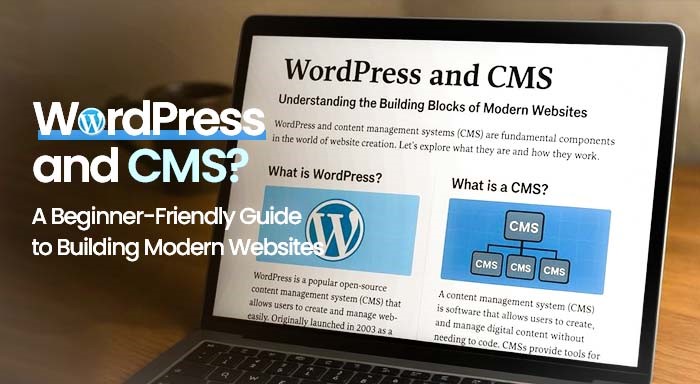


In the modern era, having a digital presence is no longer a luxury; it is a necessity for survival. Irrespective of whether you are a blogger, a business owner, or an entrepreneur, generating a powerful website is the first step towards your audience engagement and establishing credibility. This is where platforms like WordPress and CMS (Content Management Systems) come into play, offering user-friendly tools to build and manage websites with ease. But here is the main question: How can you develop and handle a website without being a tech expert?
This is exactly where CMS (Content Management Systems) and WordPress come into the picture, offering powerful solutions for building and managing websites. They help users create and maintain websites with ease, even without a strong technical background. As the demand for scalable, user-friendly, and cost-effective web solutions continues to grow, CMS platforms such as WordPress have become the preferred choice for millions of users worldwide.
The main focus of this blog is to shed light on the fundamental aspects of CMS and WordPress, recognizing how they work, and why they have become so important for present-day web development.
What Do We Mean by CMS (Content Management Systems)?
A CMS, i.e., Content Management System, is a kind of software application that enables users to edit, create, publish, and manage content on the website without writing a single line of code. CMS can be considered as an engine driving your website, enabling you to organize all aspects starting blog posts and images to intricate page layouts.
In simple language, you can imagine CMS as an online workspace where you can showcase your website the way you want, add quality content, handle media, and ensure regular updates in real-time.
Let us take a look at some of the core advantages of using a CMS:
- User-convenient Interface: The user-friendly interface makes it easy for even the non-developers to update various content and update pages with relative ease.
- Time-efficient: Minimizes time spent on website development and content updates.
- Collaboration: Numerous users can edit and handle content at the same time.
- Scalability: Best solution for all aspects ranging from micro blogs to corporation-level websites.
- Cost-Efficient: Minimizes the need for a professional developer to make changes in real-time.
There are numerous CMS platforms available including Drupal, Joomla, and Magneto. However, none of the websites have gained as much prominence and are as user-friendly as WordPress.
How Does a CMS Work?
A Content Management System (CMS) separates the content of your website from its design and functionality. Instead of writing code for every page, you simply create content through an easy-to-use dashboard while the CMS stores everything in a database and displays it using your website’s theme.
A typical CMS works in the following way:
- You create or edit content using the admin dashboard.
- The CMS stores your content in a database.
- A theme controls how the content appears to visitors.
- Plugins add extra features such as contact forms, SEO tools, security, and backups.
- Whenever someone visits your website, the CMS retrieves the content from the database and displays it in a properly designed web page.
This system allows beginners to manage websites without programming knowledge while giving developers the flexibility to customize every aspect of the website when needed.
What Do We Mean by WordPress?
At its very basic, WordPress can be considered an open-source content management platform that enables users to develop blogs and websites with relative ease. Started in 2003 as a normal blogging platform, WordPress has grown into a comprehensive website development platform that drives more than 43% of websites on the web today.
Irrespective of whether you want to generate a portfolio, a business website, or an eCommerce store, WordPress provides unparalleled simplicity and flexibility.
Here are some salient features that differentiates WordPress:
- Open-Source Solution: The tool is entirely free of cost supported by an extensive community of developers.
- Templates and Themes: Thousands of pre-built templates ensure that your website get a professional look immediately.
- Extensions for Everything: Extend the functionality of your website with around 50,000+ free plugins—contact forms, SEO platforms, galleries, etc.
- SEO-Friendly: Plugins and in-built features such as Yoast SEO make it convenient to create quality content relevant for better SERP results.
- Mobile Responsive: A lot of themes on WordPress are mobile-friendly. This essentially means that your website looks appealing on all devices and platforms.
How Can WordPress and CMS Integrate?
It is quite significant to understand that WordPress is a kind of CMS, but one that is extensively powerful due to its user-friendliness, customizability, and extensive plugins and themes options.
Let us understand it further with the help of a simple example:
Imagine a scenario where you wish to create a travel blog. With a conventional website, you would need to understand CSS, HTML, and JavaScript to go ahead. Courtesy of WordPress, you just need to install the software. You can also choose a hosting provider that provides 1-click WordPress installation. Then, you just need to pick a theme and begin your writing process. You can also upload images, add various categories, and schedule all your posts with the help of a few clicks.
This is just how WordPress operates; as a CMS, it removes barriers and allows users to concentrate more on content instead of code.
Why Should You Choose WordPress as Your CMS?
Selecting the right CMS platform is a vital aspect for your digital success. WordPress is not only user-friendly; it also enhances your content as your needs advance. You can begin with a blog and then convert it into a full-fledged eCommerce store leveraging platforms such as WooCommerce.
Here are a few real-world advantages of utilizing WordPress:
- Owners of small businesses can launch a digital store without recruiting a full development team.
- An online agency can handle numerous client websites using one unified dashboard.
- Content creators can proceed to monetize their blog with minimum technical know-how.
Can You Customize WordPress Beyond Themes?
One of the biggest reasons behind WordPress’s popularity is its flexibility. While themes help you change the appearance of your website, businesses often require features that go beyond standard templates and plugins.
As a website grows, you may need custom dashboards, booking systems, CRM integrations, membership portals, or unique business workflows. In such cases, investing in Custom Web Development Services allows you to build tailored solutions that meet your exact business requirements while continuing to benefit from WordPress’s easy content management capabilities.
Whether you’re running a startup or an enterprise, custom development ensures your website can scale with your business without compromising performance or user experience.
Can You Edit WordPress Without Coding?
One of the biggest advantages of WordPress is that most website changes can be made without writing code. Using themes, plugins, and page builders, beginners can customize pages, publish blog posts, and manage website content with ease.
However, there are situations where making direct code changes provides greater flexibility. Learning how to Edit WordPress HTML can help you customize page layouts, embed third-party code, modify templates, or troubleshoot design issues that cannot be solved through visual editors alone. Before making any code changes, it is always recommended to create a backup or use a staging website to avoid affecting your live site.
Final Thoughts
In the fast-evolving digital landscape, understanding platforms that develop, and handle websites is important. CMS platforms and WordPress have made web development a lot more accessible. This democratized web development makes it easy for users of all levels ranging from solo creators to large-scale corporations.
If you wish to launch your first website or you are looking to transition to a more manageable platform, WordPress must be the preferrable option. The platform is powerful, flexible, and trusted by millions of users worldwide. Most significantly, it enables you to prioritize the most significant aspects—producing helpful content and enhancing your online presence.
Let your ideas take center stage. With WordPress and a strong CMS foundation, building a future-ready website is no longer a dream—it’s just a few clicks away.