Share on media



Suppose: You download a software file. Everything seems fine at first. The installation goes smoothly without any errors. But in the background, a few tiny bits got switched around between the server and your system, silently with no warning. That’s exactly where a checksum steps in.
Think of a checksum as the digital stamp on your data. Before a file is sent, these tools run a calculation based on its contents, creating a unique value. When you get the file, the same calculation runs again. If your value matches theirs, the data is real and unchanged. If it doesn’t, something goes wrong and you need to catch that before running or opening the file.
This guide dives into checksums: what they are, how they work, the different types out there, why they matter, and what their limitations are.
What Is a Checksum?
A checksum is a short, fixed-length string, created from a block of data using a mathematic algorithm. It’s like a snapshot of the data’s exact state at one point in time. Even tweaking a single byte in the original data throws off the checksum completely, you get a completely different value.
It’s like a fingerprint of a file ,unique to each one. No two files should have the same fingerprint, and even the smallest edit changes it right away.
In practice, checksum, hash value, and hash sum are often used interchangeably. Technically, checksums are simple error –detection methods, while “hash” usually means something cryptographic, but in real life, people mix these up a lot.
A few basic things you should know:
- A checksum is always a fixed-length string of letters and numbers
- A checksum algorithm or cryptographic hash function is used to build it.
- It verifies data integrity; not data authenticity
- Checksums spot errors; but they can’t fix broken data.
How Does a Checksum Work?
At its core, a checksum is all about making sure data hasn’t been messed with during transmission. Both the sender and receiver follow the same straightforward steps.
Different checksum algorithms are designed for different purposes. Some focus on detecting accidental data corruption, while others provide stronger verification for software downloads and secure communications.
Some of the most commonly used checksum algorithms include:
- MD5 – A fast algorithm widely used for file integrity checks, although it is no longer recommended for security-sensitive applications.
- SHA-1 – Offers better protection than MD5 but has known security weaknesses and is gradually being phased out.
- SHA-256 – One of the most trusted algorithms for verifying file integrity and detecting unauthorized modifications.
- CRC32 (Cyclic Redundancy Check) – Frequently used in storage devices, ZIP files, and network communications to detect transmission errors.
Choosing the right algorithm depends on your specific use case. For basic file verification, CRC32 or MD5 may be sufficient, while SHA-256 is generally preferred for software distribution and security-related applications.
If you’re managing software projects or tracking changes in application files, understanding a Version Control System can help you maintain file integrity, collaborate more effectively with development teams, and keep project files organized throughout the software development lifecycle.
Common Mistakes to Avoid When Verifying Checksums
Verifying a checksum is a straightforward process, but even small mistakes can lead to inaccurate results or security risks. Whether you’re downloading software, transferring files, or restoring backups, following the correct verification process is essential.
One common mistake is comparing a checksum generated using a different algorithm than the one provided by the file publisher. For example, if the website shares a SHA-256 checksum, generating an MD5 checksum for comparison will not produce a matching result. Another frequent error is downloading files from unofficial sources, where the published checksum may not be trustworthy.
Users should also avoid skipping checksum verification for important software installations or operating system images. Even a minor interruption during a download can corrupt a file without any obvious signs until it is installed or executed.
For developers working on collaborative projects, maintaining file integrity is just one part of a secure workflow. Using a <strong>Version Control System</strong> helps teams track file changes, manage different versions of source code, and reduce the risk of accidental modifications throughout the development lifecycle.
Types of Checksum Algorithms
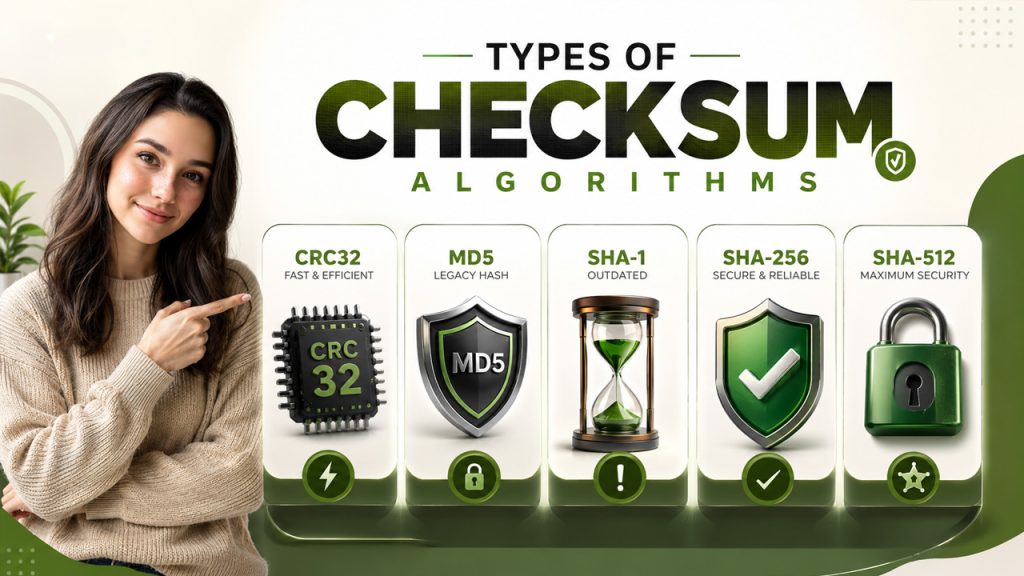
Checksum algorithms aren’t all the same; some are fast and basic. Which one you use depends on your needs, whether simple error detection or cryptographic level security.
CRC32 (Cyclic Redundancy Check)
CRC32 is an old school but still an incredibly fast checksum algorithm. It shows up everywhere—from network protocols to ZIP file compression and storage systems. It quickly catches random data errors, but it’s not built for security. CRC32 does not offer security against deliberately altering data, so don’t use it if you’re worried about tampering.
- Output: 32-bit value (8 hex characters)
- Best for: Identifying accidental errors in networking, file compression, storage.
MD5 (Message Digest 5)
MD5 was widely used to be trusted for verifying data. It generates a 128-bit hash value (32 hex characters), but it’s cryptographically fallen out of favor since 2004. Researchers figured out how to trick MD5—two completely different files can generate the exact same checksum (phenomenon called “collision attack”). These days, MD5 sticks around in old systems for non-critical data verification but steer clear if security actually matters.
- Output: 128-bit value (32 hex characters)
- Best for: Simple data verification where security is not required
- Avoid for: Any security or integrity assurance
SHA-1 (Secure Hash Algorithm 1)
SHA-1 creates a 160-bit hash (40 hex characters). For a long time, it was go-to for checksum verification. Then, in 2017, researchers at Google’s s SHAttered project showed it could be broken with a real-world collision: two different PDFs, same SHA-1 values. SHA-1 is officially outdated and shouldn’t be used for any new execution.
- Output: 160-bit value (40 hex characters)
- Status: Deprecated; do not use it for new projects
SHA-256
SHA-256 is part of the SHA-2 family and sets the current industry standard for checksum verification. It generates a 256-bit output (64 hex characters), making accidental or purposeful collisions basically impossible. You’ll see it everywhere: SSL/TLS protocols, software downloads, digital signatures, and even blockchain systems. Most major Linux distribution publish SHA-256 checksums for their install files.
- Output: 256-bit value (64 hex characters)
- Best for: Secure applications, software distribution, file verification
- Status: Recommended standard
SHA-512
SHA-512 is a stronger variant of the SHA-2 family, producing a 512-bit hash (128 hex characters). It offers higher collision resistance and is preferred for long-term archival and high-security applications.
- Output: 512-bit value (128 hex characters)
- Best for: High-security environments and long-term data storage
Limitations of Checksums
Checksums are incredibly useful, but they don’t cover everything. It’s important to know where they fall short.
- They spot errors but cannot resolve anything. If you see a checksum mismatch, all you know is that something is wrong. There’s no indication about what went wrong or how to repair it. You usually have to re-download the file, restore from a backup, or request the data to be sent again. These core gaps are exactly what cybersecurity bootcamp courses train professionals to work around using layered security approaches.
- Poor algorithms can be risky. MD5 hasn’t been trustworthy for years, and people have shown real-world ways to trick SHA-1 too. Relying on these legacy methods just gives you a false sense of security.
- They do not prove who created or published the data. A checksum can confirm data integrity, not identity. If you care about verifying the source, you’ll need digital signatures.
- Simple checksums have arithmetic blind spots. If two bytes mess each other out mathematically, basic additive checksums can totally miss it because the errors cancel each other out. Cryptographic algorithms like SHA-256 actually pay attention to data positions and inter-bit relationships, making them substantially more dependable.
Final Thoughts
Checksums are among the most practical and widely adopted mechanisms for ensuring data integrity. Whether you’re downloading a file or sending packets across a network, they verify to make sure your data arrived safely. They don’t replace digital signatures or encryption, but honestly, they’re the first thing standing between corruption and tampering.
If you have to pick one algorithm today, go with SHA-256. It’s computationally secure, well-supported, and the current industry standard. MD5 and SHA-1? Skip them for any security applications. And when you’re handling critical software, link your checksum verification with a GPG signature. That way, you’re checking both the file’s integrity and its source.
Getting in the habit of verifying checksums only takes a minute, but it can save you from big headaches later on.