Share on media


You want to set up a WordPress e-commerce Austin store. A stall at the farmers markets in Austin sell out by noon but can’t accept any more orders after they’ve closed. The shop on South Congress also can’t accept any further orders once they’ve shut their doors. Many local store owners put this off because it sounds complicated, however each stage is quick and simple. This guide will walk you through each stage. An online store will continue to accept orders long after your store has closed. You’ll have complete control over your store. This guide will give you a functional WooCommerce store, selling product pages, secure checkout and include Austin specific details. Generic guides often don’t include these details so we’ve included more information on them.
Why WordPress and WooCommerce Fit an Austin Business
WooCommerce is a free plugin that helps you create a cart, checkout and product features on your WordPress site. As you own the store and aren’t renting space on a platform, you can be sure that you won’t have any issues with unexpected changes to fees or rules from the platform. All sales occur on your own site which means you have a list of customers. This can be useful for local businesses running a WordPress e-commerce Austin store, such as bakeries, boutiques and print shops.
WordPress is a good tool for blogging so you can create posts about Austin events and areas. This will help local customers find your store when searching. For example creating a blog post about having a picnic in Zilker Park will attract new customers to your WordPress e-commerce Austin store. However, there are other options besides using WooCommerce. Some owners like to use a hosted solution. Hosting, themes and some plugins will cost you money every month so you should think about how much you want to spend each month. If you want to have long-term control over your brand and data this is worth it for a local business.
Your Online Store Setup, Step by Step
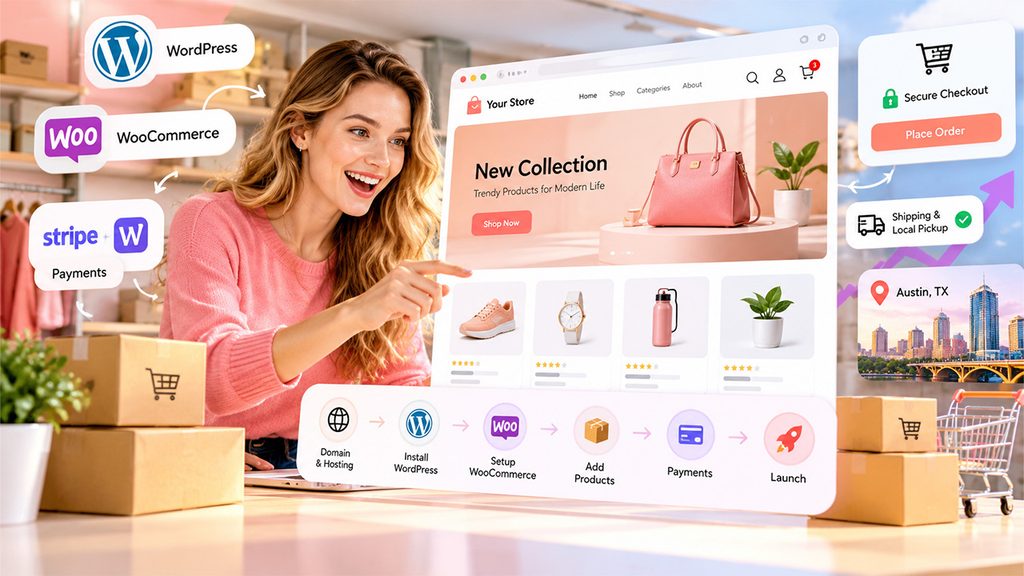
Here are the steps to set up your WordPress e-commerce Austin store. This can be done in a weekend for a basic store, and can be improved on later.
- Choose a domain and host. Choose a short and easy to spell domain name. Choose a host with WordPress, daily back ups and SSL. This will keep your customers data private.
- Install WordPress. Use the one-click install button in your host dashboard, then save your login details in a safe place.
- Install WooCommerce. In WordPress go to plugins and search for WooCommerce. Click install and activate.
- Complete the setup wizard. You will need to input your store name, address and what you are selling. Input your actual business details here as it will affect your tax and shipping settings.
- Choose a theme. Choose a fast theme that is designed for WooCommerce. Test it on your phone. A slow theme will make your pages slower.
- Add your products. Click add your products in the checklist. Input a title, price, images and description for your products See below to see how to make your product pages sell.
- Add payment. Choose a payment provider (Stripe or WooPayments). Read their fees. Then link your bank account.
- Sales tax for Texas. Apply for your free sales tax permit through the Texas Comptroller. Input your tax rates into WooCommerce.
- Shipping & Local Pickup. Input a shipping rate for orders being sent out. Enable local pickup with at least 1 pickup location.
- Secure checkout. Make sure SSL is enabled. Enable guest checkout. Place an order on your phone.
- Launch your store. Click launch your store in the checklist. Create your Google Business Profile and share your link.
Building Product Pages That Sell
Product pages are going to be the biggest part of your WordPress e-commerce Austin store. You’ll want to make sure that each page has a title, high-quality images, price, description, easy to locate, add to cart button and customer reviews. This is because customers will trust other customers more than they would trust the seller. Make sure to have a clear price. If there is a sale price then you should include this above the normal price.
Common mistakes made by beginners are a lack of detailed description and not enough images. You don’t want to just list out the product details. Customers will want to know how they can incorporate this item into their life. Write the description as if you were speaking directly to a customer in your booth. Mention what the product is made from, what it can be used for and why it’s worth the price. Another common mistake is not having enough images or dark images. As customers cannot touch the item you need to make sure the images do this for you.
Images of your product in a real life setting will make your product look more authentic. Try to take lifestyle images of your product around Austin. This could be a candle on a porch or a tote bag by Lady Bird Lake. If you have long pages try to use tabs to split up your description, product details, delivery and returns and reviews. This will make it easier for visitors to click on exactly what they need. Alt text on all your images and clean structured data will help search engines understand your product pages.
Setting Up a Secure Checkout Customers Trust
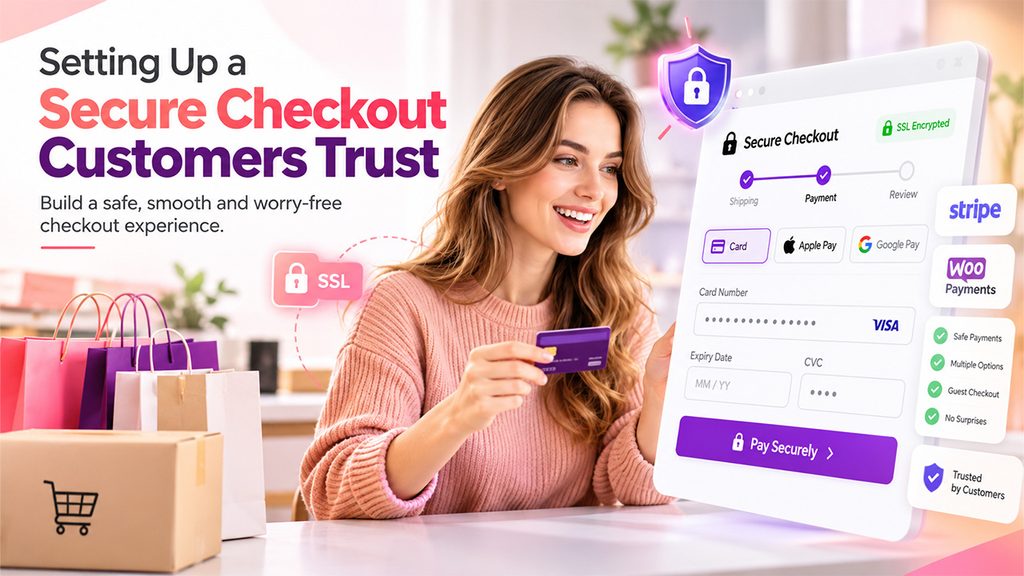
Making checkout a safe process will give your customers confidence. 40% of people abandon their carts due to extra costs (Baymard Institute). Customers will also be deterred due to having to create an account and concerns about card security. Begin by adding SSL encryption to your checkout and account pages. Most hosts will have this enabled but double check it is.
Use a payment gateway like Stripe or WooPayments to host your card fields. Choose a gateway you can trust and read up on their costs. Card fields are hosted meaning you will not have any card numbers on your server. This massively reduces the amount of work you have to do to be PCI compliant. However, just because your payment gateway is compliant doesn’t mean your entire site will be. Ensure you have secure hosting and keep your WordPress, WooCommerce, theme and plugins up to date.
Reduce any small issues that are putting customers off. Enable guest checkout so no customers have to create an account. Display shipping and tax charges, so there are no surprises. Reduce the fields on your form to only what is necessary. The fewer fields you have the less reasons a rushed customer will have to abandon. Multiple payment options will help. Cards, Apple Pay & Google Pay. Add clear return and contact information close to your payment button. Place a test order on your phone to spot any issues.
Conclusion
Every local business starts with passionate individuals. Your customers are already believers in what you do, lining up at your stall or visiting your store. An online store means they can support you daily.
A WordPress e-commerce Austin store is most effective when you keep your store and local community in mind. Keep your voice authentic, display your real products and know that every order is a vote of confidence. Next time someone asks you at your stall where they can order more you’ll have the answer!
If you want to get there faster, WP-1Click sets up WordPress for you, with security and speed built in. Book a demo to see how quickly your Austin site can go live.
Frequently Asked Questions
WooCommerce is almost free, you own your store and customer list, with no surprise platform fees.
A basic online store setup takes one weekend following the checklist above.
Use a clear title, price, lifestyle photos, benefit-focused description, and customer reviews.
Enable SSL, use Stripe or WooPayments for hosted card fields, and keep everything updated.