Share on media
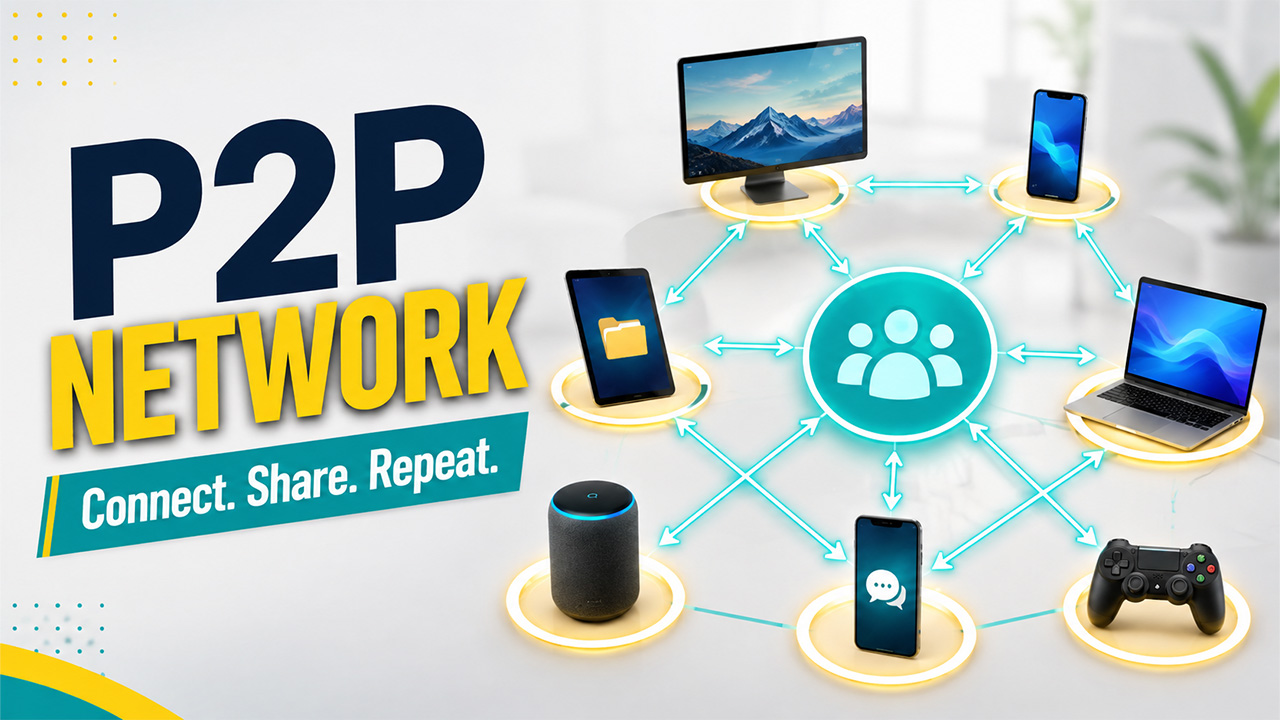


If you’ve ever downloaded a large file through BitTorrent or made a call through Skype, you’ve already used a P2P network without necessarily knowing the term for it. It’s one of those foundational internet technologies that quietly powers a lot more than most people realize.
In essence, a P2P network is a peer-to-peer network that distributes the burden among all interconnected devices rather than relying on a single server to control everything. Every device in such a network simultaneously.
In this blog, we’ll break down what a P2P network is, how it works, the different types you’ll encounter, and where this architecture shows up in the real world.
What Is a P2P Network?
A Peer-to-Peer network is exactly what the name suggests, a network built on direct connections between equal participants, rather than everyone routing through a central authority. If you’ve ever wondered what a P2P network in the simplest possible terms is, think of it as a group of computers helping each other out directly, with no simple point in charge.
The idea itself dates back further than most realize, having originated during the late 1970s. Every node takes care of its own workloads by storing and exchanging information independently of each other. Since there isn’t any server that ties up all the nodes, the network won’t crash if some of the devices disconnect; rather, it will continue to function as long as nodes are working.
It is for precisely this reason that P2P became so tightly connected with early file-sharing applications because of its decentralization and the ability to transfer large volumes of data without requiring any costly central infrastructure.
How Does a P2P Network Work?
Here’s where the mechanics actually get interesting. Say you want to download a large file through a P2P network; here’s roughly how it plays out:
Install the P2P software:
This creates a virtual network connecting you to other users running the same application.
Request the file:
Instead of pulling it from one central server, your device reaches out to multiple peers who already have pieces of that file.
Download in bits and pieces:
Data comes in simultaneously from several different computers, not just one source, which is often what makes P2P downloads faster than a single-server download.
Share back automatically:
While you’re downloading, your device also starts sending out the pieces you’ve already received to other peers requesting the same file.
That two-way flow is really the heart of how P2P works, everyone downloading is also uploading at the same time, which is exactly why the load ends up spread across the entire network instead of piling up on one server.
P2P Network Architecture

Beyond how a P2P network functions logically, it will be interesting to know the actual structure of the network that allows it to perform its operations.
The network has a peer-to-peer architecture in which all computers connect to a common workgroup and transfer files, Internet connections, and even resources like printers; all computers have equal capabilities.
This setup tends to work best in smaller environments. Residential networks, small offices, and small companies are the most common places you’ll find it, where each computer functions as its own independent workstation while still storing and sharing data with the rest of the group. Typically, these workgroups involve around a dozen or more computers, small enough that the lack of centralized management doesn’t become a real problem.
What makes this architecture genuinely practical is how directly devices interact. There is no centralized node; all the computers in the network can communicate directly with any other computer in the network.
Types of P2P Networks
Not all P2P networks are structured the same way. There are three main types worth knowing.
Unstructured P2P networks
Unstructured P2P networks connect devices somewhat randomly, which makes the network genuinely easy to build since there’s no rigid layout to plan around. The trade-off is searchability; finding specific content across a loosely connected web of nodes can be slow and inefficient. Early platforms like Napster and Gnutella were built this way, prioritizing simplicity over organization.
Structured P2P networks
Structured P2P networks take the opposite approach. They rely on specialized software that organizes nodes into a specific, predictable layout, almost like a virtual map of the network. Setting this up takes more upfront work, but once it’s running, locating content becomes far faster and more reliable than in an unstructured setup.
Hybrid P2P networks
Hybrid P2P networks blend the two worlds, combining peer-to-peer connections with elements of traditional client-server architecture. A common approach here uses a central server just to help peers find each other, after which the actual data exchange happens directly between nodes, getting some of the reliability of a central system without losing the core benefits of a decentralized network.
But apart from the architecture itself, there is another point worth mentioning concerning the position that P2P occupies relative to other approaches to content delivery. In contrast to a CDN, where content distribution takes place using centrally located servers distributed geographically, hence the comparison with P2P in many cases when comparing decentralized and centralized content delivery systems.
Advantages and Disadvantages
Like most architecture choices, a P2P network comes with real trade-offs depending on what you’re trying to build.
On the advantage side:
- Lower cost: No expensive central server to buy or maintain, since every node shares the workload.
- Easy to scale: Adding new devices to the network is straightforward and doesn’t require restructuring anything.
- No single point of failure: The network keeps running even if individual nodes drop offline, since there’s no central hub holding everything together.
- Reduced server traffic: Load gets distributed across many devices instead of piling up on one machine.
On the disadvantage side:
- Weaker security: With no central authority managing the network, it’s genuinely harder to secure every node consistently.
- Data vulnerability: Without centralized backups, losing a node can mean losing whatever data only existed there.
- Inconsistent performance: Since your device is also serving other users, performance can dip depending on how much load everyone else is putting on the network.
- Harder to locate content: Especially in unstructured networks, finding exactly what you need can take longer than a traditional search.
None of this makes P2P a bad choice; it just means the architecture fits certain use cases far better than others.
Real-World Applications of P2P Networks

P2P networks show up in more corners of everyday tech than most people realize:
File sharing :
The most well-known use case, letting large files move across a network without relying on one central, expensive server.
Blockchain and cryptocurrency :
Built entirely on decentralized principles, where every node holds a copy of the ledger, keeping the system both transparent and resistant to tampering.
Direct messaging :
Some secure messaging tools use P2P connections to route messages directly between users rather than through a central server.
Content distribution :
As more users join and start sharing, the network’s capacity to serve content actually increases rather than getting strained.
VoIP calling :
Skype famously built its early architecture around P2P principles for handling voice calls efficiently.
Gaming networks :
Some multiplayer setups, including certain Minecraft server configurations, rely on peer-to-peer connections rather than a single dedicated host, especially in smaller, informal game sessions.
These use cases span everything from massive blockchain networks to a handful of friends playing a game together, which says a lot about how flexible this architecture actually is.
Conclusion
At the end of the day, P2P networking shows that you do not always need a central authority when creating something that works and performs well. Thanks to the distribution of workloads between all the devices in the network and not through one server, this system is economical, easily scalable, and does not have the weak point of centralized systems.
There are certainly some sacrifices in the form of lowered security and consistency due to the lack of centralized control, but in certain applications such as file sharing, blockchain, or even decentralized messaging, the advantages of such an approach are much more than the drawbacks.
Whether you are designing a decentralized app or simply trying to grasp how something you use already works under the hood, getting to know how peer-to-peer architecture functions gives your insight into how the internet works behind the scenes.
Frequently Asked Questions :
Q. What is a P2P network in simple terms?
It is a network where each machine serves as both the server and client, and all data or resources are shared between the machines without any central server in between. Each machine bears the same load as the others.
Q. Is BitTorrent an example of a P2P network?
Yes, BitTorrent is a good example. It breaks files into parts and downloads them from several sources at once, not one source like usual downloaders; that is how P2P networks work.
Q. Are P2P networks safe to use?
It depends on how they’re used. The decentralised structure of the system means there is no one overseeing the whole network, making it difficult to guarantee quality and safety. Using legitimate software and scanning files will greatly decrease risks.
Q. What’s the difference between P2P and client-server networks?
In client-server architecture, there is a central server that processes the requests made by several clients. In a P2P network, there is no hierarchical relationship; every node acts simultaneously as a requestor and a resource provider.
Q. Can a P2P network work without internet access?
Yes, a small peer-to-peer network will operate totally on a local connection such as a home or office network without the need for any internet connectivity. Devices need to be connected either directly or via a local network connection.