Share on media
Picking the platform on which you will create your website might be a real challenge for you, especially as both WordPress and Showit are able to deliver excellent results for personal brands, blogs, and business websites. Out of WordPress vs Showit, the main difference is that WordPress is more flexible while Showit is simpler.
There are pros and cons for both platforms and having an understanding of how they compare with respect to setup, design, SEO, pricing, and functionality can help you determine which platform best aligns with your goals in 2026.
What Is WordPress?
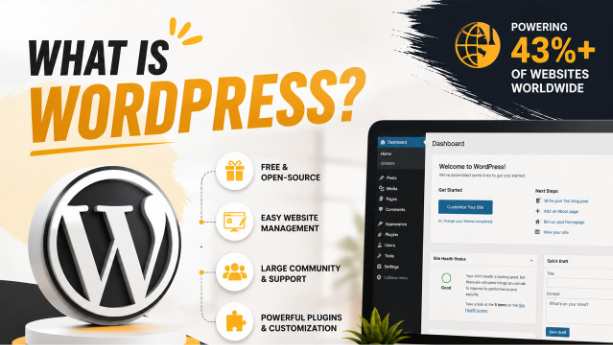
WordPress is a free and open-source content management system (CMS). In other words, this software is free and flexible, allowing you to manage your website content even if you don’t have much programming knowledge. Currently, it is the most popular and widely used CMS platform.
Originally, WordPress was a blogging platform back in 2003, but it has expanded significantly since then. It now powers more than 43% of all websites on the internet; being the most popular web content management system worldwide. It is well known for its rich plugin architecture, large and active community, and simple interface. WordPress is written in PHP and uses a MySQL database to store its data.
What Is Showit?

Showit is a website builder with drag-and-drop that provides solutions for creatives, entrepreneurs, and small business owners who don’t have coding skills. It is very similar to Canva for websites, owing to its very visual and easy-to-use editing experience. One of the main reasons for people’s love of Showit is its simplicity. There is no need to be a designer to build a beautiful website; you can make updates to your website without having to call a developer and you can do whatever you want to create your website as it fits your brand and personality.
WordPress vs Showit: A Side-by-Side Comparison
| Feature | WordPress | Showit |
| Ideal For | Blogs, businesses, WooCommerce stores | Photographers, coaches, creative brands |
| Ease of Use | Moderate learning curve | Very beginner-friendly |
| Customization | Unlimited via plugins & themes | Closed system, design-only |
| SEO Tools | Advanced (Rank Math, Yoast, Schema) | Basic (title, meta, share image only) |
| eCommerce | WooCommerce world-class native store | No native eCommerce; third-party only |
| Security | Plugin-managed; user’s responsibility | Fully managed by Showit |
| Pricing | $5–$50+/month (flexible) | $22–$39/month subscription |
| Scalability | Unlimited, scales to any size | Limited; hits ceiling as you grow |
| Blogging | Built-in, native, industry-best | Powered by WordPress (hybrid) |
| Browser Support | All browsers | Google Chrome only |
WordPress vs Showit: A Detailed Comparison
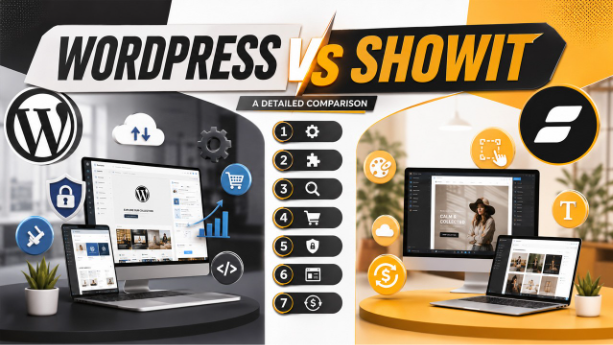
1. Ease of Use
Creating a website with WordPress and Showit is both easy, but in different ways. WordPress is customizable, flexible, has blogging capabilities and more advanced search engine optimization capabilities, but takes longer to set up. However, it’s important to note that, many hosting providers offer one-click WordPress installation.
Showit on other hand, is simple and it’s an intuitive drag and drop editor with built-in hosting and an easy onboarding process for novices. It is easy to use for any non-technical users, especially creatives, but lacks in the advanced SEO options and functionality compared to its competitors and only works in Google Chrome. Currently, Showit has an app that’s only available for Google Chrome. Only users of Firefox, Safari or Edge will need to change their browser to edit their site.
Those also weighing simpler builders will find the WordPress vs Weebly comparison useful.
2. Customization
WordPress provides numerous powerful plugins to help you extend your website’s features easily. Hundreds of themes and over 59,000 plugins to add advanced features. Some of the most famous ones are Rank Math vs Yoast SEO for deep SEO optimization tasks, Divi for visually designing your site, Exact Metrics for smoothly connecting Google Analytics, MemberPress for launching a membership site, WooCommerce for building a great online shop, and many more.
Social Post Feed-like plugins can show a Facebook feed right on your website, and Monarch is a great social media sharing tool that comes with the means to increase interaction and expose more people to your content. It can be highly customizable, without any coding knowledge. With Showit’s drag and drop builder, users can concentrate on customization through visual design, making the design process simple. However, it remains a closed system and a higher-level WordPress integration is needed to have functionality similar to WordPress. For those needing deeper CMS-level customization, WordPress vs Drupal covers how the two differ on that front.
3. SEO Capabilities
WordPress has a ton more SEO plugins and tools, making SEO easier and more effective. For example, plugins such as Yoast SEO and Rank Math help in managing keywords, schema markup, XML sitemaps, and various technical SEO settings quite easily.
Besides, it gives greater control over the structure, content and technical SEO options of websites. Showit comes with basic SEO capabilities, but it’s less customizable and optimized than WordPress.
4. eCommerce
One of the reasons WordPress is so popular is its eCommerce features that are really powerful and flexible. After installing plugins like WooCommerce, Easy Digital Downloads, MemberPress, and LearnDash, users can set up not only online stores and membership sites but also digital product platforms and checkout experiences tailored to their liking.
Showit doesn’t have native eCommerce features, so users will have to depend on 3rd party solutions like Gumroad, Payhip, or Shoprocket through embedding code or outside integrations. Although Showit’s higher-level plans permit WooCommerce integration via WordPress, the configuration can get complicated. For companies that are very much into online selling, a devoted WordPress and WooCommerce setup is usually the best option.
5. Security
WordPress provides a variety of security solutions with its security plugins, CDNs, CAPTCHA security tools, backups, and enhanced hosting security. It is the user’s responsibility, however, to set up and maintain. Website security of all sites hosted by Showit is something Showit manages and makes it quite simple for users who do not want to handle technical security settings themselves. It gives out SSL certificates, backs up the website, and overall platform protection is managed automatically. Because Showit is a closed and less customizable system, the security risks are generally lower than with more flexible platforms.
Websites made with Showit usually have fewer elements that visitors can interact with, which means the possible vulnerabilities are fewer. Of course, users should always stick to good password practices to keep their accounts safe. Regardless, both platforms still need to have secure passwords and account security measures.
6. Themes and Templates
WordPress has a huge number of free and premium themes that are enhanced with design and functionality. Drag and drop customization and a wealth of templates are added by builders such as Divi.
Showit templates focus mainly on the visual components of your design, and are easy to edit without any technical expertise. Premium versions of Showit will also cost more than normal WordPress themes, but there are stylish templates that are created for creatives, particularly photographers. Sites with heavier content structures may also want to weigh the template ecosystems in WordPress vs Joomla.
7. Pricing
Depending on the hosting, themes, and plugins, WordPress has flexible pricing and can cost you anywhere from $5 to $50+ per month. You can initially start with a lesser one and then scale up as per your needs.
Showit has a subscription-based pricing model with the prices generally between $22 and $39 per month, and extra charges for premium templates. Though Showit makes hosting and maintenance easy, in the end, WordPress can be more cost-effective because it allows you to be flexible, scale up, and has a wider range of affordable tools and themes.
Final Verdict: WordPress vs Showit
When it comes to WordPress vs Showit, each platform has its own set of pros and cons for various users. Showit is ideal for any creative who desires a simple website that’s design-driven rather than technical. However, WordPress has some advantages, especially in the areas of SEO capabilities, customization options, scalability, and eCommerce flexibility. WordPress is a good overall option if you need long-term growth, improved search visibility, and total control over your website.
Frequently Asked Questions : WordPress vs Showit
1. Is WordPress better than Showit for SEO?
Yes. WordPress provides advanced SEO capabilities, control over schema, XML sitemaps, and plugins such as Yoast or Rank Math. Showit only has limited SEO options.
2. Can Showit be used for eCommerce?
Showit doesn’t have built-in eCommerce. You’re forced to use third-party tools or WooCommerce through WordPress, which is more convenient for operating an online store. A standalone WordPress + WooCommerce solution is much better.
3. Does Showit use WordPress?
Yes. Showit uses WordPress for blogging. The content of the blogs is stored in WordPress and the visual design is handled by Showit.
4. Which is more affordable in the long run?
Over the long haul, WordPress is typically more affordable. Overall, hosting and plugins are less costly, and Showit plans and premium templates can be expensive.
5. Which platform is better for photographers?
Showit is excellent for speedy, stunning portfolios. WordPress, on the other hand, has been designed to be more SEO-friendly, scalable, and has a greater potential for business growth with a similar design quality.
%201.png)

%201.png)

%201.png)