Share on media
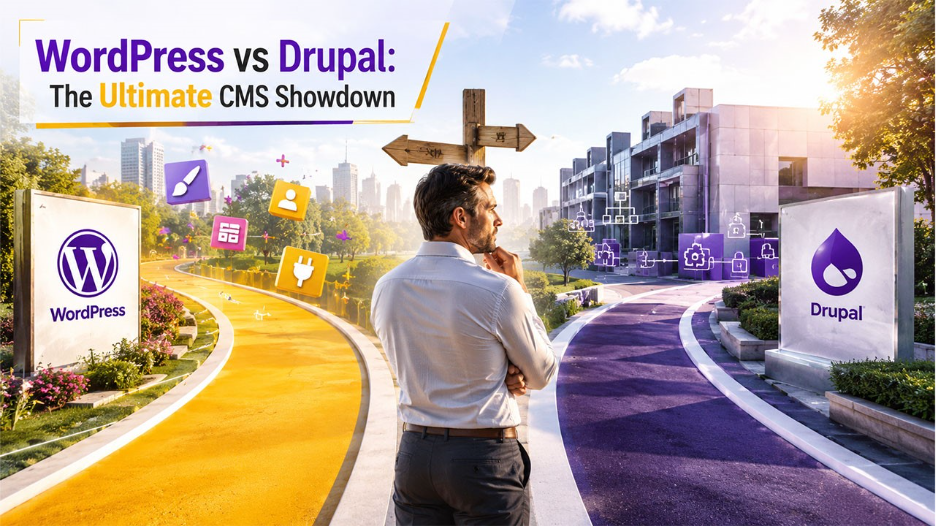


One of the most essential choices you will make concerning your web is selecting the appropriate CMS. The WordPress vs Drupal debate is an issue that is brought up over and over again, and with good reason. They are both potent, both free and both capable of creating amazing websites. However, they are designed to appeal to entirely different audiences.
WordPress is the unquestionable leader since it powers more than 43 percent of all websites on the internet. Drupal, however, is the preferred option when it comes to large businesses, state agencies, and developers who require the utmost level of flexibility.
To enable you make an informed decision, in this guide we will compare WordPress vs Drupal across all the major categories, such as ease of use, performance, SEO, security and more.
WordPress vs Drupal: Quick Comparison Table
It is best to have a glance at how both platforms measure up at a glance before getting into detailed comparisons. This WordPress vs Drupal comparison shows the main differences that characterize their advantages and the common applications.
| Category | WordPress | Drupal |
| Security and Compliance | Strong, plugin-dependent | Very strong, enterprise-grade |
| Performance and Scalability | High with optimization | High, built for complex systems |
| Customization and Flexibility | Extensive via plugins/themes | Highly flexible, developer-driven |
| Enterprise Readiness and Multisite | Available, less robust | Strong native multisite capabilities |
| Access Control and Permissions | Basic to moderate | Advanced and granular |
| Ease of Use / Team Experience | Beginner-friendly | Requires technical expertise |
| Total Cost of Ownership | Lower initial cost | Higher due to development needs |
| Ecosystem and Integrations | Extensive plugin ecosystem | Strong API-first integrations |
| SEO and Localization | Easy with plugins | Strong, more technical setup |
| Migration and Portability | Simple with tools | Complex, developer-led |
What Is WordPress?
WordPress is a free, open-source content management system, which was initially released in 2003 as a blogging platform. It has over the last 20 years developed to be a full fledged web site building system that has the ability to power anything as small as personal blogs or as large as global ecommerce stores. Under the bigger WordPress vs Drupal discussion, it is common understanding that WordPress is a more usable platform.
Accessibility is its greatest strength. You do not have to be aware of how to code. The WordPress community boasts of millions of members, thousands of themes, 61,000 free plugins and a large community behind it. The majority of hosting companies provide one-click WordPress installation, meaning that it will take you less than five minutes to be up and running.
What Is Drupal?
It is also a free open-source CMS that was released in 2001, known as Drupal. Although it is older than WordPress, it has never been oriented towards a more technical audience. It is targeted at developers and large organizations that require complex, highly customizable web applications. The WordPress vs Drupal debate frequently frames a comparison of the two CMSs as having the stronger enterprise-oriented feature.
The NASA, the Australian Government, Tesla, and the University of Oxford are among the websites powered by Drupal. They are not just a run of the mill brochure sites, they are data content intense, require a solid infrastructure. Drupal is highly complex to learn. It should be avoided by beginners or small businesses without dedicated technical teams as it requires developer-level knowledge even on simple tasks.
WordPress vs Drupal: Key Features
Key Features of WordPress
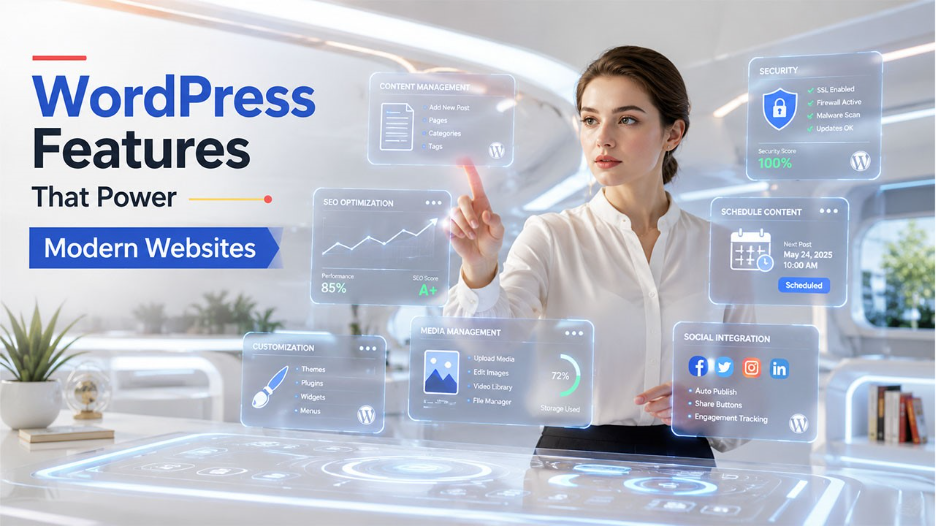
WordPress is a content management system that is one of the most widely used systems that enable the creation, management and customization of websites without the need of a lot of technical knowledge. It can be used by businesses, bloggers, and ecommerce brands due to its intuitive interface, customizable features, and sizeable ecosystem of plugins. The most important characteristics of WordPress are.
- Easy Content Management: WordPress provides a convenient editor that makes it easier to create and manage posts and pages. Users can save drafts, schedule content to be published in the future and organize content effectively by using categories and tags.
- Advanced Customization Options: The platform offers thousands of free and premium themes and plugins, which allows business to create websites that match their branding, functionality and user experience needs.
- SEO and Social Media Integration: WordPress is developed using code structures that are search engine friendly and also supports the integration of social media through a variety of different types of plugins like Rank Math or Yoast SEO. It also enables easy integration with the social media sites to share content and to engage the audience.
- Performance and Security Features: WordPress has a variety of security features, including the use of strong passwords, monitoring of logs, two-factor authentication, and security patches. Caching of plugins and optimized hosting environments can also be used to improve performance.
- Easy-to-use Website Management: The site offers drag and drop uploading of media, inbuilt media editing facilities, customizable permalinks, and simple navigation management which will assist users manage websites efficiently without involving complex workflow.
Key Features of Drupal

Drupal is an effective content management tool that is targeted to be used by an organization that requires highly customized, scalable, and secure content management system. It is popular in enterprise websites and government portals as well as on large-scale digital platforms, which handle complex structures of content and user permissions. Some of the key features of Drupal include.
- Superior Security: Drupal has a team of dedicated security personnel who update and conduct proactive monitoring of vulnerabilities, which makes it a trusted platform to government organizations, enterprises, and websites with strict compliance and data protection requirements.
- Flexibility and Content Modeling: It allows businesses to create custom content types, fields, and taxonomies, making it suitable for managing structured content and building highly tailored digital experiences across multiple user journeys.
- Scalability and Performance: Drupal is designed to support high-traffic websites and large content volumes efficiently, using advanced caching technologies like BigPipe and CDN integration to improve loading speed and overall website performance.
- Accessibility Support: Drupal provides a wide range of customization with modules, APIs, and developer tools that allow businesses to create enterprise websites, multi-site platforms and bespoke digital experiences that meet the needs of operations.
- Advanced Content Management: It has an ability to have flexible content structures, custom workflow, content scheduling, and multi-level user permissions, which makes it appropriate to organizations, which have the need to maintain large scale websites with complex publishing and governance needs.
- Highly Customizable Architecture: Drupal offers extensive customization through modules, APIs, and developer tools, enabling businesses to build enterprise websites, multi-site platforms, and custom digital experiences tailored to operational needs.
- Strong SEO Capabilities: Drupal supports clean URLs, customizable metadata, responsive design, and structured content organization, helping businesses improve search visibility and manage technical SEO more effectively across large websites.
- Integration and API Support: Drupal 10 and 11 support API-first development with strong JSON:API and GraphQL capabilities, allowing businesses to use Drupal as a headless CMS across websites, apps, and multiple digital channels.
- Multilingual Capabilities: Drupal provides built-in support for more than 100 languages, enabling businesses to manage multilingual content, translations, and localized experiences through centralized workflows and flexible language management tools.
WordPress vs Drupal: Limitations
In the comparison of WordPress and Drupal, the limitations are highly determined by your technical, internal resources and scalability objectives. WordPress is associated with ease of use and quicker installation, whereas Drupal is chosen when it comes to more complicated enterprise-level applications that need a more substantial technical control.
WordPress and Drupal have good core security. The architecture of Drupal makes it less likely to exhibit some types of vulnerabilities related to the developer, whereas WordPress has the advantage of automatic updates to its core and a wide range of security-related plugins available. Patchstack estimates that among 11,334 reported WordPress vulnerabilities in 2025, 6 will be core vulnerabilities.
Security and Long-Term Maintenance: Which CMS Requires Less Effort?
Choosing a CMS isn’t only about features or design flexibility. Over the life of a website, security updates, maintenance, and ongoing support can have a major impact on both costs and performance.
WordPress has made significant progress in security over the years. With regular core updates, trusted plugins, strong hosting providers, and security tools, most businesses can maintain a secure website without advanced technical expertise. The key is keeping themes, plugins, and the core installation up to date.
Drupal, however, has long been recognized for its enterprise-grade security standards. Government agencies, universities, and large organizations often choose Drupal because of its strict security practices and advanced permission controls. The trade-off is that maintaining a Drupal website usually requires experienced developers who understand its update process and configuration management.
For businesses that also manage extensive documentation, integrating a Knowledge Base Software solution alongside your CMS can make it easier to organize help articles, internal documentation, and customer support resources without affecting your website’s structure.
Ultimately, if you have a dedicated technical team, Drupal offers exceptional security and scalability. If you prefer easier maintenance with lower operating costs, WordPress remains the more practical option for most organizations in 2026.
WordPress vs Drupal: key highlights
| Feature | WordPress Limitation | Drupal Limitation |
| Usability | Advanced functionality often depends on third-party plugins and extensions. | Requires technical expertise and has a steeper learning curve for beginners. |
| Security | Security risks typically come from outdated or poorly maintained plugins. | Strong security controls can be difficult for non-technical teams to manage. |
| Cost | Premium themes, plugins, and maintenance services can increase long-term costs. | Development, customization, and ongoing maintenance costs are generally higher. |
| Performance | Excessive plugins and heavy themes can affect website speed and stability. | Performance optimization often requires experienced developers and server configuration. |
| Customization | Complex enterprise-level customization may require multiple plugin dependencies. | Advanced customization usually demands dedicated development resources. |
| Maintenance | Frequent plugin and theme updates can create compatibility issues over time. | Platform updates and module management can be more technically demanding. |
Final Verdict: WordPress vs Drupal
The right option in the WordPress vs Drupal comparison will be determined by your website objectives, internal resources, and long-term scalability requirements. But the WordPress is more suitable to most businesses due to the ease of management of the site as well as lower cost of maintenance, better availability of the plug in and quicker deployment. Drupal is more efficiently used by companies that need high-security levels, elaborate content management, workflow being multilingual, and a greater degree of customization. The appropriate platform will be based on your technical capabilities, scaling needs, and long-term content management requirements.
Hidden Costs to Consider Before Choosing a CMS
Many businesses compare WordPress and Drupal based on licensing costs, but the real investment goes far beyond downloading the software.
With WordPress, expenses typically include premium themes, plugins, managed hosting, and occasional developer assistance. Since the platform has a massive ecosystem, finding affordable developers and support is generally easier.
Drupal projects often require more specialized development from the beginning. Custom modules, advanced configuration, and ongoing maintenance can increase development costs, particularly for enterprise websites with complex workflows.
Website performance is another factor that influences long-term expenses. As traffic grows, optimizing your database and server becomes increasingly important. Understanding how MySQL Queries work can help improve loading speeds, reduce server load, and keep both WordPress and Drupal websites running efficiently under heavy traffic.
Before making a decision, estimate not only the initial development budget but also future maintenance, hosting, security, and scalability requirements. Looking at the total cost of ownership provides a much clearer picture than comparing setup costs alone.
Related Posts
Shopify vs WordPress: Ultimate Platform Comparison Guide