Share on media


WordPress powers approximately 43% of all websites on the internet. That’s an extraordinary achievement for any platform, but it also comes with a significant downside. When something is that popular, it becomes the world’s most attractive target for cybercriminals.
Every day, thousands of WordPress sites are attacked through outdated plugins, stolen credentials, and automated bots scanning for vulnerabilities. Most site owners don’t find out until the damage is already done; traffic drops, Google flags the site, or worse, customer data is compromised. Here’s the uncomfortable truth: most WordPress security failures aren’t caused by sophisticated hackers. They’re caused by neglect, skipped updates, weak passwords, and no backups. These are the small oversights that stack up into serious consequences.
This guide walks you through everything you need to know about how to secure a WordPress site; not as a one-time checklist, but as a system you build and maintain over time.
Why WordPress Security Is Important for Your Website
Security isn’t just a technical concern; it’s a business one. When your WordPress site gets hacked, the damage goes far beyond a temporary outage.
Key Risks and Costs of a Hacked WordPress Website:
Data breaches: Customer details such as names, emails, and payment information are exposed to cybercriminals.
SEO penalties: Google blacklists hacked sites, wiping out months of organic rankings overnight.
Reputational damage: Users who land on a compromised or defaced site rarely come back.
Revenue loss: It results in downtime, lost transactions, and recovery costs to add up quickly.
Legal liability: Depending on your region and industry, a data breach can also trigger regulatory fines.
“Security is not a product, but a process.” — Bruce Schneier, Security Technologist.
A hacked website isn’t just an inconvenience. For small businesses, especially, it can be genuinely devastating. Investing in WordPress security early is far less expensive than recovering from a breach later.
Common WordPress Security Vulnerabilities You Must Know
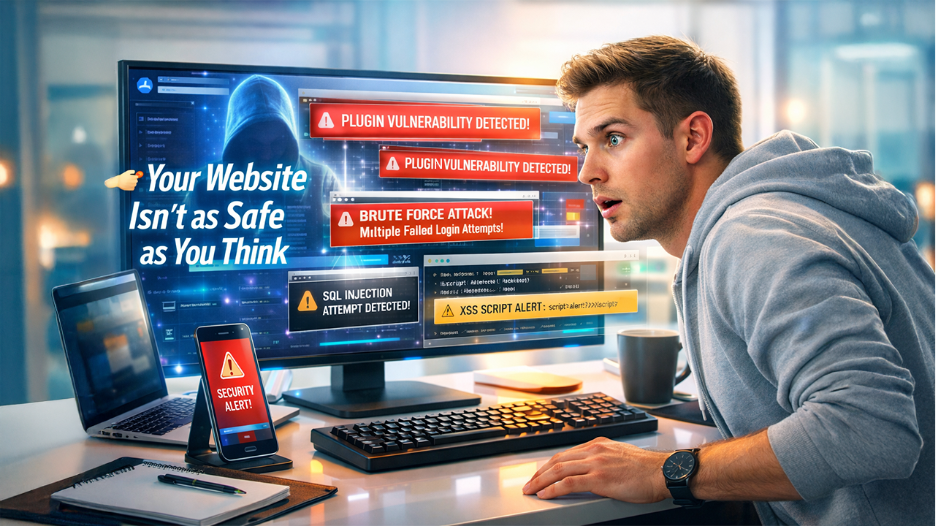
Before you can protect your site, you need to understand what you’re protecting it against. WordPress itself is regularly updated and well-maintained — but the ecosystem around it creates real exposure.
Top WordPress Security Vulnerabilities You Need to Know:
Outdated Plugins and Themes Risks: Plugins are the leading cause of WordPress breaches. An unmaintained plugin with a known exploit is an open door for attackers.
Weak Passwords and Credential Attacks: Brute force attacks cycle through thousands of password combinations per minute. A weak password won’t last long and is vulnerable to attacks.
Brute Force Login Attacks Explained: Automated bots attempt thousands of login combinations with the intention of targeting your wp-admin page.
Cross-Site Scripting (XSS) Vulnerabilities: Attackers inject malicious scripts into your site’s pages, which then execute in visitors’ browsers.
SQL Injection Attacks in WordPress: Malicious code is inserted into database queries, potentially exposing or corrupting your entire database.
Risks of Nulled Themes and Plugins: Pirated versions of premium software often contain hidden malware installed at the moment you activate them.
Absence of SSL and HTTPS Connections: Data transmitted between your site and users is exposed to interception without HTTPS.
Understanding these entry points makes the rest of this guide click into place. Every security measure you implement is a direct response to one or more of these vulnerabilities.
How to Secure a WordPress Site (Step-by-Step Guide)
This is where real action begins. These are the fundamental steps that every WordPress site owner should implement irrespective of the size and traffic volume of their site.
Choose a Secure WordPress Hosting Provider
Your hosting environment is your first layer of defense. When choosing a secure WordPress hosting provider, prioritize plans that include server-level firewalls, automatic malware scanning, DDoS protection, and isolated hosting environments. Cheap shared hosting might save money upfront but often lacks the security infrastructure that keeps your site safe.
Install an SSL Certificate (HTTPS Security)
SSL encrypts the connection between your site and its visitors. Beyond security, Google treats HTTPS as a ranking signal. Most reputable hosts offer free SSL certificates through “Let’s Encrypt”.
Secure Caching, CDN, and Edge Configuration
Caching and content delivery networks can improve WordPress performance, but they should also be configured carefully from a security perspective. A poorly configured cache may accidentally serve outdated or restricted content, while an incorrectly configured CDN can expose resources that should remain protected.
Start by checking which pages and resources are being cached and make sure sensitive areas such as login pages, account dashboards, and personalized content are excluded when necessary. Keep caching rules consistent across your WordPress site, hosting environment, and CDN so that one layer does not override another unexpectedly.
It is also useful to understand What Is a Cache Miss because cache behavior can affect how frequently content is requested from the origin server. A cache miss is not automatically a security issue, but understanding how caching works makes it easier to identify unusual performance behavior and configure caching more responsibly.
Regularly review cache rules after major WordPress, plugin, theme, hosting, or CDN changes. This helps prevent configuration mistakes while keeping your site responsive and predictable.
Secure Your WordPress Login Page from Hackers
The WordPress login page at /wp-admin is the most targeted URL on any WordPress site. Follow these steps to lock it down:
- Change the default admin username and never use the term “admin”.
- Use a strong and unique password of at least 16 characters
- Use a plugin like WP 2FA or Google Authenticator to enable two-factor authentication (2FA).
- Limit login attempts to block brute force attacks.
- Consider changing the login URL from the default /wp-login.php to something custom to make it less generic.
Keep WordPress Core, Themes, and Plugins Updated
Core WordPress updates, theme updates, and plugin updates exist for a reason. Most of them fix known security vulnerabilities. Enable automatic updates for minor releases and make it a weekly habit to check for pending updates manually.
Disable XML-RPC to Prevent Attacks
XML-RPC is a WordPress feature that allows remote connections to your site. It’s also a common target for brute force and DDoS attacks. If you’re not using it for mobile publishing or remote access, disable it entirely through a security plugin or by adding a rule to your .htaccess file.
Secure WordPress REST API and Third-Party Integrations
WordPress websites increasingly connect with analytics platforms, payment services, CRMs, automation tools, and other external applications. These integrations can be useful, but every connection creates another pathway that should be reviewed and properly secured.
Start by checking which third-party services have access to your website and remove connections that are no longer needed. Use strong authentication methods, restrict permissions wherever possible, and keep API credentials out of publicly accessible files or source code. When a plugin or external service does not require access to certain WordPress data, avoid granting unnecessary permissions.
It is also important to monitor integrations for failed requests and unexpected responses. A connection problem may sometimes appear as a gateway timeout, especially when one service is waiting for another server to respond. Understanding how to Fix a 504 Error can help site owners troubleshoot these communication failures without assuming that the WordPress installation itself has been compromised.
Review connected services periodically, rotate credentials when necessary, and remove inactive integrations. Keeping the number of trusted connections under control can reduce unnecessary exposure and make the overall WordPress environment easier to manage.
Set Proper File Permissions for WordPress Security
WordPress files should never be publicly writable. The recommended permission settings are 644 for files and 755 for directories. Enabling hosting-level WordPress protection through your host’s built-in security tools can automatically enforce correct file permissions before threats reach your installation. Your hosting provider or security plugin can help you audit and correct these settings quickly.
WordPress Security Best Practices to Protect Your Website
Securing your WordPress site isn’t a one-time job. These ongoing practices are what separate sites that stay secure from those that eventually get compromised.
Use the Best WordPress Security Plugins (Free & Paid)
Security plugins add a protective layer that WordPress doesn’t include by default, such as firewall rules, malware scanning, login protection, and real-time threat monitoring. Here’s how the most popular options compare:
| Plugin | Firewall | Malware Scan | Login Protection | Free Version |
| Wordfence | Yes | Yes | Yes | Yes |
| Sucuri Security | Yes | Yes | Yes | Yes |
| iThemes Security | Yes | Yes | Yes | Yes |
| All In One WP Security | Yes | Limited | Yes | Yes |
| MalCare | Yes | Yes | Yes | Yes, but limited |
Wordfence and Sucuri are the two most widely trusted options for most site owners. Both offer solid free versions that cover the essentials.
Schedule Regular WordPress Backups
A backup doesn’t prevent an attack, but it determines how quickly you recover from one. Use a plugin like UpdraftPlus or BackupBuddy to schedule automatic daily or weekly backups stored in a remote location such as Google Drive, Dropbox, or Amazon S3. Never store your only backup on the same server as your site.
Manage WordPress User Roles and Permissions Safely
Not everyone who has access to your WordPress dashboard needs administrator privileges. Understanding WordPress user roles and permissions helps you assign the minimum role necessary; editors, authors, and contributors should never have admin access. Review your user list periodically and remove accounts that are no longer active.
Run Regular Malware Scans on Your Website
Even with all protections in place, periodic malware scans are essential. Plugins like Wordfence and MalCare can scan your core files, themes, and plugins for injected code, suspicious files, and known malware signatures. Schedule these scans weekly at a minimum.
Monitor WordPress Activity Logs for Suspicious Behavior
Activity logs track every login, file change, plugin installation, and settings update on your site. If something unusual happens like an unexpected admin account created or a file was modified at 3am; an activity log helps you catch it immediately rather than weeks later.
Monitor Your WordPress Website for Suspicious Activity
Securing your website doesn’t end after installing security tools. Cyber threats continue to evolve, so ongoing monitoring is essential for detecting unusual activity before it becomes a serious problem. Regular monitoring helps you identify unauthorized logins, unexpected file changes, and unusual traffic patterns that may indicate a security risk.
To strengthen your website’s security, make these checks part of your routine:
- Review login activity for unknown users or repeated failed login attempts.
- Monitor file changes to detect unauthorized modifications.
- Scan your website regularly for malware and security vulnerabilities.
- Keep an eye on server performance for unexpected spikes in resource usage.
- Verify that scheduled backups are completing successfully.
- Periodically review user roles and remove accounts that no longer require access.
- Improve Database Optimization to keep your website running efficiently while maintaining a clean and well-organized database.
Continuous monitoring allows you to identify problems early and respond before they affect your visitors or search rankings.
What to Do If Your WordPress Site Gets Hacked
Even with strong security measures in place, no website is completely immune to cyber threats. Having a recovery plan helps you restore your website quickly while minimizing downtime and data loss.
If your website is compromised:
- Put the website into maintenance mode if necessary.
- Change passwords for all administrator accounts immediately.
- Restore the latest clean backup if available.
- Scan the website to remove malicious files and code.
- Update WordPress core, themes, and plugins to their latest versions.
- Review user accounts and remove any unauthorized access.
- Investigate the cause of the attack to prevent future incidents.
During the recovery process, you may also encounter WordPress Runtime Errors caused by corrupted files, incompatible plugins, or incomplete updates. Resolving these issues quickly helps restore both security and website functionality.
Preparing for incidents before they happen significantly reduces recovery time and helps protect your business reputation.
Conclusion: Build a Long-Term WordPress Security Strategy
Knowing how to secure a WordPress site is not about being a developer or a cybersecurity expert. It’s about constantly treating your site as something worth protecting; not just when something goes wrong. Investing in WordPress maintenance services ensures updates, backups, and security checks happen consistently; not just when something breaks.
The sites that get hacked are usually not targeted by sophisticated attackers. They are opportunistic victims because of outdated plugins, default login URLs, no two-factor authentication, and no backups. Fixing those things puts you ahead of the vast majority of vulnerable sites on the internet.
Start with the foundations such as secure hosting, SSL, strong credentials, and updates. Build on them with a security plugin, regular backups, and user role management. Then make it a habit to check monthly. Security isn’t a destination; it’s the standard you hold your site to, every single day.
Frequently Asked Questions :
How often should I perform a WordPress security check?
It’s recommended to perform a basic security check every week and a more detailed audit at least once a month. Regular reviews of plugins, themes, user accounts, backups, and security logs help identify potential issues before they become serious threats.
Can a WordPress website be secure without using a security plugin?
While it’s possible to secure a WordPress website through proper hosting, strong passwords, regular updates, and server-level security, a trusted security plugin adds extra protection by monitoring threats, blocking malicious traffic, and detecting malware more efficiently.
What is the first thing I should do if I suspect my WordPress site has been compromised?
Immediately change all administrator passwords, enable maintenance mode if necessary, scan your website for malware, restore a clean backup if available, and investigate the source of the breach before bringing the site back online.
Does changing the default WordPress login URL improve website security?
Changing the default login URL won’t stop every attack, but it can reduce automated login attempts by making it harder for bots to locate your admin login page. It works best when combined with two-factor authentication and limited login attempts.
Why is regular WordPress maintenance important for website security?
Regular maintenance ensures that WordPress core files, themes, and plugins remain up to date, security vulnerabilities are patched quickly, backups are available when needed, and your website continues to perform safely and reliably over time.