Share on media


Choosing the right website builder can set the stage for how your site shapes your online success. Your choice affects how your website looks, performs, and how well it grows with you. However, it is not just about how your website looks it’s about how flexible and easy to use it becomes. Among the most popular options today Wix, Squarespace and WordPress dominate the conversation.
This detailed Wix vs Squarespace vs WordPress comparison breaks down how each platform works, what their strengths and limitations are, and which one of them fits depending on different website goals. No matter if you’re a beginner, creative professional or growing business, this guide covers everything so you can make an informed and confident decision.
Quick Overview: Wix vs Squarespace vs WordPress
- Wix focuses on simplicity and drag-and-drop ease for beginners
- Squarespace emphasizes premium design and all-in-one website management
- WordPress offers unmatched flexibility, customization, and scalability
Each platform serves a different audience, which is why understanding their differences matters.
What Is Wix?
Wix is a fully hosted website builder that is designed for those users who want to quickly create a website without having to deal with technical setup. It handles everything from hosting, security, and updates to maintenance. It allows users to completely shift their focus on design and content.
Many individuals, freelancers and small businesses commonly use wix to build a professional-looking website without needing any web development knowledge.
Wix Features Explained

Drag-and-Drop Editor: Wix allows complete visual control by letting users place elements anywhere on a page. This free-form editor is ideal for beginners who want creative freedom without coding.
Wix ADI (Artificial Design Intelligence): Wix ADI generates a website automatically based on user inputs such as industry, goals, and preferred style. This is helpful for users who want to make their site live as quickly as possible.
Built-In Hosting and Security: All Wix sites include hosting, SSL certificates, and platform-level security, which eliminates the need to manage technical infrastructure.
App Market: Wix offers an app marketplace with extensions for bookings, contact forms, chat, marketing tools, and basic eCommerce functionality.
SEO Tools: It includes SEO setup guides, editable meta tags, clean URLs, and automatic sitemaps, making it suitable for basic SEO needs.
Pros and Cons of Wix
To evaluate whether Wix suits your needs, it’s important to weigh its pros and cons.
| Pros | Cons |
| Very beginner-friendly interface | Limited customization compared to WordPress |
| No technical setup or maintenance | Difficult to migrate away from Wix |
| Large selection of templates | Less suitable for large or complex websites |
What Is Squarespace?
Squarespace is an all-in-one website platform which is known for its clean and professional design templates. Similar to Wix, it also includes hosting, security, and updates, but it uses a more structured editing approach.
It is popular among creatives, photographers, designers, and small businesses who want to create websites that are visually polished with minimal configuration.
Squarespace Features Explained

Professional Templates: Squarespace templates are built around consistent design systems, ensuring visual balance, mobile responsiveness, and modern aesthetics.
Integrated Content Management: The platform includes built-in tools for blogging, image galleries, portfolios, and media management.
eCommerce Capabilities: Squarespace supports product listings, digital downloads, subscriptions, and payment processing without third-party plugins.
Hosting and Security Included: All sites benefit from automatic updates, SSL encryption, and performance optimization.
SEO and Analytics Tools: Squarespace provides basic SEO settings, clean URL structures, and Google Analytics Integration.
Pros and Cons of Squarespace
Squarespace offers a refined, all-in experience, but its strength and limitations become clearer when viewed side-by-side.
| Pros | Cons |
| High-quality, visually appealing templates | Less flexible than WordPress |
| Minimal maintenance and setup | Limited third-party extension |
| Strong built-in ecommerce for small stores | Pricing can be higher for advanced features |
What Is WordPress?
WordPress is an open-source content management system. It requires separate hosting but offers unmatched control over design and functionality. Unlike Wix and Squarespace, WordPress provides users with full ownership of their website and data.
It is widely used by bloggers, businesses, publishers, and enterprises due to its scalability and customization options.
WordPress Features Explained
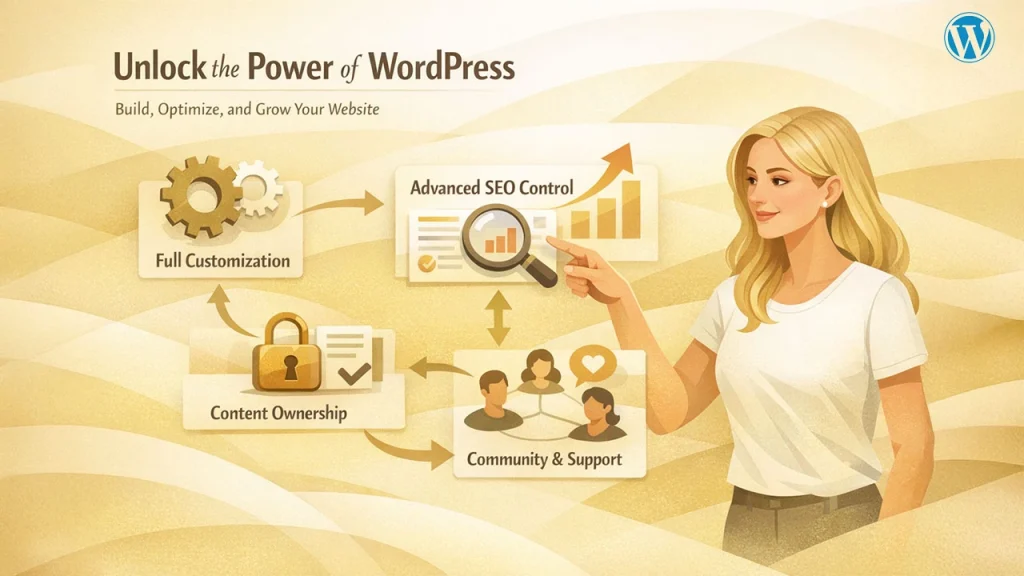
Full Customization: WordPress supports thousands of themes and plugins, allowing users to create anything from simple blogs to complex enterprise websites.For online stores specifically, comparing WordPress vs Shopify can help determine the best eCommerce solution.
Advanced SEO Control: Plugins like Yoast SEO and Rank Math provide granular control over on-page SEO, schema, sitemaps, and technical optimization.
Scalability: WordPress can handle small websites as well as high-traffic platforms with proper hosting and optimization.
Content Ownership: Users fully own their data and can migrate or modify their site without platform restrictions.
Community and Support: A massive global community provides documentation, tutorials, forums, and professional support options.
Pros and Cons of WordPress
WordPress stands out for power and scalability, though it comes with responsibilities that not every user may prefer.
| Pros | Cons |
| Maximum flexibility and scalability | Requires hosting and setup |
| Best SEO capabilities | Learning curve for beginners |
| Suitable for long-term growth | Ongoing maintenance responsibility |
To better understand how Wix, Squarespace, and WordPress differ, the table below compares their key features side by side, making it easier to evaluate usability, design, flexibility, and scalability.
Wix vs Squarespace vs WordPress: Detailed Comparison Table
| Design-focused but structured | Wix | Squarespace | WordPress |
| Platform Type | Fully hosted website builder | Fully hosted all-in-one platform | Open-source CMS (self-hosted) |
| Ease of Use | Very easy; drag & drop editor | Easy; structured editor | Moderate to advanced; learning curve |
| Design Flexibility | High layout freedom | Design focused but structured | Unlimited with themes & custom codes |
| Templates/Themes | 800+ pre-designed templates | High-quality, curated templates | Thousands of free & premium themes |
| Customization Level | Limited beyond built-in tools | Moderate customization | Full customization via themes, plugins, codes |
| Content Management | Basic blogging features | Good for structured content | Best-in-class CMS for content |
| Ecommerce Support | Built-in store features | Strong built-in eCommerce | Advanced via WooCommerce |
| Scalability | Limited for large growth | Suitable for small to mid-scale | Highly scalable for any size |
| Hosting Included | Yes | Yes | No (requires separate hosting) |
| Data Ownership | Limited export options | Limited export options | Full data ownership |
| Migration Flexibility | Difficult | Limited | Easy to migrate |
| Best For | Beginners, quick sites | Designers, portfolios | Business, SEO-driven growth |
How to Choose the Website Builder
Choosing the right website-building platform depends on your goals, technical comfort level, and how you plan to grow in the future. Wix, Squarespace, and WordPress all serve different types of users, and understanding when to choose each one can save you time, money, and frustration later.
Choose Wix if:
You want to launch a website quickly with minimal effort
Wix is designed for speed and simplicity. Its drag-and-drop editor allows you to build a functional website in hours, not days, without worrying about hosting, updates, or technical setup.
You have little or no technical experience
If terms like plugins, databases, or servers feel overwhelming, Wix removes that complexity. Everything is managed within a single dashboard which makes it beginner friendly.
You don’t plan complex growth or heavy customization
Wix works best for small websites that don’t require advanced functionality. If your site is informational, local business focused, or short-term, Wix keeps things easy without unnecessary tools.
Choose Squarespace if:
Design quality and aesthetics matter the most
Squarespace is known for polished, visually consistent templates. If your website needs to look refined and professional without custom design work, Squarespace delivers strong visual appeal out of the box.
You prefer an all-in-one platform
Hosting, templates, security, updates, and built-in features are all included. This reduces setup time and ongoing maintenance while keeping the experience cohesive.
You run a portfolio, creative brand, or small online store
Squarespace works especially well for photographers, designers, artists, consultants, and boutique sellers who want a clean, branded presence with light eCommerce capabilities.
Choose WordPress if:
You want full control and long-term scalability
WordPress offers unmatched flexibility. You can customize nearly every aspect of your site, choose your own hosting, and scale from a simple blog to a high-traffic business website.
SEO and content growth are top priorities
With advanced SEO plugins, content optimization tools, and full control over site structure, WordPress is ideal for content-driven websites aiming for organic growth.
You plan ongoing expansion and advanced functionality
If you expect your site to evolve WordPress provides the foundation to support adding memberships, advanced eCommerce, learning platforms, or custom integrations.
Real-World Use Cases of Wix vs Squarespace vs WordPress
Understanding how these platforms are used in real scenarios makes it easier to choose the right one. Below are common, practical use cases where each platform performs best.
Wix Use Cases
Wix is widely used by individuals and small teams who need to get online quickly without technical complexity.
- Personal websites and resumes: Ideal for students, freelancers, and job seekers who want a simple online presence.
- Small local businesses: Restaurants, salons, and service providers often use Wix for basic websites with contact forms and booking tools.
- Landing pages and campaigns: Wix works well for short-term marketing pages due to its ease of setup and visual editor.
Squarespace Use Cases
Squarespace is popular among users who value aesthetics and brand presentations.
- Portfolios and creative websites: Designers, photographers, and artists use Squarespace to showcase work with polished layouts.
- Small online stores: Boutique shops and creators selling limited products benefit from its built-in eCommerce tools.
- Professional brand sites: Coaches, consultants, and agencies use Squarespace for clean, credible business websites.
WordPress Use Cases
WordPress powers a wide range of complex and scalable websites across industries.
- Content-driven websites and blogs: Publishers, bloggers, and media platforms rely on WordPress for SEO and content growth.
- Business and corporate websites: Companies use WordPress for scalable sites with custom features and integrations.
- eCommerce and membership platforms: With plugins like WooCommerce, WordPress supports advanced online stores and gated content.
- Long-term digital projects: Ideal for websites that require flexibility, integration, and continuous expansion.
Final Verdict: Wix vs Squarespace vs WordPress
There is no definite winner in the Wix vs Squarespace vs WordPress debate. Each platform serves a different type of user. Wix is ideal for beginners who want a fast, no-code solution. Squarespace works well for those who are seeking clean design and all-in-one experience. While WordPress remains the most powerful and preferred option. It’s built for those people who want full flexibility, control, and long-term growth.
Before making your decision, carefully consider and review how much control you want, how comfortable you are with managing technology, and what you expect from your website. Choosing the right platform early can save you future migration costs and technical limitations. In summary, the best choice is the one that aligns with your current needs while supporting your future goals.
Related blog: Best BigCommerce Alternatives for Growing Online Stores in 2026
FAQs
Which is better: Wix or WordPress?
WordPress is better for scalability, customization, and SEO control. Wix is easier to use for beginners who want a simple website without technical setup.
Is Squarespace better than Wix?
Squarespace offers more refined and consistent design templates. Wix provides greater flexibility with its drag-and-drop editor.
Is WordPress free to use?
The WordPress software itself is a free and open source. However, you’ll need to pay for hosting, domains, and some premium themes or plugins.
Which platform is best for SEO?
WordPress offers the strongest SEO capabilities with advanced plugins and customization. Wix and Squarespace support basic SEO but have more limitations.
Can I switch platforms later?
Moving from WordPress is generally easier due to data ownership. Migrating from Wix or Squarespace can be restrictive and may require rebuilding the site.