
 Continue with Google

 Share on media

To answer the question of what is WordPress, we need to understand the meaning of CMS and the workings of the internet.
On the internet, there are various essential methods involved in launching a website, which include creating content, securing a domain name, and hosting the file on a server. These steps are optimized by a Content Management System, or CMS, which enables users to easily create, manage, and publish digital content, even without the need for coding. WordPress is among the most popular and free-to-use content management systems, which allows users to create, manage, and publish websites in just a few easy steps. WordPress was released under the GPLv2 open-source platform, which makes it a free CMS platform, with a vast global community that contributes to its development. WordPress also relies on PHP for its core functionality and MySQL or MariaDB for its database management.
What is WordPress
WordPress is a free and open-source content management system (CMS) that allows users to create, manage, and publish their websites without coding. WordPress is among the most popular CMS platforms globally, which powers about 43% of all the websites on the internet. In WordPress, you can create every type of website, from blog pages to e-commerce stores.
WordPress uses visual interfaces, along with themes and plugins, for functionality on the website. There are two major types of WordPress, that offers different hosting features to the users, which includes WordPress.org and WordPress.com. WordPress.org is a free and self-hosting version, whereas WordPress.com is a paid hosting platform that also manages your website.
WordPress.com vs WordPress.org:
The major difference between the two types of WordPress is that WordPress.org is a free and self-hosted platform, whereas WordPress.com is a paid and managed all-in-one server.
- Hosting: In WordPress.org, you need to buy hosting separately, whereas in WordPress.com, hosting is included.
- Customization: WordPress.org allows users unlimited themes and plugin customizations, whereas WordPress.com limits the use of plugins or theme access, especially on lower plans.
- Maintenance: In WordPress.org, you manage security, backups, and updates. While on WordPress.com, the platform handles all the maintenance.
- Monetization: WordPress.org offers control over monetization and allows the use of any ad network, whereas WordPress.com restricts ad options in lower plans.
Benefits of WordPress:
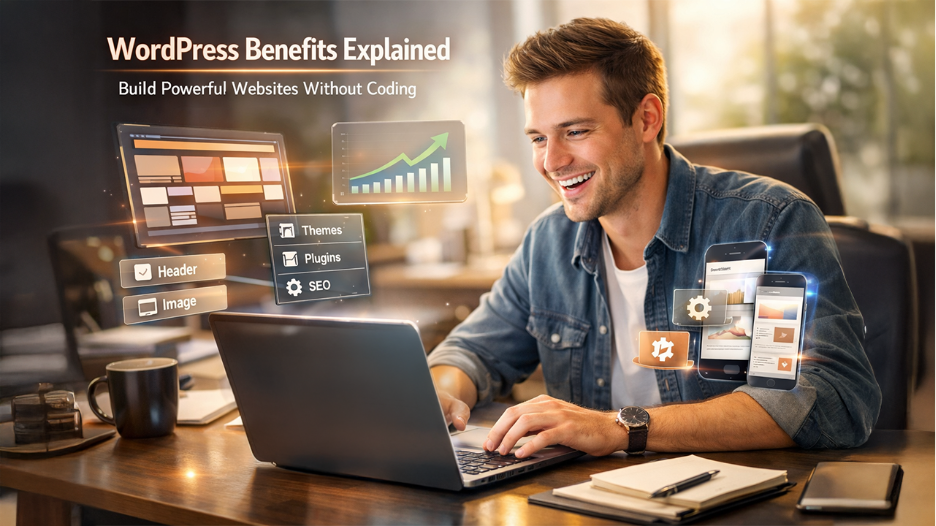
WordPress offers various key benefits over other content management systems, which include the following:
- Easy to Use: WordPress is a user-friendly platform that features an intuitive dashboard, making it easy and simple to publish content, add images, and manage daily operations. To manage and create a site using WordPress, users do not need to have an understanding of coding languages, like HTML or CSS.
- Cost-Effective: The WordPress software is free to use and download. The initial setup cost of WordPress is low and requires only web hosting and domain. WordPress features free core software, which means you do not pay for the CMS itself. In WordPress.com, users only pay for domain registration and hosting,
- Unlimited Customization: WordPress features more than a thousand free and premium themes, with which you can change the appeal of your website instantly. WordPress features over 50,000 plugins, which allow users to add various essential functionality.
- SEO-Friendly: WordPress helps to make the website optimized for search engines. It also produces clean code, which allows for customized permalinks. WordPress also features various popular SEO plugins, which help in improving the ranking of your website.
- Strong Community Support: WordPress offers a strong global community support, which offers users abundant tutorials and forums, along with various developers readily available to help the user solve any issue.
- Scalability: WordPress integrates various modern technologies, like AI integrations and headless CMS architecture, which offer higher scaling capabilities. With the modern features, the user can scale their sites from a simple blog post to a high-traffic website.
- Ownership and Control: In WordPress, the website file, along with data and content, is entirely owned by the user. This offers the user greater control and portability compared to other platforms.
- Responsive Design: WordPress features responsive themes, which ensure that the website automatically adjusts to any device.
Limitations of WordPress:
The major limitation of WordPress is primarily its reliance on plugins for functionality, along with high maintenance costs and scalability issues, among others. Some of the major limitations of WordPress are as follows:
- Extensive Plugin Dependency: WordPress does not require knowledge of coding to create and manage a website, as the platform uses themes and plugins to customize and update the site. In the platform, users need to depend on different plugins to manage the day-to-day working of the site. Various essential features also depend on third-party plugins, which causes conflicts and a maintenance burden.
- Security Vulnerabilities: WordPress is among the most popular content management systems, which makes it prone to various hacking and malware attempts. To reduce the risk of any attack on the websites, users constantly need to check and update all the plugins and themes installed on the site.
- Performance Issue: Some of the major performance issues of WordPress are its slow load time, high Time to First Byte (TTFB), and constant unresponsiveness. These problems are generally caused by bloated plugins, along with unoptimized images and poor hosting.
- High Maintenance: To securely manage the website, the user needs to constantly check the security, updates, and backups of the website, which requires higher technical knowledge.
How to Get Started with WordPress
The process of getting started with WordPress includes five essential steps. The process starts by choosing your platform type, which includes free WordPress.org and paid WordPress.com. The process also includes key steps like setting up your domain, installing WordPress, adjusting basic configurations, and adding design & functionality.
To understand how to make a WordPress website, you can follow the given steps:
- Choosing the Right Platform:
WordPress offers two major types of platforms to host your website, which include WordPress.org, a free and self-hosted platform, and WordPress.com, a paid version, in which the site is managed and hosted by the platform.
- Setting up Hosting and Domain
Register a domain, which is your website’s address. The hosting provider is a provider where the files of your website are stored.
- Installing WordPress
You can install WordPress automatically, as most of the host provides its users with a simple button in their control panel to install.
- Basic Configuration
- Once WordPress is installed, you can adjust the following settings:
- Go to Settings > General to set the Site Title and Tagline of your website.
- Go to Settings > Permalinks > Post name, for SEO friendly-URLs.
- Select what your homepage displays: your latest blog post or a specific static page.
- Design and Functionality
- Go to Appearance > Themes to browse through thousands of free designs.
- Use Plugin > Add New to add or extend a new feature to your website.
- Use the Block Editor to create pages for static content.
In Conclusion: Why Choose WordPress in 2026
WordPress is among the largest and most popular content management sites globally, which powers about 43% of all the global websites. WordPress also features unlimited flexibility in creating a website, which can be a simple blog post or an e-commerce site. WordPress offers over 60,000 unique plugins, along with over more than 14,000 free themes. WordPress also offers a superior SEO foundation, as the platform is designed for performance, and offers a clean code structure, which helps in optimizing the sites for search engines.
WordPress also integrates modern technologies, like AI integrations and headless CMS architecture, which makes the platform ideal for scaling high-traffic enterprise platforms. The platform offers two different types of hosting methods, in which WordPress.org offers free hosting, which is all managed and maintained by the user themselves, and the other is WordPress.com, a paid hosting site, in which the platform manages all the maintenance.
%201.png)

%201.png)

%201.png)