
 Continue with Google

 Share on media
Looking to scale up your business and want to learn how to migrate WordPress website to another hosting? The blog focuses on how to move a WordPress website to a new hosting, and offers a step-by-step guide for the WordPress site migration.
WordPress is among the most popular hosting and content management systems (CMS), which is also free and open-source. WordPress Hosting offers key advantages over other hosting platforms, which include an easy-to-understand and user-friendly interface, along with thousands of customizable plugins and themes for flexibility.
Although being an open-source hosting platform, WordPress can attract various risks to your websites, like hacking and malware attempts. WordPress is also prone to reliability and scalability issues, paired with slower website load times and frequent downtime. Such issues necessitate the need to migrate WordPress website to a more reliable and secure host.
Why Migrate WordPress Website to Another Hosting
There are various reasons that necessitate moving the WordPress website to new hosting. Some of the major reasons include:
Better Performance: The main reason clients migrate from WordPress to other hosting platforms is the slow loading speed of sites in WordPress. A WordPress website includes various plugins, which slow the loading speed of the site. Slow loading speed also hurts the user experience and SEO.
Improved Security: WordPress offers limited threat protection, which increases the risk of hacks and other attacks. Migrating to a better and more secure hosting platform with improved firewalls and malware scanning increases the protection of the websites.
Scalability: With the increase in traffic to the website, you might have to reduce the current server resources to maintain the loading time of the website in WordPress. Switching to a newer hosting platform gives the option to boost the scale of your website even further.
Better Support: Although WordPress offers 24/7 expert support, for more crucial emergencies, clients need to rely on third-party support. Various hosting platforms offer quicker and more knowledgeable technical support, which results in lower downtime of the website and increases traffic.
Essential Pre-Migration Checklist for Migrating a WordPress Website
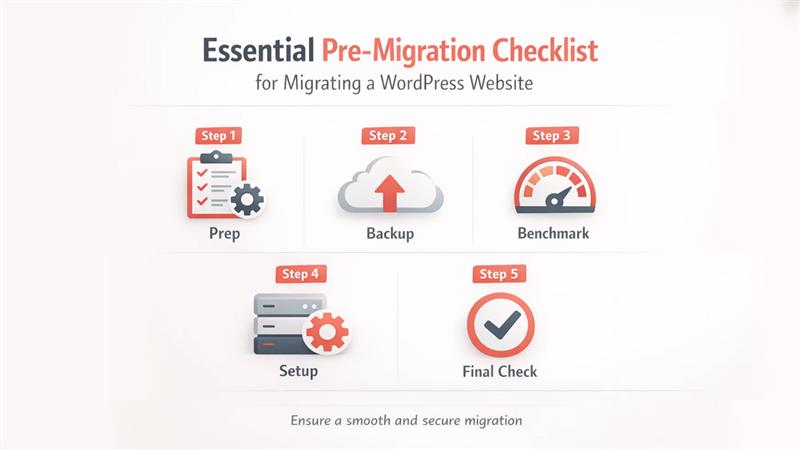
Before migrating from WordPress to another key hosting platform, you need to follow various key pre-migration checklists. This pre-migration checklist helps ensure a seamless transition from WordPress to a new host. It also helps in preventing data loss, along with reducing downtime and SEO performance drops.
The pre-migration checklist for migrating WordPress websites includes five critical steps, which are:
Step 1: Site Preparation.
Before migration, it is essential that your current site is optimized and is fully documented. In the first step, you need to update the core of WordPress, along with all the themes and plugins, to their latest versions. You also need to delete unused themes, plugins, and other media files, which helps in reducing the total package size of the migration. From the website, you also need to clean up spam comments, post revisions, and transient options. You can clean the website using the WP-Optimize plugin. Finally, you need to document all the login details, and all the current hosting panels, FTP/SFTP, domain registrar, and WordPress admin.
Step 2: Comprehensive Backup.
Creating a verified and off-site backup is also essential before migrating to a new host. For creating a comprehensive backup, you need to secure a complete copy of your files, which includes themes, plugins, and media, along with the SQL database. After creating a comprehensive backup, you should store it in multiple secure locations, like a local drive and cloud storage services. Post storage, you also need to make sure that the backup files are not corrupted by testing them in the local environment.
Step 3: Performance Benchmarking.
This step focuses on protecting your performance ranking by recording your current site’s performance. To benchmark the performance of your current website, you need to set an SEO Baseline, along with mapping out all the existing URLs, identifying any broken links, and recording the current load time of the site.
Step 4: Setting up the New Environment.
Before migrating to a new host, you need to ensure the destination server is ready for the website. For this, you can verify that the new host supports the required version of PHP and MySQL/MariaDB. You also need to match your current server’s limit for PHP memory and file upload size. You also need to reduce the DNS TTL (or Domain Name System Time to Live) to 300 seconds, at least 48 hours prior to the move.
Step 5: Final Pre-Flight Actions.
Just before going live, you need to choose and schedule a time with low traffic to minimize the impact on the visitors. You also need to enable maintenance mode and deactivate conflicts by disabling caching and security firewalls.
How to Migrate WordPress Website to Another Hosting
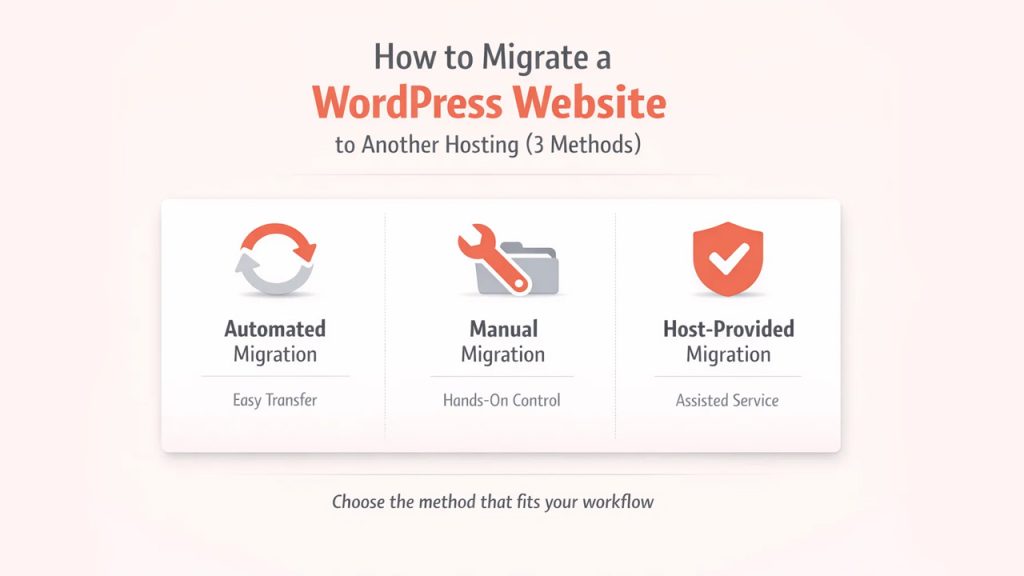
The migration process of a WordPress website to another host is easy and efficient. To migrate your website from WordPress to another host, you can follow any of the three different methods, which include Automated Migration, Manual Migration, and Host-provided migration. Here is the completed WordPress site migration guide:
Method 1: Automated Migration
The Automated Migration is the easiest and most recommended method to migrate WordPress Website. The automated migration method efficiently handles all the necessary files and the database automatically. In this method, you migrate the WordPress website using the following plugins:
- All-in-One WP Migration- Installing the All-in-One WP migration plugin on both new and old sites, which exports the old site to a file and imports it into a new site.
- Duplicator- Create an archive and installer file. After creating duplicate files, upload these to the root folder of the new server and run the installer.php file in your browser.
- Migrate Guru- The Migrate Guru plugin is the ideal plugin to migrate a large website, up to 200 GB. This plugin uses external servers for migration and avoids server timeouts.
Method 2: Manual Migration
The manual migration method is commonly recommended for large sites or if the plugins fail. The manual migration method includes five easy-to-follow steps:
- Back up the files- Download the entire public_html folder, using FTP clients.
- Export Database- Export your database as an .sql file from the old host. For this, you can use phpMyAdmin.
- Set up New Host- Create a fresh MySQL database and user on the control panel of the new hosting.
- Upload and Import- Upload the website file to the new server using FTP.
- Update wp-config.php- On the new server, edit the wp-config.php file with the new database name, username, and password.
Method 3: Managed/Host-provided Migration
The managed or host-provided migrations are offered by various modern platforms. Providers also offer free migration tools and services to attract new customers.
- Host-Specific Plugins- Various hosting platforms like Bluehost, SiteGround, and WP Engine offer dedicated migration plugins that automate the entire migration process.
- Free Professional Migration- Popular platforms like Hostinger offer features like “Migration Request”, in which the support team migrates the sites for you.
Read More: Hostinger vs Bluehost, major differences and their unique features.
Post-migration Process for Migrating a WordPress Website
The “Post-migration” checks can also be considered as the final step to migrate WordPress Website. The post-migration methods include three critical steps, which are as follows:
- Update DNS-The first step involves pointing the old domain to the new host. This can be achieved by updating your Nameservers, like GoDaddy and Namecheap The propagation generally takes about 24 to 48 hours to complete.
- Thorough Check- You also need to check all the links, images, plugins, and forms thoroughly. You can also use a local host file to test the website on the new host platform.
- Resave Permalinks- You need to reserve and regenerate Permalinks in the WordPress dashboard. To reserve Permalinks, you can go to Settings > Permalinks and click “Save Changes”. After saving changes, you should refresh the .htaccess file and prevent 404 errors.
Conclusion
Migrating a WordPress website to another hosting offers numerous benefits and is an easy process. The migration process involves three different methods, i.e., Automated Migration, Manual Migration, and Host-Provided Migration. Each method offers a complete WordPress site migration guide, along with pre-migration and post-migration checklists. The migration from WordPress to another host helps in improving the security and reliability of the website, along with offering scalability to the client. Various other factors, such as better pricing, enhanced features, and better support, also initiate the migration of the website from WordPress to another host.
%201.png)

%201.png)

%201.png)