
 Continue with Google

 Share on media
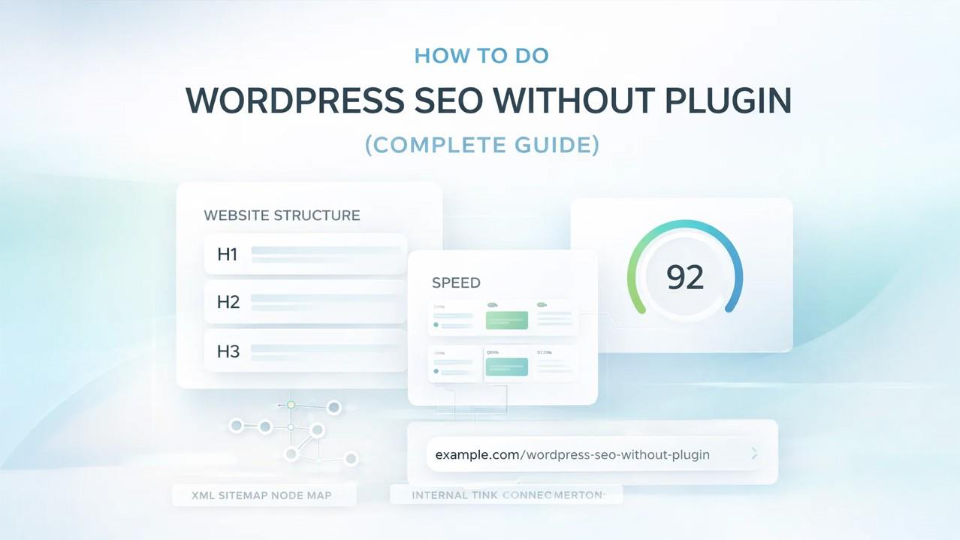
For every WordPress website, search engine optimization (SEO) is one of the most important aspects of running it successfully. There are many site owners that are dependent on SEO plugins to optimize their WordPress site. However, it is absolutely possible to optimize your website effectively without using any plugins as they are not always the best solution for every website or task. WordPress already provides many built-in SEO-friendly features; you just need to know how to configure and use them correctly.
In this comprehensive guide, you’ll learn how to do WordPress SEO without plugin in a practical, beginner-friendly, and fully optimized way. Just clear steps to help your website rank higher on Google without complicated coding or technical overload.
Why Do WordPress SEO Without Plugin? Benefits & Advantages
Before diving into implementation, first let’s see why many website owners, SEO experts, and developers choose to manage SEO manually over plugins.
Better Performance and Faster Loading
Whenever you install plugin, it adds additional code to your website. These plugins increase server requests and processing time, which can slow down the performance of your website. Reduce the usage of plugins to keep your site lightweight. This improves loading speed and enhances overall website performance — all of which positively impact SEO rankings.
Reduced Security Risks
Each plugin introduces potential vulnerability. Plugins that are not maintained properly or are outdated can expose your website to security cyberthreats. To lower the risks of security issues, manage SEO manually as it reduces the dependency on third-party tools.
Greater Control Over SEO Fundamentals
Manually optimizing your website provides you with a full understanding of what you’re doing. This allows you to have control on titles, URLs, internal links, structure, and indexing without relying on automated suggestions. This adds to your stronger long-term SEO knowledge and informed decision-making.
Cleaner Backend Experience
Having too many plugins can clutter your WordPress dashboard and make it difficult to manage. A streamlined backend can improve workflow efficiency and resolve conflicts between tools. If you are switching themes frequently, using the best WordPress plugin to clean up old themes can help remove leftover theme files and database entries that may slow down performance.
Focus on Core Ranking Factors
Plugins cannot guarantee improvement in rankings. Search engines reward logical structure of site, high-quality content, fast loading speed, mobile responsiveness, strong internal linking and backlinks and authority. You can implement these without any SEO plugin.
Essential WordPress SEO Settings to Configure First
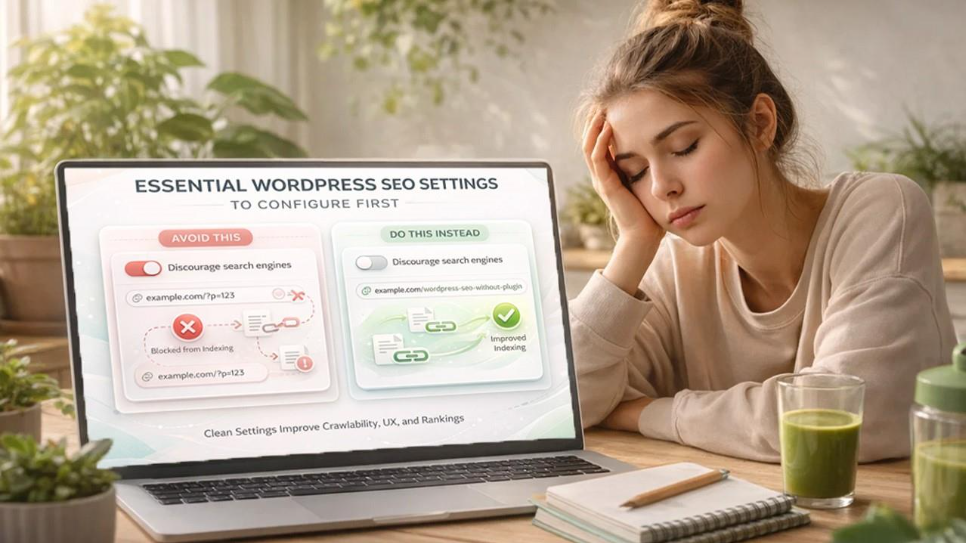
Your SEO foundation begins inside WordPress settings.
Set Search Engine Visibility
- Navigate to Dashboard → Settings → Reading
Make sure that “Discourage search engines from indexing this site” is unchecked. Google will not index your site if this box is checked.
Optimize Permalink Structure
- Go to Dashboard → Settings → Permalinks
- Choose the Post Name. Example: yourwebsite.com/wordpress-seo-without-plugin
- Avoid URLs such as yourwebsite.com/?p=123
Clean URLs significantly improve crawlability, user experience, and keyword relevance.
Write SEO-Optimized Titles and Meta Descriptions (Manually)
You can effectively optimize page titles and meta descriptions even without requiring plugins.
Optimize Page and Post Titles
When you create your content, remember to:
- Include your primary keyword naturally at appropriate locations
- Keep titles between 50–60 characters
- Make them clear and engaging
Example: WordPress SEO Without Plugin: Complete Beginner Guide. Short and well-written titles improve click-through rate (CTR), which indirectly contributes to Google search rankings.
Add Meta Descriptions (Theme Dependent)
There are several modern WordPress themes that allow custom meta descriptions in page settings. If your theme supports it then:
- Keep meta descriptions between 140–160 characters
- Include your primary keyword naturally
- Make it compelling and click-worthy
If your theme does not support custom meta descriptions, search engines will automatically generate them from your content, which is still acceptable if your introduction is well-written.
Optimize Your Content for SEO
Content is the strongest ranking factor. That’s why it is important that you maintain a proper heading structure. Good structure improves readability, crawlability, and user experience. Use headings correctly such as:
- H1 → Main title (only once)
- H2 → Main sections
- H3 → Subsections
Use keywords naturally. Google does not prioritize keyword density, rather it rewards useful content. Avoid keyword stuffing in your content. Instead:
- Include your main keyword in the introduction at least once
- Use it in headings naturally
- Add related or LSI keywords throughout the content
- Focus on clarity, not repetition
Write High-Quality and helpful content that targets real user. Your content should solve real problems, answer common questions, provide detailed explanations, and it must be easy to read and understand. Long-form content (1000+ words) often performs better when it is informative and structured properly.
Optimize Images Properly
Images impact both SEO and page speed.
Rename Image Files Before Upload
- Instead of: IMG_8393.jpg
- Use: wordpress-seo-guide.jpg
Add Alt Text
When uploading images, make sure you describe the images clearly and if it is relevant, include keywords naturally. Alt text helps improve image search rankings, accessibility, and search engine understanding
Compress Images
Large images slow down your site. Upload smaller images to boost the website’s performance. Use smaller file sizes, and compressed images before uploading them. This will help load pages faster. Speed directly affects SEO rankings.
Improve Website Speed (Without Plugins)
Page speed is a major ranking factor. You can improve it by:
- Choosing a Fast-Hosting Provider: Good hosting reduces server response time.
- Using a Lightweight Theme: Heavy themes slow down your website.
- Limiting Unnecessary Scripts: Avoid excessive animations, sliders, and heavy elements.
- Reducing External Requests: Too many fonts, trackers, and embedded tools slow down the loading time.
A fast website improves user experience, Google rankings, and boosts bounce rate.
Create an XML Sitemap (Without SEO Plugins)
An XML sitemap helps search engines understand your site structure. You can use WordPress default sitemap which is available in newer versions or access it via yourwebsite.com/wp-sitemap.xml
Then:
- Go to Google Search Console
- Submit your sitemap
- Monitor indexing status
There is no need for any plugins.
Submit Website to Google Search Console
Google Search Console is essential for SEO success. It helps you to monitor indexing, recognize and identify errors, track performance, view keyword impressions, and detect manual penalties.
Follow these steps to do that:
- Verify your website
- Submit sitemap
- Monitor coverage reports
This tool is free and powerful and works without plugins.
Internal Linking Strategy for WordPress SEO
Internal linking improves the structure of your site, crawl depth, authority distribution, and makes it easier for users to navigate. Building internal links strategically is critical to improving website SEO. Best practices include using links to relevant articles, using descriptive anchor text, avoiding generic phrases like “click here” and connecting related topics naturally to build topical content. Internal linking strengthens your SEO foundation.
Mobile Optimization for WordPress SEO (Mobile-First Guide)
Google uses mobile-first indexing. Your website must load properly on mobile devices; it must be responsive, include fonts that are easy to read, have clickable buttons, and avoid layout shifts. Before making changes live, test your site on multiple devices to ensure a smooth experience for users.
Secure Your Website (HTTPS)
Security is a ranking factor. A secure website builds trust and improves SEO. Make sure:
- SSL certificate is installed
- Your URL starts with https
- Mixed content issues are resolved
Advanced WordPress SEO Optimization Techniques
Once your basic SEO foundation is set, the next step is refining your site for deeper optimization and long-term growth without relying on plugins.
Focus on User Experience (UX)
Search engines prioritize user satisfaction. You can improve UX by offering clear navigation to your website and easy-to-read layout. You must also use short paragraphs and clear bullet points while writing your content to increase readability. Ensure that page loads faster, and there are no intrusive pop-ups that can drive users away. Better user experience (UX) means lower bounce rates and higher rankings on Google.
Build Backlinks Naturally
Even without plugins, backlinks remain essential. To build backlinks naturally you can write guest posts for “write for us” websites, share your content on different social media platforms such as LinkedIn, Instagram, Facebook etc. to gain visibility. You can also collaborate with niche websites, create high-value resources, and publish in-depth guides that users find helpful. Quality backlinks are important for SEO as they increase domain authority and search visibility.
Optimize Category and Tag Pages
Don’t ignore taxonomy pages. You must ensure that categories have descriptions; tags are not excessive, there must not exist any duplicate content, and archive pages are useful. Organized structure improves crawlability.
Monitor Performance Regularly
You must monitor the performance of your site regularly to see what’s working and what needs improvement. You can track performance using tools like Google Search Console, Google Analytics, and page speed testing tools. SEO is not a one-time job. Only continuous monitoring can produce better results.
Common Mistakes to Avoid in WordPress SEO Without Plugin
When managing WordPress SEO without plugin, it is essential to avoid critical mistakes as even small oversights can significantly impact your rankings. Below are the five most common errors that can hurt your rankings:
Ignoring Search Intent and Poor Keyword Research
When you create content, understanding user intent comes first. Ignoring user intent or targeting unrealistic keywords can significantly reduce visibility and engagement of your website.
Keyword Stuffing and Weak Meta Optimization
Overusing keywords or writing titles and meta descriptions that are not clear harms readability and lowers click-through rates.
Publishing Thin or Outdated Content
Low-value, shallow, thin or outdated content does not rank on Google and struggles to compete in search results. Audience only values high-quality, well-written, and SEO-optimized content.
Neglecting Internal Linking
Failing to link related pages weakens site structure and limits authority distribution. This severely affects the ranking of your website.
Overlooking Technical SEO and Site Performance
Overlooking technical SEO such as slow loading speed, mobile issues, broken links, duplicate content, and missing HTTPS can silently damage rankings and impact site performance. This is why understanding manual optimization techniques and how to add meta keywords in WordPress without plugin properly can strengthen your technical SEO foundation.
Conclusion
WordPress SEO without plugin is not only possible, but also practical and effective when done correctly. WordPress already offers a solid SEO foundation. By optimizing permalinks, writing high-quality content, improving speed, structuring headings properly, building internal links, and monitoring performance, you can achieve strong rankings without relying on heavy SEO plugins.
SEO success depends more on content quality, structure, and user experience than on tools. When you understand the fundamentals and implement them consistently, your website can compete effectively in search results.
%201.png)

%201.png)

%201.png)