
 Continue with Google

 Share on media
Building a great church website in 2026 isn’t about just having an online presence anymore — it’s about creating a digital home where people can connect, learn and feel welcomed before they ever step through the doors. Whether someone is searching for hope, community, service times, or simply Sunday times, your website shapes their very first impression. As 2026 brings more powerful yet easy to use tools, churches now have the chance to share their story online with clarity and heart. If you are ready to build a website that truly reflects your mission, this guide breaks down the seven best church website builders made just for churches.
1. Subsplash – the all-in-one digital ministry platform
Subsplash aims to be a digital hub for churches—website, app, media player, and online giving. It is especially designed for churches wanting tightly integrated media, apps, and donation flow in one place, as well as easy-to-use drag-and-drop site tools and automated SEO help. Subsplash is widely considered one of the best church website builders for medium-to-large churches that take digital ministry and engagement seriously.
Who it’s best for: Multi-campus churches, churches looking for both a new native mobile app and website, and ministries that require sermon series and media.
Pros
- Everything lives under one roof: Website, app, donation, sermon hosting — it all connects without juggling multiple logins.
- Designed specifically for churches: No need to force a generic tool to act like a ministry platform.
- Excellent media experience: Their media player and sermon organization tools are polished and consistent.
- Mobile apps included: Great for churches that care about mobile engagement and push notifications.
Cons
- Pricing is higher than DIY builders: Smaller churches may find it tough to justify.
- Learning curve can feel heavy at first: Not difficult, but it’s a big ecosystem to get used to.
- “All-in-one” means reduced flexibility: Integration options are more limited if you want outside tools.
2. Wix – flexible, friendly and volunteer-proof
Wix is a drag-and-drop platform that is also user-friendly for people who are not tech savvy. It has templates based on religion and church, built-in SEO tools, and features like event calendars and donation widgets. Wix is user-friendly, which allows volunteers to be in charge of making updates. For churches that want a professional-looking site without having to pay for a developer, Wix is a solid website builder for churches.
Who it’s best for: Churches that want strong design control and user-friendly DIY experience.
Pros
- Probably the easiest editor on the market: Volunteers pick it up in minutes, not days.
- Beautiful templates for churches: Great starting point without hiring a designer.
- Multiple built-in tools: Events, forms, donations, calendars — most basics are already there.
- Budget-friendly: You can create something impressive without overspending.
Cons
- Too much freedom can get messy: With drag-and-drop, inexperienced editors can break layouts easily.
- Heavy media libraries may slow pages: Especially if sermons are uploaded directly.
- Not built specifically for churches: Works fine, but you’ll rely on third-party apps for deeper features.
3. Squarespace – design-forward, minimal friction
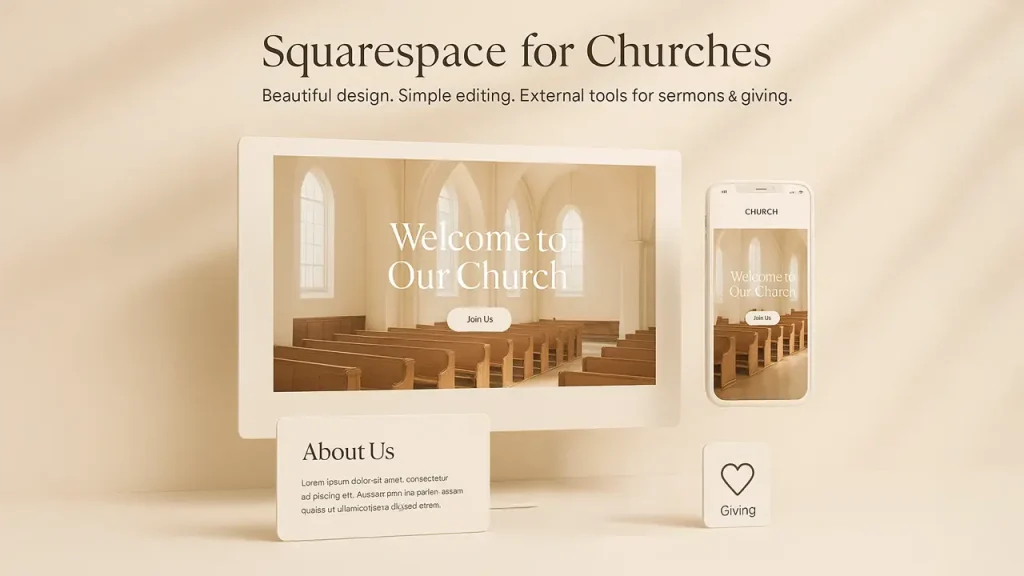
Squarespace remains the go-to when design polish matters. Its templates are elegant and mobile-responsive with easy editing features. Squarespace is especially strong if your priority is a clean, modern site that communicates your brand and story clearly. For sermon hosting and donations, you’ll typically pair Squarespace with church-specific tools or plugins.
Who it’s best for: Small churches and ministries prioritizing aesthetics and storytelling.
Pros
- One of the cleanest, most elegant templates available: If you care about aesthetics, it’s hard to beat.
- Reliable hosting and performance: Pages load fast and stay consistent.
- Editing feels smooth and intentional: The interface keeps things tidy, even for beginners.
- Perfect for storytelling. Great layouts for ministries that want strong visuals and clear messaging.
Cons
- Limited church-specific features: No built-in sermon management or giving tools.
- Temporary workarounds needed: Often you embed from YouTube, Vimeo, or giving platforms.
- Design limits can frustrate advanced users. It’s polished, but not endlessly customizable.
4. WordPress — ultimate flexibility and scale
WordPress.org (self-hosted) is the most flexible path that is able to handle any church need with the right plugins and themes. Want a custom sermon library, membership portal, or advanced SEO? WordPress can do that. It offers you full ownership and gives you control of your website. For large churches or those wanting custom capabilities, WordPress remains one of the best church website builders that need unlimited possibilities. To ensure fast loading times and optimal performance, consider using lightweight WordPress themes that won’t slow down your site.
Who it’s best for: Churches with access to technical help or those who want ultimate customization.
Pros
- You can build anything you imagine: Sermon libraries, membership portals, multi-campus pages; WordPress can handle it.
- Huge plugin ecosystem: Whatever your church needs, someone has created a plugin for it.
- Full ownership and control: No dependency on a single company’s limitations.
- Scales well for large churches: Traffic spikes? Complex layouts? It can handle everything.
Cons
- You must maintain it: Updates, security, and backups need constant oversight.
- Not ideal for non-technical teams: Without a tech-savvy volunteer or agency, things can break.
- Plugins can conflict: Flexibility comes with a bit of unpredictability and chaos.
- Additional expense: Can become expensive if you rely on paid tools.
5. Hostinger Website Builder — budget-friendly and fast to launch
Hostinger pairs low-cost hosting with a friendly website builder and template library. They also publish practical guides for building church websites (site structure, pages to include, SEO basics), which is a big plus for teams that want a fast, affordable launch. The builder includes responsive templates and simple integrations so your church can have a clean site with service times, events, and giving pages without a big monthly bill.
Who should consider it: Small churches on tight budgets or those who want to get online quickly.
Pros
- Extremely affordable: Perfect for small congregations or new churches.
- Simple, clean builder: Enough features to get a functional site without being overwhelmed.
- Responsive templates look modern: Good designs even at a low price.
- Guides and resources for beginners: Hostinger is good at breaking things down step-by-step.
Cons
- Not church-specific: You’ll create sermon pages manually and embed donation options.
- Templates are less polished than Squarespace or Wix: Functional, but not outstanding.
- Limited advanced features: Works well for basics but not for complex digital ministry needs.
6. Ministry Designs — built for churches, built to convert
Ministry Designs focuses entirely on churches: web design, hosting, SEO, and a purpose-built CMS for ministry teams. They offer pre-optimized templates and a “block edit” builder that’s friendly for volunteers. It also offers a large media library and tools aimed at helping churches reach new people. If you want a partner that understands church content and SEO best practices (and you prefer to outsource the technical work), Ministry Designs gives savvy ministry teams an excellent balance of strategy and execution.
Who should consider it: Growing churches wanting professional design and ongoing support.
Pros
- Church-focused from start to finish: Everything such as templates, SEO & structure is designed for ministry.
- Knowledgeable and hands-on support: You’re dealing with people who understand church communication.
- Block editor is simple for non-technical users: Volunteers can update pages without needing technical knowledge.
- Large media library included: Saves time for design-strapped churches.
Cons
- Costs more than DIY options: You’re paying for church-specific expertise and support.
- Less design freedom than WordPress: Great templates, but not endless customization.
- You’re committed to their ecosystem: Switching later may take time and effort.
7. Sharefaith — media-rich and ministry-ready
Sharefaith pairs website building with a vast media library (graphics, countdowns, videos) and a drag-and-drop site editor. For worship teams and ministry creatives, media collection is a real time-saver. Additionally, Sharefaith bundles sermon hosting, giving, and streaming capabilities too. It’s ideal for churches who want both a visual resource library and a no-code way to manage core ministry features.
Who should consider it: Churches that want lots of ready-made media and a one-stop ministry suite.
Pros
- Massive library of graphics, slides, videos, and worship visuals: A huge time-saver for creative teams.
- Church-centered features built in: Sermon players, giving, children’s ministry graphics — all bundled.
- Drag-and-drop editor is easy for beginners: Simple enough for volunteers to run with.
- All-in-one ministry suite available: Website, media, kids’ curriculum and giving tools – all available at convenience.
Cons
- Interface feels dated at times: Functional, but not as modern as Wix or Squarespace.
- Pricing can add up depending on the bundle: Especially if you’re using multiple Sharefaith services.
- Less flexibility compared to WordPress: A solid tool, but not ideal if you want highly custom layouts.
- Media is great, but other features vary in polish.
A quick summary of best church website builders of 2026:
| Church Website Builder | Key Features | Best For | Pricing |
| Subsplash | Website, live streaming, media & sermon hosting, online giving | Multi-campus and mobile focused churches | Custom pricing. Giving is free (Processing fee applies). |
| Wix | Drag-and-drop editor, event calendar, church templates, giving & widgets SEO | Churches needing strong design control & user experience | Starts at $17/mo & go up to $159/mo |
| Squarespace | Elegant templates, responsive design, good for storytelling, blogging & media | Modern, stylish websites emphasizing storytelling | Starts at $16/mo & go up to $99/mo |
| WordPress | Unlimited flexibility via plugins (sermons, membership, CMS), full control | Churches needing ultimate customization | Free; hosting & plugins add variable cost |
| Hostinger | AI-powered site builder + hosting, responsive templates, drag & drop | Small churches on tight budgets | plan starts at $2.99/mo |
| Ministry Designs | Church-optimized design, SEO, sermon/event management | Churches in need of DIY website builder | $1,000 one-time setup + $20/mo hosting/CMS support |
| Sharefaith | Build-in media library, sermon hosting, giving, website editor | All-in-one church media & web platform | Web+media plan at $45/mo |
Common Mistakes Churches Make with Their Websites
1. Outdated Information
Nothing turns visitors away faster than old service times, outdated events, or incorrect details. A website should feel alive, not abandoned.
2. Cluttered Pages
Trying to fit every announcement, banner, and ministry on the homepage creates visual noise. Clear sections and simple navigation make the site more welcoming.
3. Poor Mobile Experience
Most people check church websites on their phones. If the mobile layout is broken or slow, visitors leave before they even read a word.
4. Hard-to-Find Key Details
Basic information—service times, location, parking, kids’ ministry—should be instantly visible. If people have to dig for it, they often give up.
5. No Clear Next Step
Many church websites forget to guide visitors. A simple “Plan Your Visit,” “Join a Group,” or “Watch the Latest Sermon” button helps people know where to go next.
Practical Tips for Choosing the Right Builder
1. Start with your priorities
If donations and sermon playback are mission-critical, choose a builder with integrated giving and a media player. If design and storytelling are your focus, Squarespace or Wix might be better. When evaluating the best church website builders for your needs, consider what features matter most to your ministry.
2. Think about maintenance
Self-hosted WordPress gives freedom but requires maintenance. Church-specific platforms handle updates for you.
3. Check livestream and on-demand playback
Many visitors expect to watch services; test how easy it is to stream and archive sermons. Browse church website examples from similar-sized congregations to see how they handle video content and what viewers respond to.
4. Accessibility matters
Prioritize builders that make accessible design easy — clear navigation, readable fonts, good contrast, and captioning for video.
5. Plan for growth
If you expect multi-site campuses or heavy media needs, choose a platform that scales (Subsplash, WordPress, The Church Co).
Final Thoughts
Picking the right website builder for churches is about choosing how your church shows up online. The best tools—whether Subsplash, Squarespace, Wix, WordPress, or any of the others help you create a space that feels welcoming, clear, and easy for people to navigate. After comparing the best church website builders, the decision ultimately comes down to your church’s specific needs and technical capabilities.
Your website doesn’t need to be fancy. It just needs to reflect on who you are and make information simple to find. Start with the basics, choose a builder your team can manage, and let your church’s story come through. A well-built site becomes more than a digital brochure; it becomes a doorway that helps people find connections and community.
FAQs
1. What features should best website builders include?
Look for essentials like sermon hosting, online giving, event calendars, and easy editing tools. Mobile-friendly templates and basic SEO tools are also a must-have.
2. Do I need technical skills to manage a church website?
Not necessarily. Builders like Wix, Squarespace and Sharefaith are beginner-friendly while WordPress needs more tech support.
3. How do I choose the right builder for my church?
Match the tools to your priorities. WordPress is best for customization, Wix and Squarespace for simplicity, and church-specific platforms like Subsplash for built-in ministry tools.
%201.png)

%201.png)

%201.png)