Share on media


When it comes to creating graphics, whether for an office presentation or for a creative project, the first platform that comes to your mind is Canva.
Canva has redefined how millions approach graphic design, even without having editing experience. However, it’s not the only option to consider. There are quite a number of options in terms of affordable platforms or website designing tools and solutions which could be considered.
The blog describes the best version of Canva Alternatives with key features, benefits, drawbacks, and specialization. This list of software has been selected through comprehensive testing, analysis, and research with exclusive expertise for each software to cater to specific requirements. Alternatives for Canva are proven top-notch solutions for such software with programs that vary from those using Artificial Intelligence technology to Professional software. They can help graphic artists, marketers, and content developers alike create professional, high-quality designs with ease.
Why Switching to Canva Alternatives is Crucial
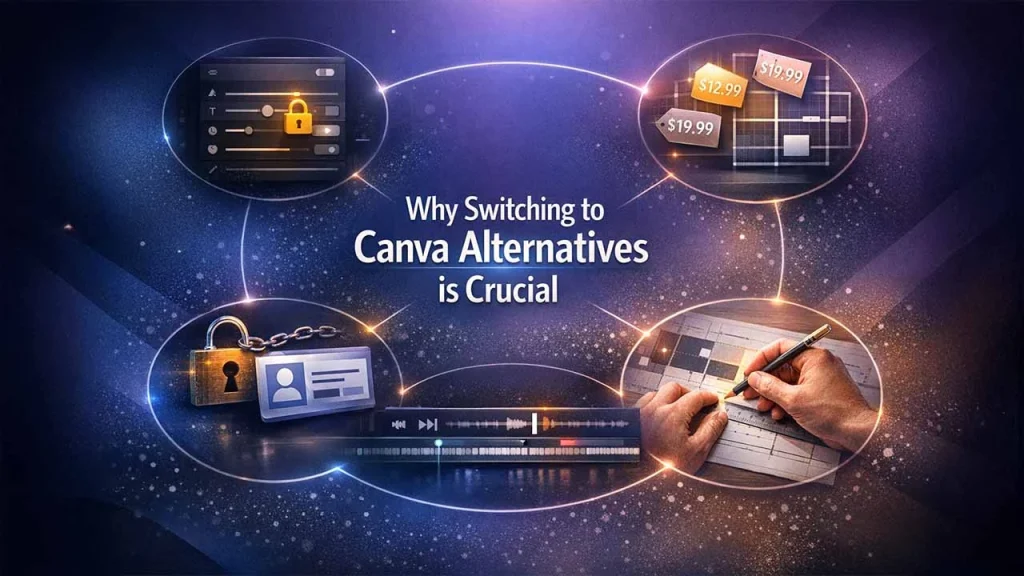
Canva is one of the most popular design platforms, widely recognized for enabling users to create static visual content with ease. It comes with a wide range of features that are hardly seen in numerous other design platforms. Despite its promising features, there are many factors that highlight the need to explore alternative platforms. Here are a few reasons demonstrating why shifting to Canva alternatives is the right decision.
- Limited access to advanced editing features
- Dynamic pricing structure and static layout
- Inefficient video editing interface
- Mandatory signing-in requirements
- Manual editing dependency
These limitations highlight why it may not always be the perfect solution for every creative need. However, exploring alternative platforms allows you to control the entire design process with greater precision and efficiency. Making an informed decision about the right tools depends completely on their unique requirements whether it’s designing website graphics, outreach materials, or social media content.
Top 5 Canva Alternatives: A Quick Overview
1. Adobe Express
Adobe Express is one of the most extensive graphic design platforms, standing out as a strong alternative to Canva. Since there are numerous alternatives, people generally prefer Adobe for its incredible templates, easy functionality with other Adobe software, as well as its text, font, and style options. By combining automation with powerful features, this browser-based platform helps users create professional-looking designs without complexity.
Essential Features:
- Supports over 100,000 pre-designed templates for different projects but comparatively less than Canva.
- With Adobe Firefly, users can generate AI text effects and high-quality images.
- Smart integration with Adobe products, like Creative Cloud, Photoshop, Adobe Stock, and generative AI Firefly.
- It has a generous free plan, offering 10 Firefly AI credits every month and 5 GB cloud storage.
- Their premium plan begins at $9.99 a month, which comes with 250 AI credits and more than 100GB cloud storage.
Whether you are looking to make social media posts, outreach materials, or even graphics for websites, Adobe Express is the best tool to use. It enables creative visuals to be produced through text-image functionalities where an individual only has to describe what they expect to see. If you’re already working with Adobe products, the integrations can save you a lot of time and effort.
2. Visme
Visme positions itself as a strong alternative that is specifically designed for businesses and professionals. The service offers more than just basic graphic design, with extensive functionality for data visualization and creating engaging content.
Key Features:
- Sophisticated data visualization capabilities with over 40 different chart types and customizable widgets
- Three-dimensional animated icons and complex animation functionality
- Interactive elements such as pop-ups, hover effects, and links
- Collaborative tools for team projects
- Comprehensive template set for presentation, infographics, and report tasks
Visme is most effective for making infographic creation, business presentation, and data-driven content. Visme has the capability to deal with complex data visualization, which is very helpful for professionals who work on presenting data.
3. Figma
For people who are interested in website design and UI/UX design, a totally different ecosystem is offered by Figma. It isn’t a direct replacement for Canva; instead, it is the standard industry tool for digital product design.
Key Features:
- Collaboration on a single task in real-time between various members
- Rapid prototyping with interactive components
- Create designs for ensuring brand consistency
- Code specifications for developer handoff software
- Over 1,600 plugins for extended functionality.
Figma has a steeper learning curve than Canva but provides unmatched functionality for building responsive websites, mobile apps, and software interfaces. It is often considered a strong option when evaluating the Best Church Website Builder for organizations that need advanced customization. It is an essential tool for design teams involved in complex design projects based on its collaboration features.
4. VistaCreate (Crello)
VistaCreate, previously known as Crello, is positioned as a direct competitor of Canva with a special emphasis on the creation of animated content.
Key Features:
- Intuitive Drag-and-Drop interface
- Animation Maker with thousands of animated objects
- Access to the Depositphotos stock library for premium subscribers
- Templates designed for different social networks
- Test all functionalities for 14 days for free
One thing that stands out about the platform is that it is capable of animation and therefore it is ideal for creating engaging social media content. With VistaCreate, adding animations to design content is relatively simple even for someone with no experience in video editing.
5. Desygner
Desygner provides an extensive design solution while specializing in powerful mobile functionalities and brand management capabilities. Powered by AI capabilities, the platform specializes in crafting marketing materials, promotional content, or casual content completely free of charge.
Core Features offered:
- AI-powered branding tools for designing everyday creatives
- Compatible with a wide range of different file formats, including PDF and PowerPoint.
- Web and Mobile, accessible on desktop platforms
- Teamwork features: simultaneous editing
- Affordable pricing, with a powerful free plan that’s available.
Desygner is available on multiple platforms; you can access your designs at any time, and changes are synced automatically. The brand kit features in Desygner help you maintain the look and feel of all your marketing materials.
Features to Consider
While analyzing alternatives, it is important to take the following criteria into consideration:
Template Library: It helps to have an extensive library of pre-designed templates that make designing faster. The designer must hunt for platforms that have templates for his industry type.
Asset Library: Having access to stock images, illustrations, icons, and fonts through the platform saves time browsing other libraries. Some platforms offer access to millions of royalty-free images.
Collaboration Tools: For teams, collaboration capabilities, comments, and version history are necessary for efficient workflow management.
AI Abilities: Today, design software also relies on AI capabilities in removing backgrounds, enhancing images, and even creating new images based on text inputs.
Export Options: Make sure the platform does support file formats that you might need, be that web-optimized PNG files, print-ready PDFs, or formats for further editing.
Learning Curve: Consider your design experience and the time you can make available. For some, ease of use is their core selling point, while others have powerful features that take time to learn.
Final Verdict
Undoubtedly, Canva is an excellent platform; however, these alternatives provide users with compelling features that align with their specific needs and workflows. Adobe Express is renowned for offering the same experience with advanced functionalities, while specialized platforms like Figma, Piktochart, and Luminar Neo demonstrate expertise in their specialized fields.
The right decision typically relies on unique user needs, budget, and technical skill level. As various platforms provide free plans, users can test whether the features truly aligned with your requirements before making final choice. Consider selecting one or two most suitable alternatives that meet with your fundamental use cases.
Regardless of whether you’re designing web pages, social media posts, or exceptional outreach materials, these Canva alternatives offer a robust feature suite to shape your creative visuals.
FAQ
Is there a completely free alternative to Canva?
There are a number of tools that offer free plans with powerful features, such as Desygner, Pixlr, and Snappa. Still, free plans may offer limited functionalities, storage, or monthly downloads.
Which Canva alternative is the easiest to use?
Adobe Express and Snappa are very friendly to “newbies,” they offer easy interfaces and guides to follow through. Both sites enable users to produce quick and professional-looking graphics even if they aren’t designers.
Are desktop alternatives better than online tools?
Desktop software, for instance, in Affinity Designer, contains benefits in offline functionality, quick processing of large documents, and ignoring internet connectivity
What is the best alternative for making infographics?
PiktoChart has a focused area of expertise in infographics and data visualization. It has tools that are designed specifically for visually representing information.